
2FA Recovery Requests
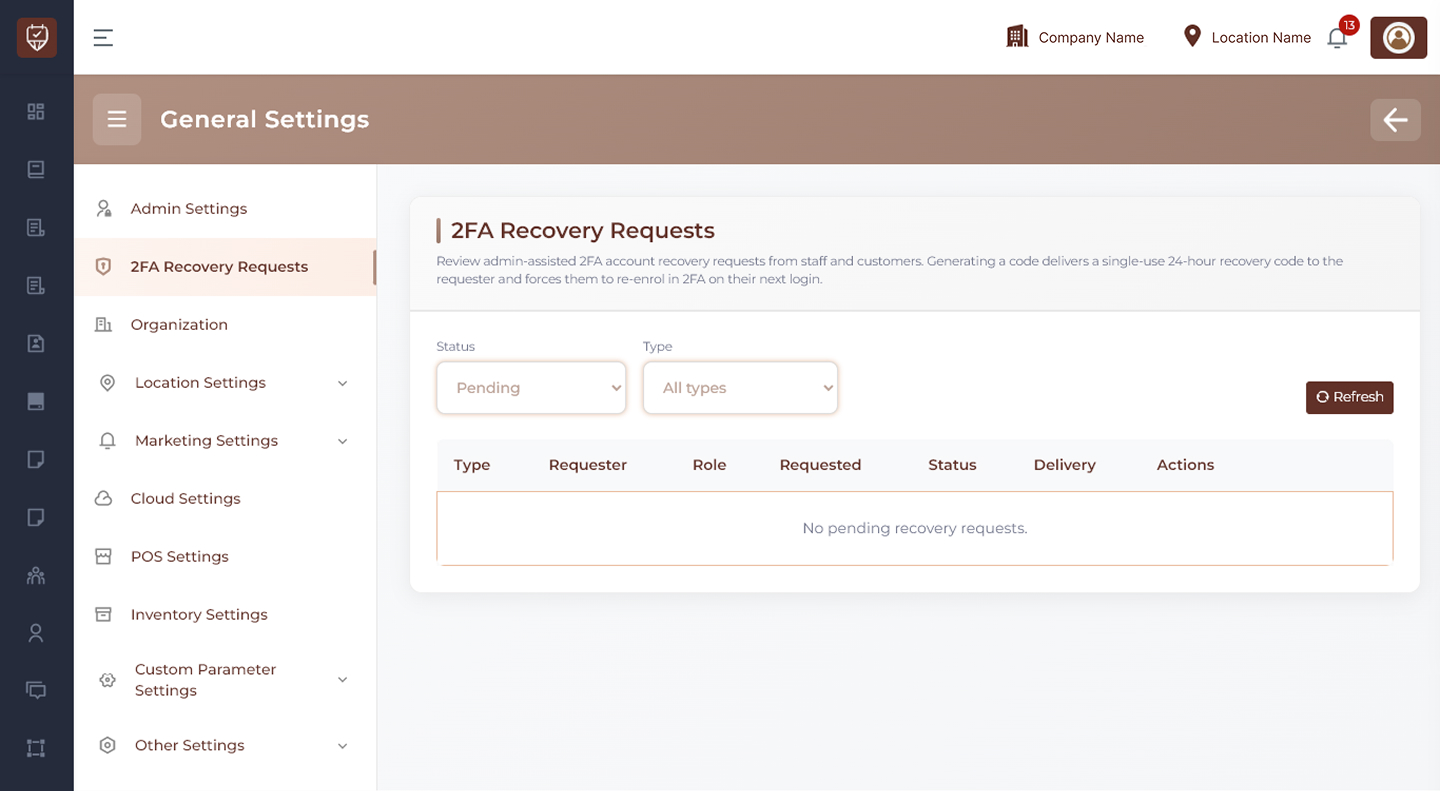
The 2FA Recovery Requests page allows administrators to review and manage account recovery requests for users who cannot access their Two-Factor Authentication (2FA). Administrators can generate temporary recovery codes or cancel requests after verification.
Purpose
This page is used when staff members or customers lose access to their authenticator device, backup code, or registered verification method.
Recovery processing helps users regain access securely while maintaining account protection.
Filters
Status
Use this dropdown to filter requests by current processing state.
Examples:
- Pending
- Approved
- Cancelled
- Completed
Type
Use this dropdown to filter requests by requester category.
Examples:
- User
- Employee
- Customer
- All Types
Refresh
Use the Refresh button to reload the latest recovery requests and status updates.
Request Table
The table displays all submitted 2FA recovery requests.
Type
Shows the requester category.
Examples:
- User
- Employee
- Customer
Requester
Displays requester identification details.
Examples:
- Name
- Registered email
- IP address
Role
Shows the requester’s system role.
Examples:
- Employee
- Admin
- Customer
Requested
Displays the date and time when the recovery request was submitted.
Status
Shows the current request state.
Examples:
- Pending
- Completed
- Cancelled
Delivery
Displays whether the temporary recovery code has been delivered.
Examples:
- Email Sent
- SMS Sent
- Pending
- Failed
Actions
Provides options to process the selected recovery request.
- Generate code : Create a temporary single-use recovery code for the requester
- Cancel : Reject and close the recovery request
Security Notes
- Recovery codes should only be generated after identity verification
- Temporary codes should expire automatically after limited use or time
- Users should be required to re-enroll 2FA after successful login
- Cancel suspicious or duplicate requests immediately
Best Practices
- Verify requester identity before approving recovery
- Use recent contact details for code delivery
- Review IP address or login history if needed
- Monitor repeated recovery requests for suspicious activity
- Encourage users to save backup codes after re-enrollment