
WhatsApp Settings
The WhatsApp Settings page allows you to configure and manage multiple WhatsApp API integrations used for sending messages, notifications, and alerts.
You can view existing configurations and switch to edit mode to add, update, or remove WhatsApp API entries.
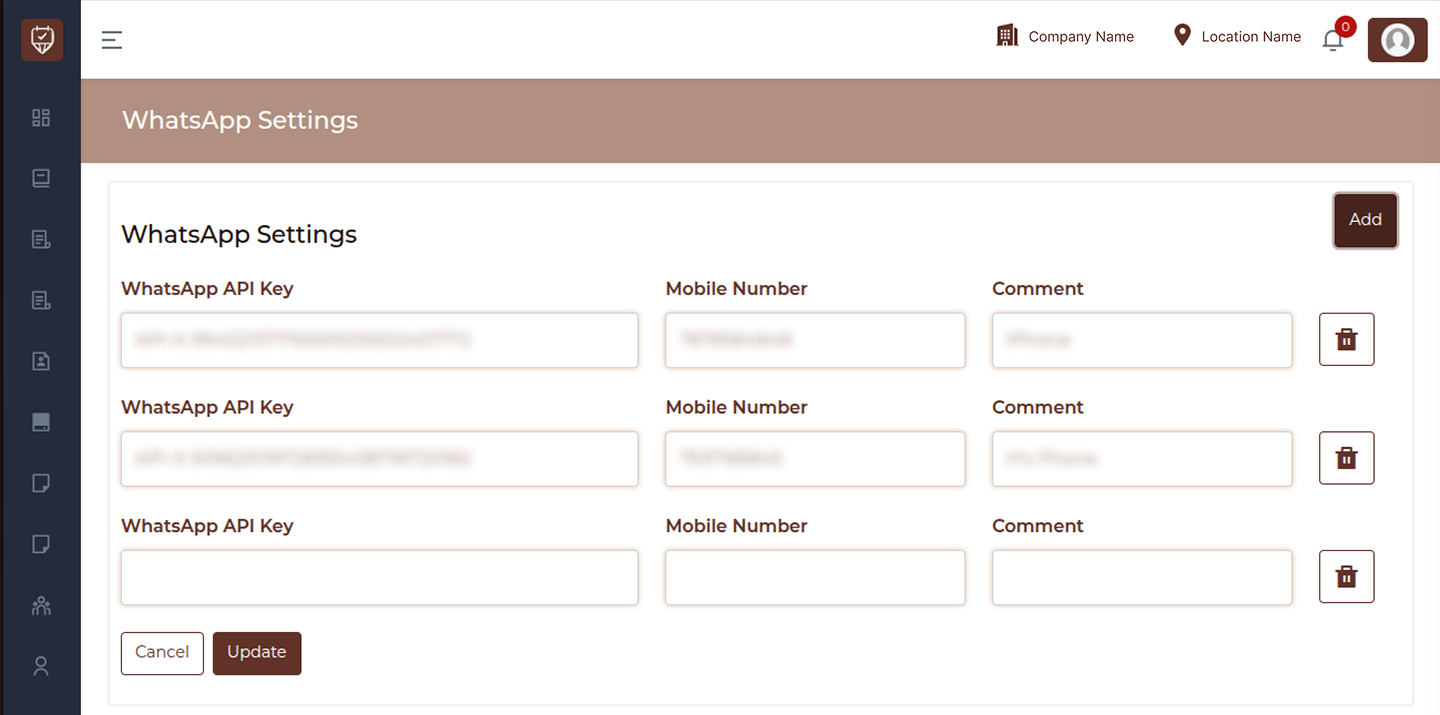
View Mode
In the default view, all configured WhatsApp API details are displayed in a read-only format.
Fields
WhatsApp API Key
Displays the API key used to connect with the WhatsApp service.
Mobile Number
Shows the registered mobile number linked to the WhatsApp API.
Comment
Displays a label or note to identify the API configuration (e.g., device name or purpose).
Edit Button
Use the Edit button to modify WhatsApp settings.
Edit Mode
When you click the Edit button, the page switches to editable mode, allowing you to manage API configurations.
Add Button
Use the Add button to insert a new WhatsApp API configuration row.
Delete Icon
Use the delete icon to remove a specific WhatsApp API configuration.
Editable Fields
You can update the following details:
- WhatsApp API Key
- Mobile Number
- Comment
Actions
- Cancel : Exit without saving changes
- Update : Save and apply updated WhatsApp settings
Key Functionalities
- View all WhatsApp API configurations
- Add multiple API integrations
- Update existing API details
- Remove unwanted configurations
- Manage multiple WhatsApp sending sources
Best Practices
- Use clear comments to identify each configuration
- Ensure API keys are valid and active
- Avoid duplicate API entries
- Remove unused configurations to maintain clarity
- Regularly verify mobile numbers linked to APIs