
SMS Logs
The SMS Logs page provides a complete record of SMS messages sent through the system. It helps administrators track communication history, monitor delivery details, review message content, and analyze SMS usage.
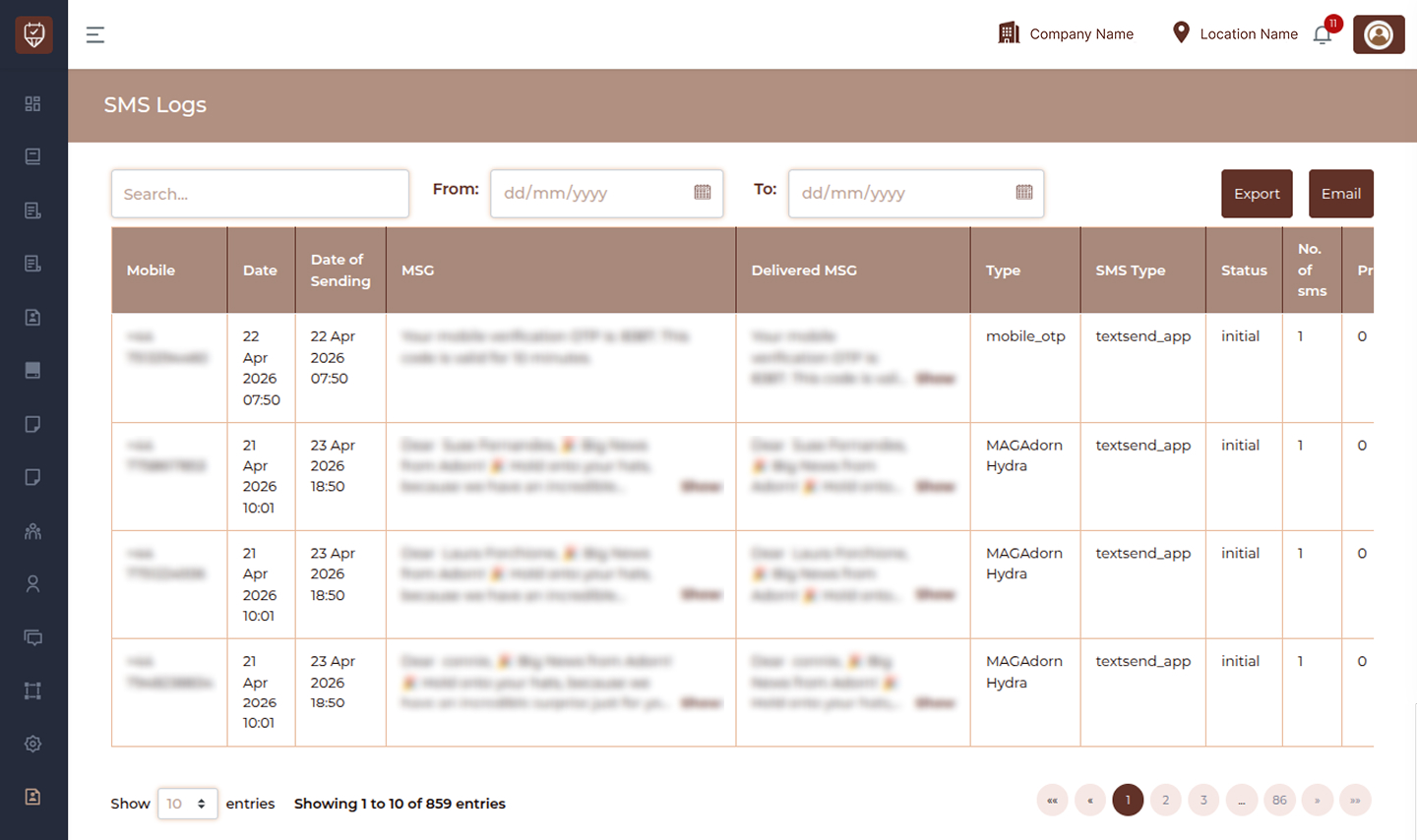
Filters & Controls
Search
Use the search bar to quickly find SMS records using mobile number, message content, or related details.
Date Filters
- From : Select the start date to view SMS logs from a specific period.
- To : Select the end date to filter logs up to a selected date.
Export Button
Use the Export button to download SMS log data for reporting or record keeping.
Email Button
Use the Email button to send the filtered SMS log report through email.
SMS Log Columns
Mobile
Displays the recipient mobile number to which the SMS was sent.
Date
Shows the date and time when the SMS activity was recorded.
Date of Sending
Displays the exact date and time when the SMS was sent.
MSG
Shows the original SMS message content. Use Show to view the full message if truncated.
Delivered MSG
Displays the delivered version of the message content. Use Show to view the full delivered message.
Type
Indicates the purpose or category of the SMS.
Examples:
- Reminder messages
- Birthday messages
- Promotional alerts
- System notifications
SMS Type
Displays the provider or channel used to send the SMS.
Status
Shows the current processing or delivery status of the SMS.
Examples:
- Initial
- Sent
- Delivered
- Failed
No. of sms
Displays the number of SMS units consumed for the message.
Price
Shows the cost charged for sending the SMS.
Best Practices
- Use date filters to review specific time periods
- Regularly monitor failed or pending messages
- Export logs for auditing and reporting
- Review SMS costs periodically
- Check message content before sending campaigns