
Email Logs
The Email Logs page provides a complete history of emails sent through the system. It helps administrators monitor communication activity, verify email delivery, review message subjects, and track automated or transactional emails.
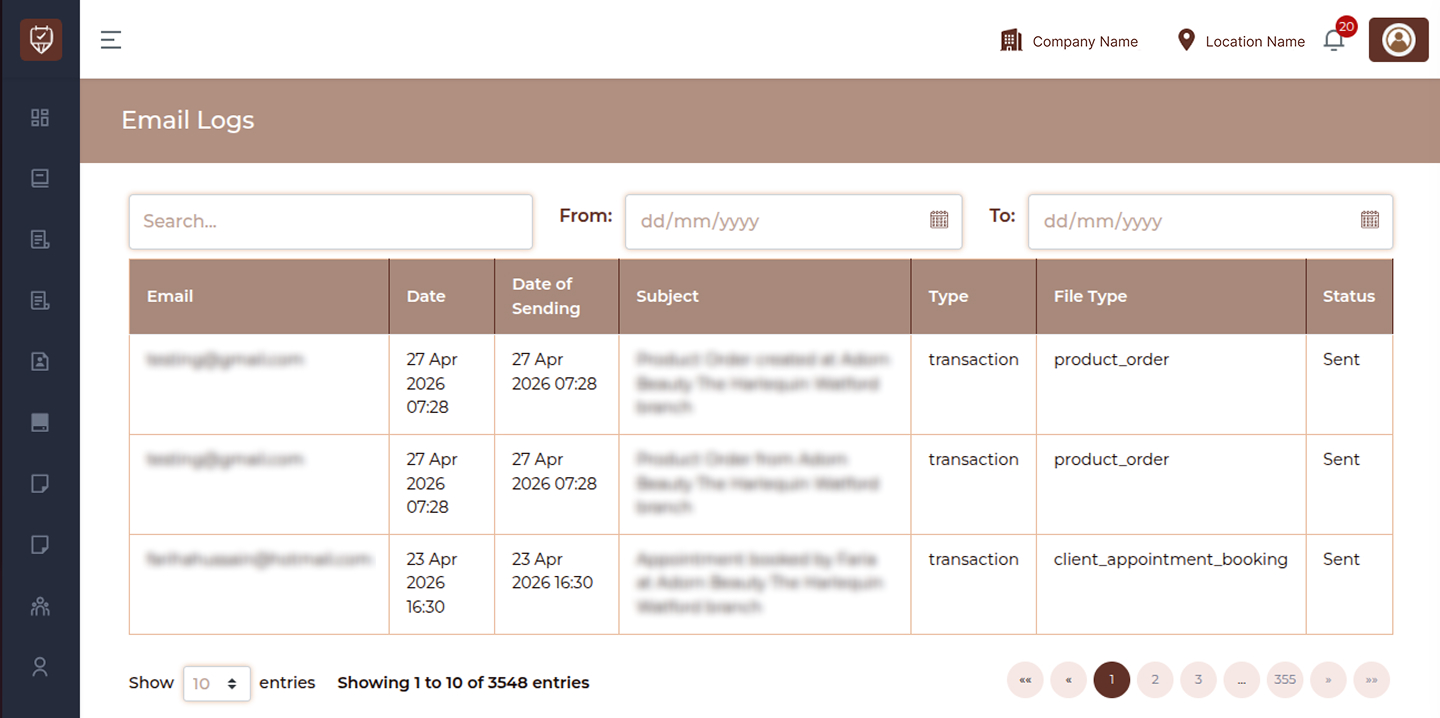
Filters & Controls
Search
Use the search bar to quickly find email records using recipient email address, subject, or related details.
Date Filters
- From : Select the start date to view email logs from a specific date range.
- To : Select the end date to filter logs up to the selected date.
Table Overview
Displays the recipient email address to which the message was sent.
Date
Shows the date and time when the email activity was recorded.
Date of Sending
Displays the exact date and time when the email was sent.
Subject
Shows the subject line of the email.
Type
Indicates the category or purpose of the email.
Examples:
- Transactional
- Promotional
- Notification
- Reminder
File Type
Displays the template, module, or source file used to generate the email.
Status
Shows the current delivery or processing status of the email.
Examples:
- Sent
- Pending
- Failed
Best Practices
- Use date filters to review emails within a selected period
- Monitor failed or pending emails regularly
- Verify subjects and templates for important communications
- Use logs for support and troubleshooting
- Maintain email history for operational records