
Product Types
Overview
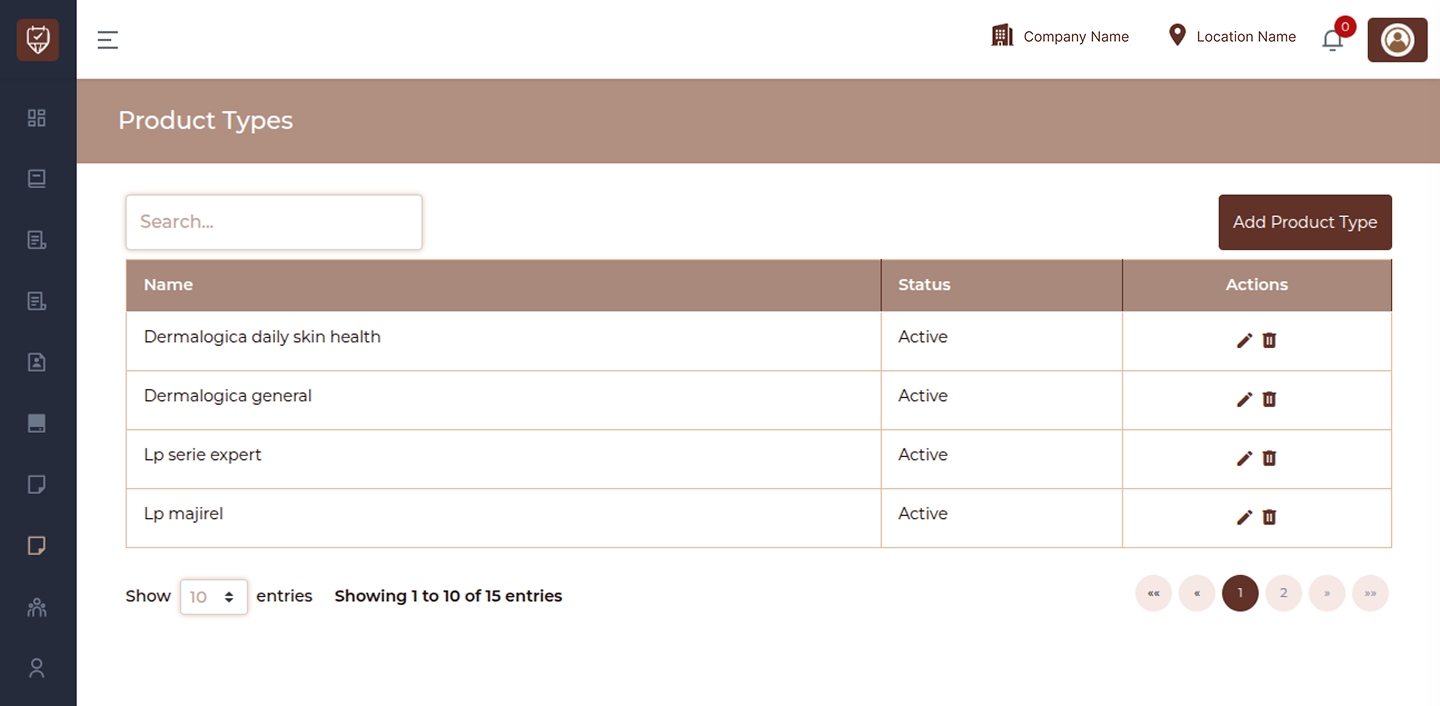
The Product Types page allows you to organize products into specific types or classifications. This helps in structuring your product catalog, improving filtering, and making it easier to manage inventory and reporting.
Search
Use the search bar to quickly find specific product types. The list updates instantly as you type, helping you locate entries efficiently.
Add Product Type
Click the Add Product Type button to create a new product classification. This helps group products based on their type or usage.
The page displays all product types in a table with the following details:
Name
Displays the product type name used to categorize products within the system.
Status
Active : Available for assigning to products
Inactive : Disabled and not available for new product assignments
Actions
Edit : Update product type details
Delete : Remove the product type from the system
Add / Edit Product Type
Overview
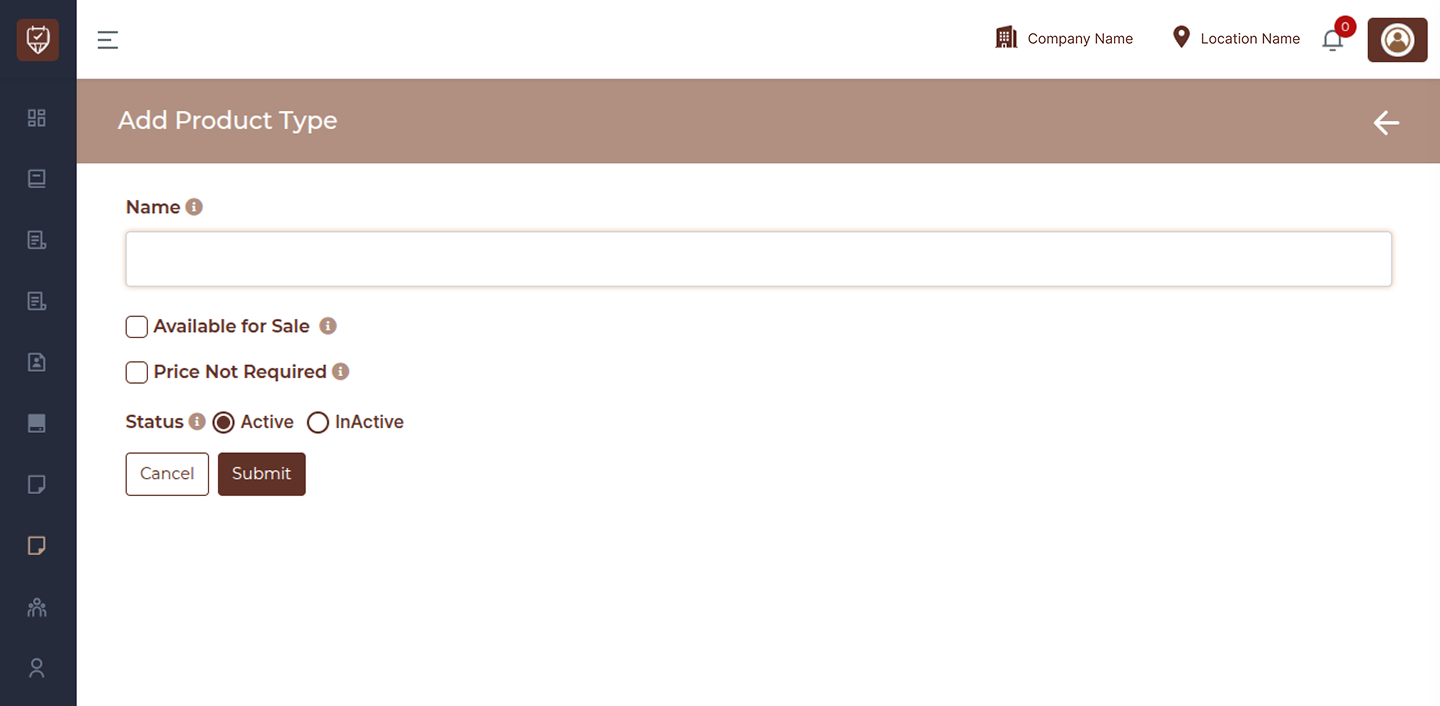
The Add / Edit Product Type page allows you to create a new product type or update an existing one. Product types help categorize products and define how they behave within the system, including availability for sale and pricing requirements.
Name
Enter the name of the product type. This name is used to classify and organize products within the system.
Available for Sale
Enable this option if products under this type should be available for sale. When selected, these products can be included in billing and sales transactions.
Price Not Required
Enable this option if products under this type do not require a fixed price. This is useful for items where pricing may vary or is determined at the time of sale.
Status
Active : The product type is available for use and can be assigned to products
Inactive : The product type is disabled and cannot be used for new products
Action Buttons
Submit : Click Submit to save the product type details. This will create a new product type or update the existing one.
Cancel : Click Cancel to discard any changes and return to the previous screen.