
Inventory Settings
The Inventory Settings page allows you to configure email notifications, stock alerts, expiry handling, and reminder schedules for inventory management at the selected location.
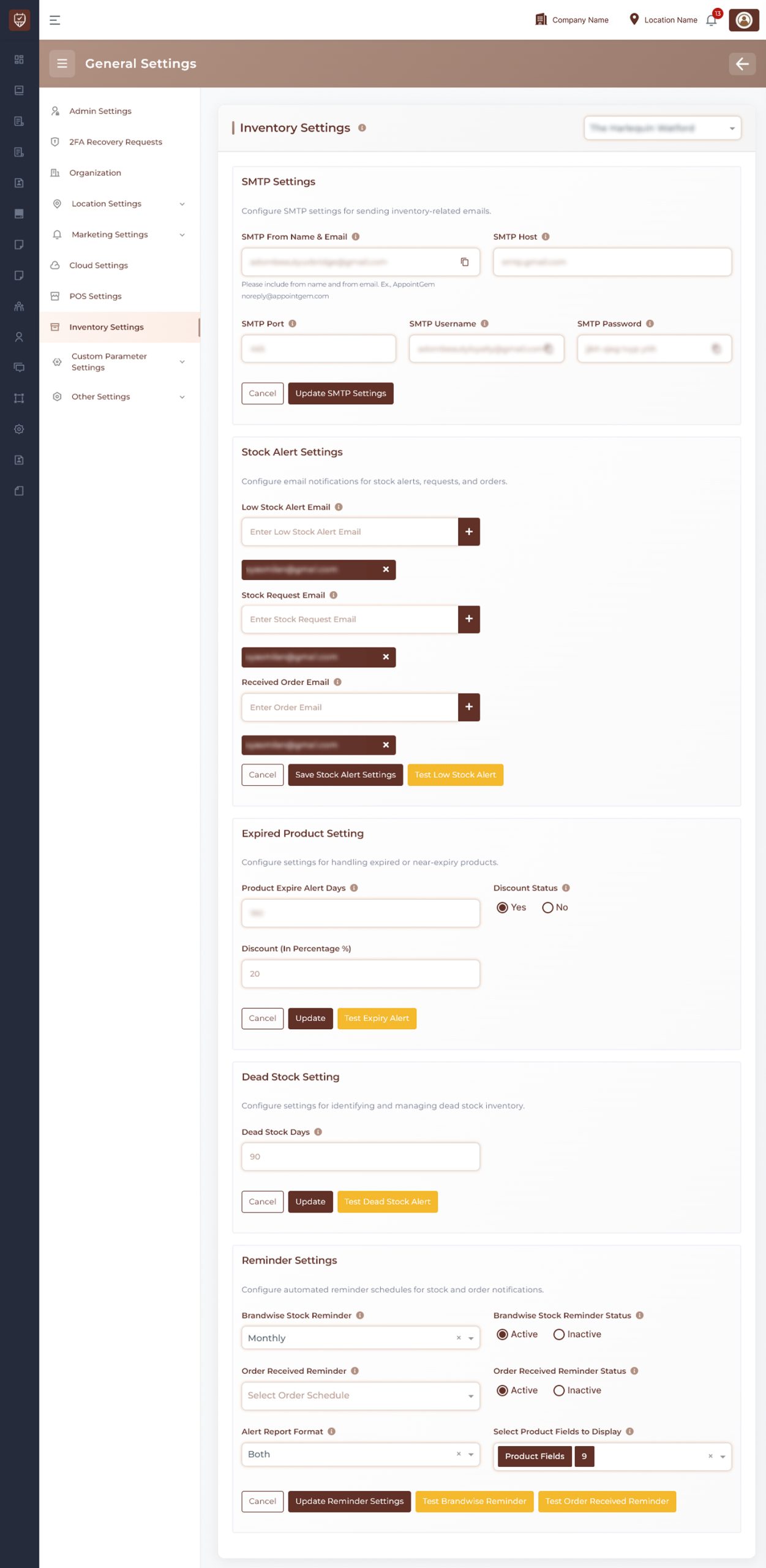
Location Selection
Use the location selector at the top-right to apply settings for a specific branch.
Email Configuration
Configure email service for sending inventory-related notifications.
- Set up email delivery for inventory alerts and updates
- Test email functionality to ensure correct configuration
- Save settings to activate email communication
Stock Alert Settings
Manage notifications for stock-related events.
- Add recipients for low stock alerts
- Add recipients for stock request notifications
- Add recipients for received order notifications
- Send test alerts to verify setup
- Save alert configurations
Expired Product Settings
Control how expired or near-expiry products are handled.
- Define the number of days before expiry to trigger alerts
- Enable or disable discount application on expiring products
- Set discount percentage if applicable
- Send test expiry alerts
Dead Stock Settings
Identify and manage inactive or unsold inventory.
- Define the number of days to classify stock as dead
- Update settings to track slow-moving inventory
- Send test alerts for verification
Reminder Settings
Configure automated reminders for inventory monitoring.
- Set frequency for stock reminders
- Enable or disable brandwise stock reminders
- Configure order received reminders
- Select report format for alerts
- Choose product fields to include in reports
- Send manual reminders when needed
Actions
Update / Save
Stores configuration changes for each section.
Cancel
Discards unsaved changes.
Test Alerts
Allows you to verify alert configurations before using them.
Best Practices
- Ensure email settings are correctly configured before enabling alerts
- Use appropriate recipients for different types of notifications
- Regularly review expiry and dead stock thresholds
- Enable reminders to maintain consistent inventory monitoring
- Test alerts after configuration changes