
App Versions
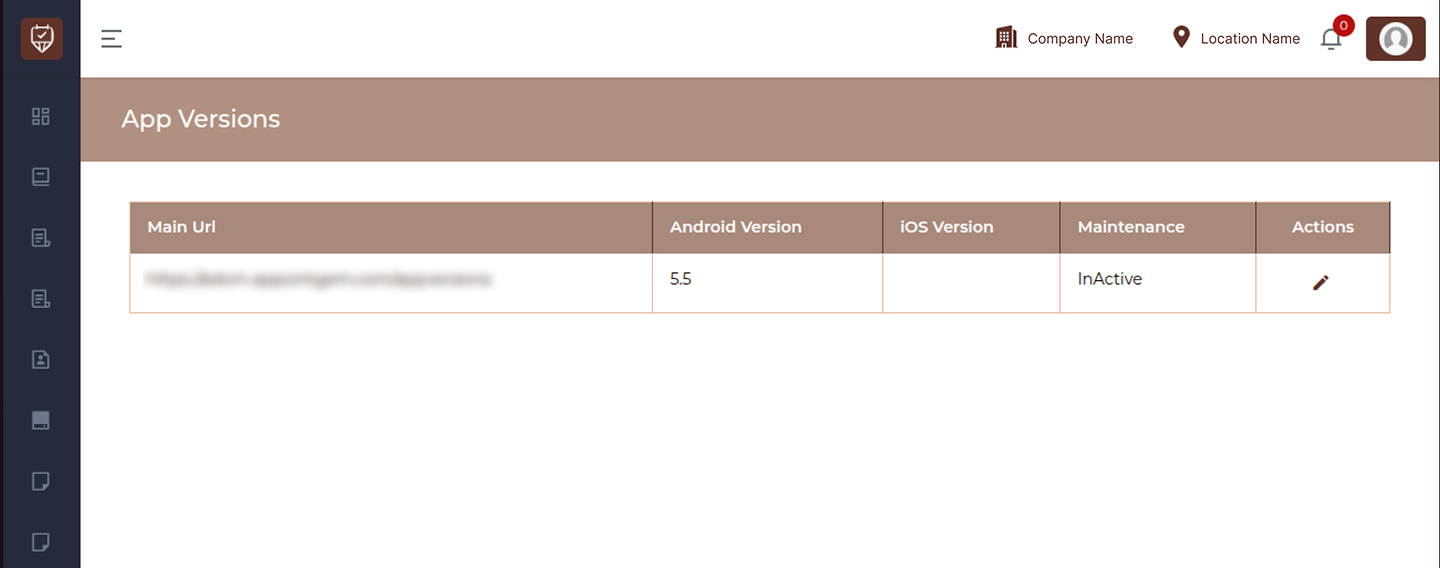
The App Versions page is used to manage and control mobile application versions for Android and iOS platforms. It helps ensure users are running the correct version of the app and allows administrators to enforce updates or enable maintenance mode when required. This page provides a centralized view of app version details and allows quick updates to version numbers and maintenance settings.
Overview
- Manage Android and iOS app versions from a single place
- Control application availability using maintenance mode
- Ensure users are using the latest supported version
- Maintain system stability during updates or downtime
Fields & Columns
Main URL
Displays the primary URL associated with the app version configuration.
Android Version
Shows the current version number of the Android application.
iOS Version
Displays the current version number of the iOS application.
Maintenance
Indicates whether the application is in maintenance mode.
- Active : App access may be restricted for users
- InActive : App is available for normal usage
Actions
Provides options to manage the app version:
- Edit : Modify version details and maintenance settings
Key Functionalities
- Update Android and iOS version numbers
- Enable or disable maintenance mode
- Control app accessibility during updates
- Maintain consistency between app releases
Best Practices
- Always update version numbers after releasing a new app build
- Enable maintenance mode during major updates or downtime
- Ensure version numbers match those published on app stores
- Test updates before enforcing version changes
- Communicate maintenance periods to users in advance
Add / Edit App Version
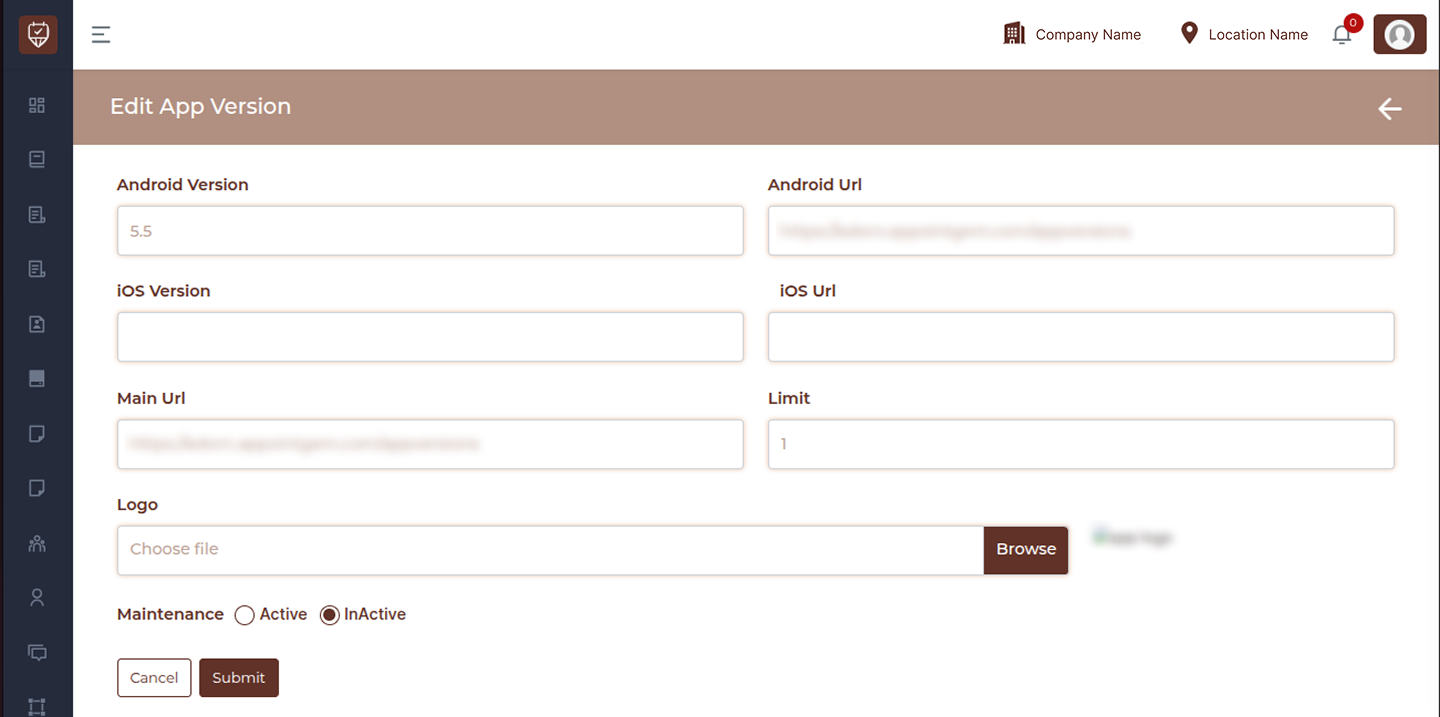
The Add / Edit App Version page is used to configure and manage mobile application version details for both Android and iOS platforms. It allows administrators to update version numbers, control app access, define update limits, and enable maintenance mode when required. This page ensures that users are always aligned with the correct app version and helps manage application availability during updates or downtime.
Overview
- Configure Android and iOS app versions
- Define app access URLs
- Control update enforcement using limits
- Enable or disable maintenance mode
- Manage branding using app logo
Fields
Android Version
Enter the current version number of the Android application. This should match the version available on the app store.
Android URL
Provide the URL where users can access or download the Android app.
iOS Version
Enter the current version number of the iOS application.
iOS URL
Provide the URL for accessing or downloading the iOS application.
Main URL
Displays or defines the primary application URL used for version validation or redirection.
Limit
Specify the version limit or threshold for enforcing updates. This can be used to restrict older versions or control update behavior.
Logo
Upload an application logo that may be used in maintenance screens or app-related displays.
Maintenance
Control application availability:
- Active : Application is under maintenance and may restrict user access
- InActive : Application is available for normal usage
Actions
Options to manage the configuration:
- Cancel : Exit without saving changes
- Submit : Save and apply the app version configuration
Key Functionalities
- Manage version consistency across platforms
- Control app access during maintenance
- Define update enforcement rules
- Provide direct app access links
- Maintain branding with logo configuration
Best Practices
- Keep Android and iOS versions updated after every release
- Ensure URLs are correct and accessible
- Use maintenance mode during deployments or system updates
- Set appropriate limits to avoid outdated app usage
- Upload a clear and optimized logo for better display