
Mobile Banner
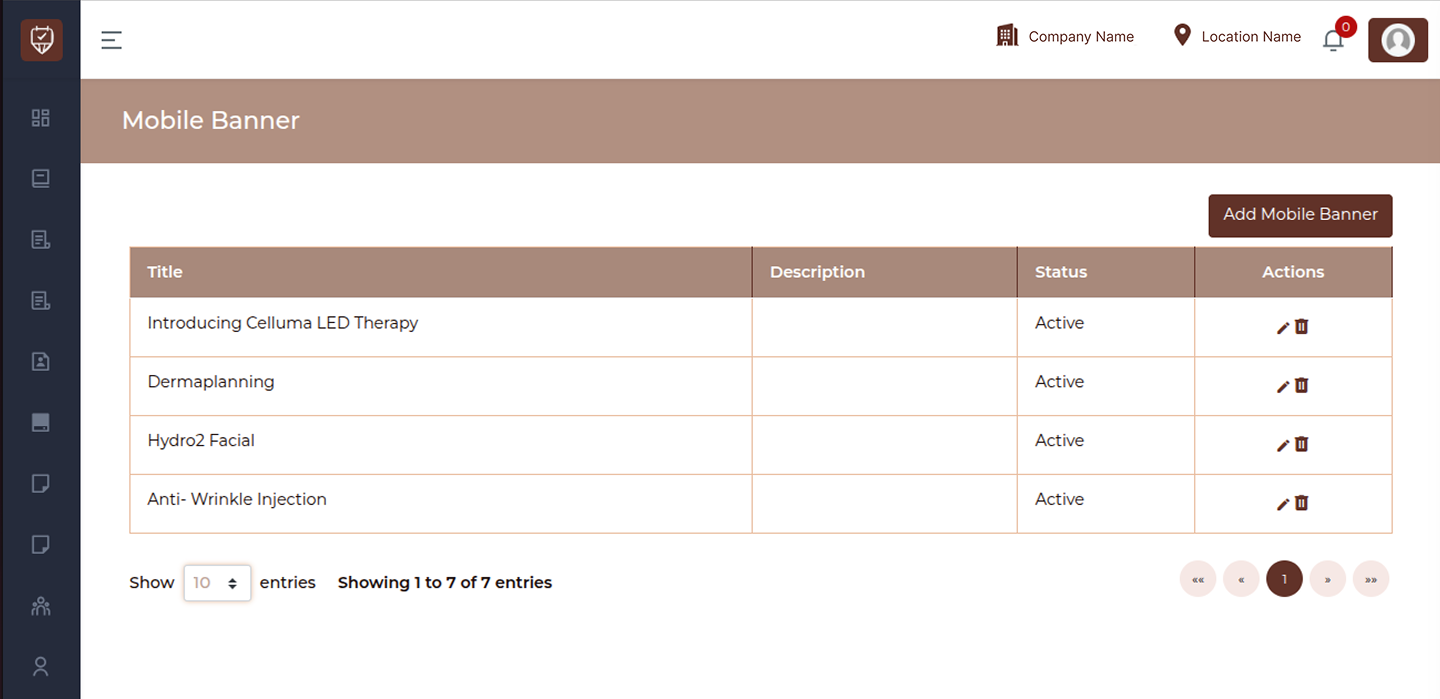
The Mobile Banner page allows you to manage promotional banners displayed in the mobile application. These banners help highlight offers, services, or important announcements to users.
Search
Use the search bar to quickly find specific banners by title.
Add Button
Use the Add Mobile Banner button to create a new banner.
Table Overview
Title
Displays the name of the banner.
This helps identify the purpose or content of the banner.
Description
Shows additional details or message associated with the banner.
Status
Indicates whether the banner is currently active or inactive.
- Active : The banner is visible in the mobile application
- Inactive : The banner is hidden from users
Actions
Provides options to manage mobile banners:
- Edit : Modify banner details
- Delete : Remove the banner from the system
Best Practices
- Use clear and attractive titles for banners
- Keep descriptions short and engaging
- Regularly update banners to reflect current offers
- Remove outdated or inactive banners
- Ensure banners align with ongoing promotions
Add / Edit Mobile Banner
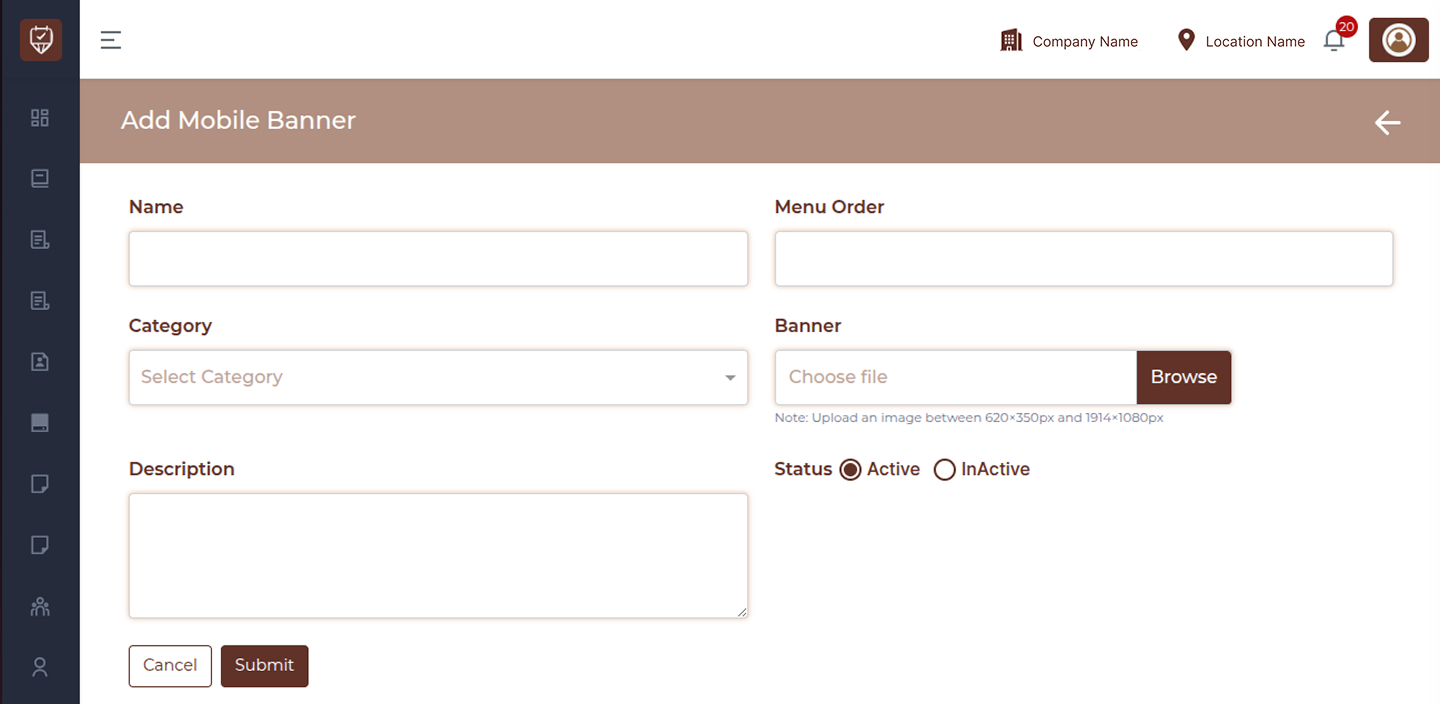
The Add/Edit Mobile Banner page allows you to create or update banners displayed in the mobile application. These banners are used to promote services, offers, or important announcements to users.
Fields
Name
Enter the name of the banner.
This helps identify the banner internally.
Menu Order
Specify the display order of the banner.
Lower numbers will appear first in the mobile app.
Category
Select the category for the banner.
This helps group banners based on their purpose or type.
Banner
Upload the banner image.
Note:
- Upload an image between 620×350 px and 1914×1080 px
- Ensure the image is clear and properly formatted
Description
Add a short description for the banner.
This can provide additional context or message related to the banner.
Status
Set the banner status.
- Active : The banner will be visible in the mobile application
- Inactive : The banner will not be displayed
Actions
- Cancel : Exit without saving changes
- Submit : Save the mobile banner
Best Practices
- Use high-quality images for better visibility
- Keep banner names clear and relevant
- Maintain proper menu order for display priority
- Avoid overcrowding with too many active banners
- Update banners regularly based on promotions