
Organization Settings
The Organization Settings page allows administrators to configure company-level preferences including email delivery settings, gift card setup, brochure branding, and insurance document management.
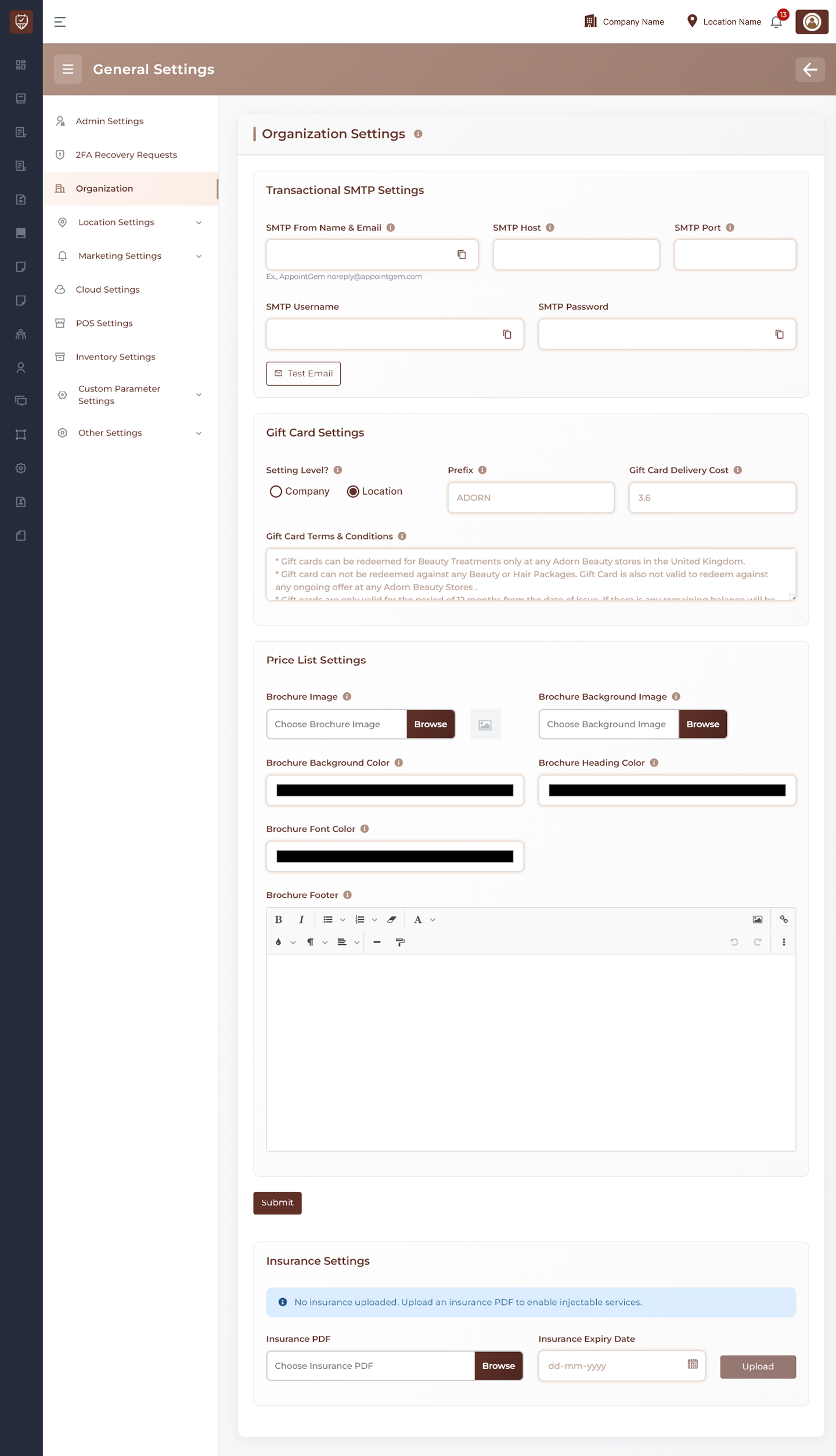
Transactional SMTP Settings
Configure outgoing email settings used for transactional emails such as bookings, reminders, receipts, and notifications.
Available Fields:
- SMTP From Name & Email
- SMTP Host
- SMTP Port
- SMTP Username
- SMTP Password
Actions:
- Test Email : Send a test email to verify SMTP configuration
Gift Card Settings
Manage organization gift card rules and delivery charges.
Setting Level
Choose where gift card settings apply.
Options:
- Company : Apply globally to all locations
- Location : Apply only to the current branch
Prefix
Set the prefix used when generating gift card codes.
Example:
- GIFT
- STORE
- CARD
Gift Card Delivery Cost
Define the delivery or processing cost charged for gift cards.
Gift Card Terms & Conditions
Enter the terms, rules, or redemption conditions displayed with gift cards.
Examples:
- Non-refundable
- Valid for selected services only
- Cannot be exchanged for cash
Price List Settings
Configure branding and appearance for brochures or downloadable price lists.
Brochure Image
Upload the main brochure image.
Brochure Background Image
Upload a background image for brochures.
Brochure Background Color
Choose the brochure background color.
Brochure Heading Color
Choose the heading text color.
Brochure Font Color
Choose the body text color.
Brochure Footer
Use the editor to add custom footer content such as contact details, notes, or branding text.
Actions
- Submit : Save organization settings changes
Insurance Settings
Manage insurance documentation used for specific services or compliance requirements.
Insurance PDF
Upload an insurance certificate or supporting PDF file.
Insurance Expiry Date
Set the expiry date of the uploaded insurance document.
Actions
- Upload : Upload insurance document and save expiry date
Best Practices
- Verify SMTP settings before sending live emails
- Keep gift card rules clear and updated
- Use consistent brochure branding colors and images
- Review insurance documents before expiry dates
- Store only current and valid compliance documents
- Test all uploaded assets for correct display