
Reports – Appointments
The Appointments Report page provides a detailed financial summary of appointment revenue within a selected period. It allows administrators to review customer booking payments, distinguish between online and in-store transactions, apply filters, and export appointment performance data.
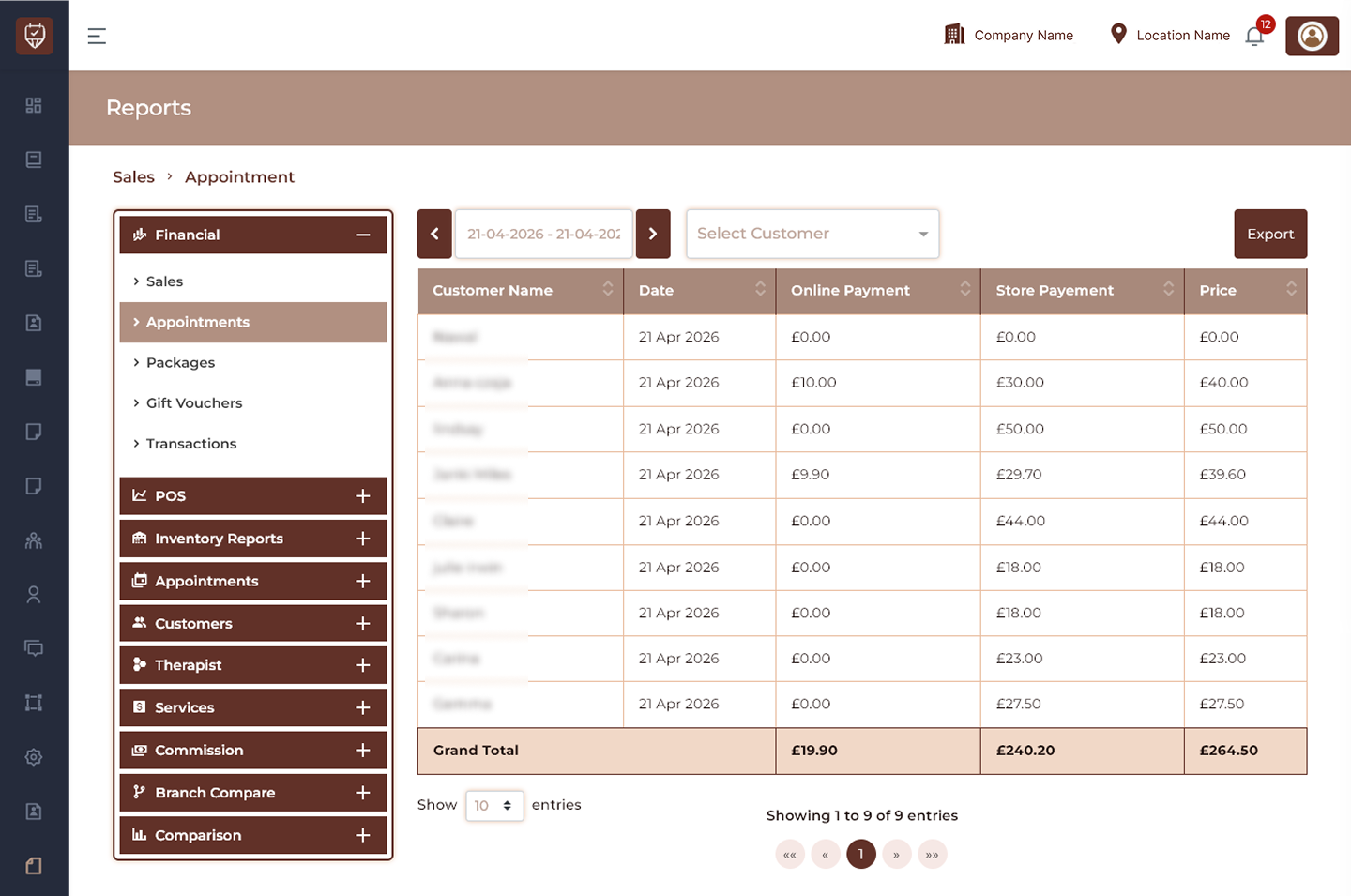
Date Range Filter
Allows users to define the reporting period.
Features
- Filter appointment data by selected dates.
- Navigate between previous and next periods.
- Refresh report data dynamically.
- Support historical appointment analysis.
Purpose
Helps review appointment revenue for specific operational periods.
Customer Filter
Allows appointment data to be filtered by customer.
Features
- Search and select a customer.
- Display customer-specific appointment revenue.
- Simplify transaction analysis.
- Improve reporting precision.
Purpose
Used to narrow results and analyze appointments for individual customers.
Export
Downloads the currently displayed appointment report.
Features
- Exports filtered report data.
- Supports reporting and audits.
- Simplifies financial sharing.
- Enables offline analysis.
Purpose
Generate a downloadable copy of the appointment sales report.
Appointment Revenue Details
Displays appointment transaction information and payment distribution.
Customer Name
Displays the customer associated with the appointment transaction.
Date
Shows the date on which the appointment transaction was recorded.
Online Payment
Displays the amount collected through online payment methods.
Store Payment
Displays the amount collected directly at the venue.
Price
Shows the total appointment transaction amount.
Features
- Displays appointment-level revenue details.
- Separates online and in-store payments.
- Supports customer transaction tracking.
- Improves financial visibility.
Grand Total
Displays consolidated appointment revenue totals.
Features
- Calculates total online revenue.
- Calculates total in-store revenue.
- Displays combined appointment sales.
- Updates automatically according to selected filters.
Purpose
Provides a complete financial overview of appointment performance.
Best Practices
- Apply date filters before exporting reports.
- Use customer filtering for targeted analysis.
- Compare online and store payments regularly.
- Review totals to identify revenue trends.
- Export monthly reports for financial records.