
Booking Overview
The Booking Overview report provides a consolidated view of appointment activity across booking channels and booking outcomes during the selected reporting period. It helps monitor booking behaviour, identify customer booking preferences, and support appointment planning.
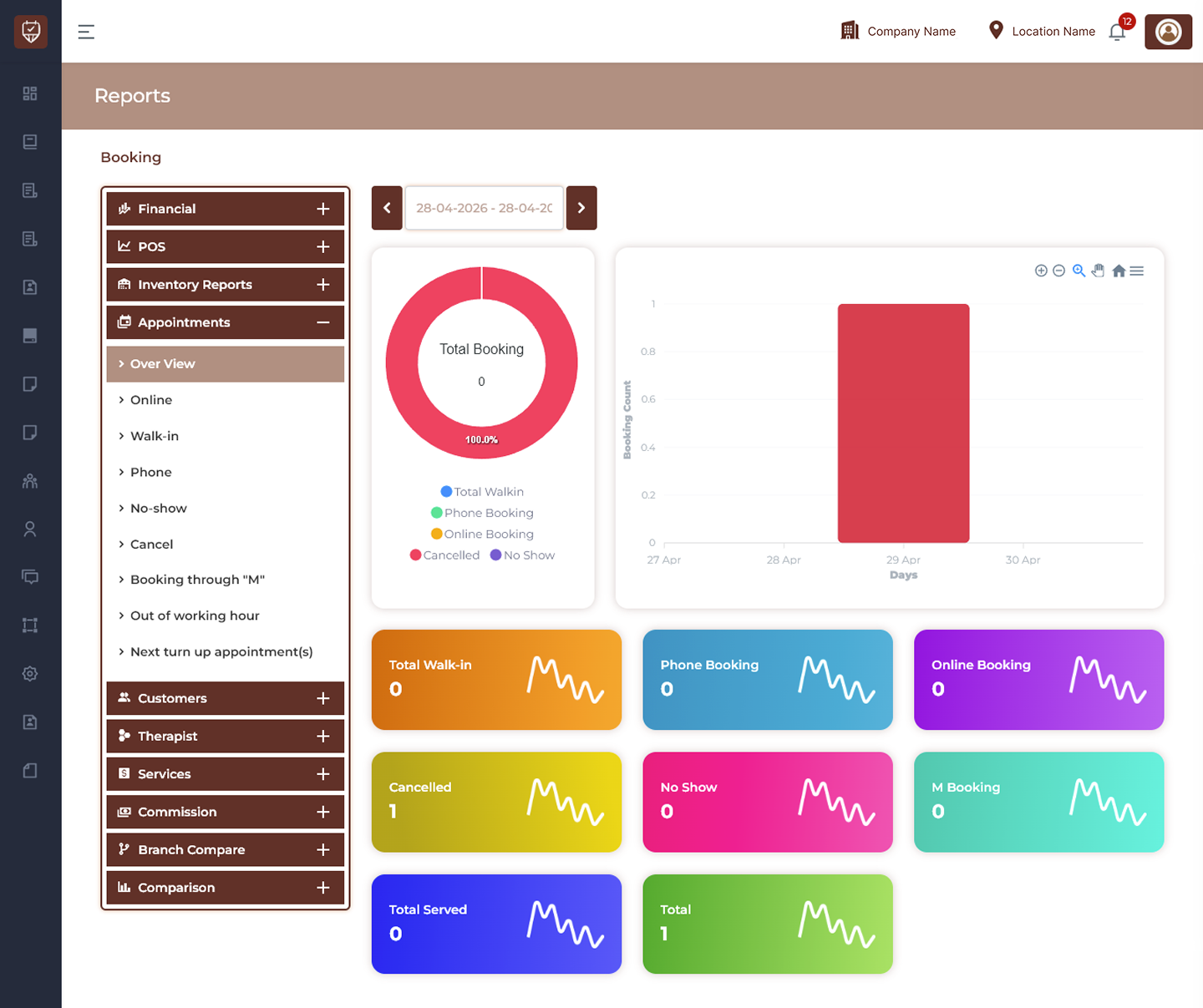
Date Range Filter
Allows users to generate booking data for a selected reporting period.
Features
- Filter bookings by date range.
- Analyse booking activity over time.
- Compare booking trends.
- Improve operational visibility.
Purpose
Used to review booking performance within a selected period.
Booking Distribution Chart
Displays booking contribution by booking source.
Features
- Visual representation of booking channels.
- Identify dominant booking methods.
- Compare booking proportions.
- Support operational planning.
Purpose
Used to understand booking source distribution.
Booking Trend Chart
Displays booking activity across selected dates.
Features
- Monitor daily booking volume.
- Identify peak booking periods.
- Analyse booking patterns.
- Improve scheduling decisions.
Purpose
Used to track booking performance trends.
Booking Summary Cards
Displays key booking indicators for the selected period.
Total Walk-in
Displays appointments created directly at the venue.
Phone Booking
Displays appointments created through phone channels.
Online Booking
Displays appointments created through online channels.
Cancelled
Displays appointments cancelled during the selected period.
No Show
Displays appointments where customers did not attend.
M Booking
Displays bookings generated through the M booking source.
Total Served
Displays completed and served appointments.
Total
Displays overall appointment volume.
Features
- Monitor booking sources.
- Review appointment outcomes.
- Track operational performance.
- Support booking analysis.
Booking Categories
Overview
Displays overall booking performance across all channels.
Online
Displays appointments booked through online channels.
Walk-in
Displays appointments created directly at the location.
Phone
Displays appointments booked through phone calls.
No-show
Displays unattended appointments.
Cancel
Displays cancelled appointments.
Booking through “M”
Displays appointments generated from M booking source.
Out of Working Hour
Displays bookings created outside operating hours.
Next Turn Up Appointment(s)
Displays upcoming appointment attendance activity.
Purpose
Used to analyse appointment behaviour and service demand.
Report Insights
This report helps teams understand:
- Customer booking preferences.
- Channel performance.
- Cancellation patterns.
- Attendance behaviour.
- Booking demand trends.
Best Practices
- Monitor booking channels regularly.
- Review cancellation and no-show trends.
- Analyse booking demand periods.
- Track appointment completion rates.
- Export data for operational reporting.
- Use booking insights to optimise scheduling.