
Frequently Sold Product
The Frequently Sold Product report provides visibility into products with the highest sales activity during the selected period. It helps identify top-performing inventory items, monitor stock availability, and support purchasing and replenishment decisions.
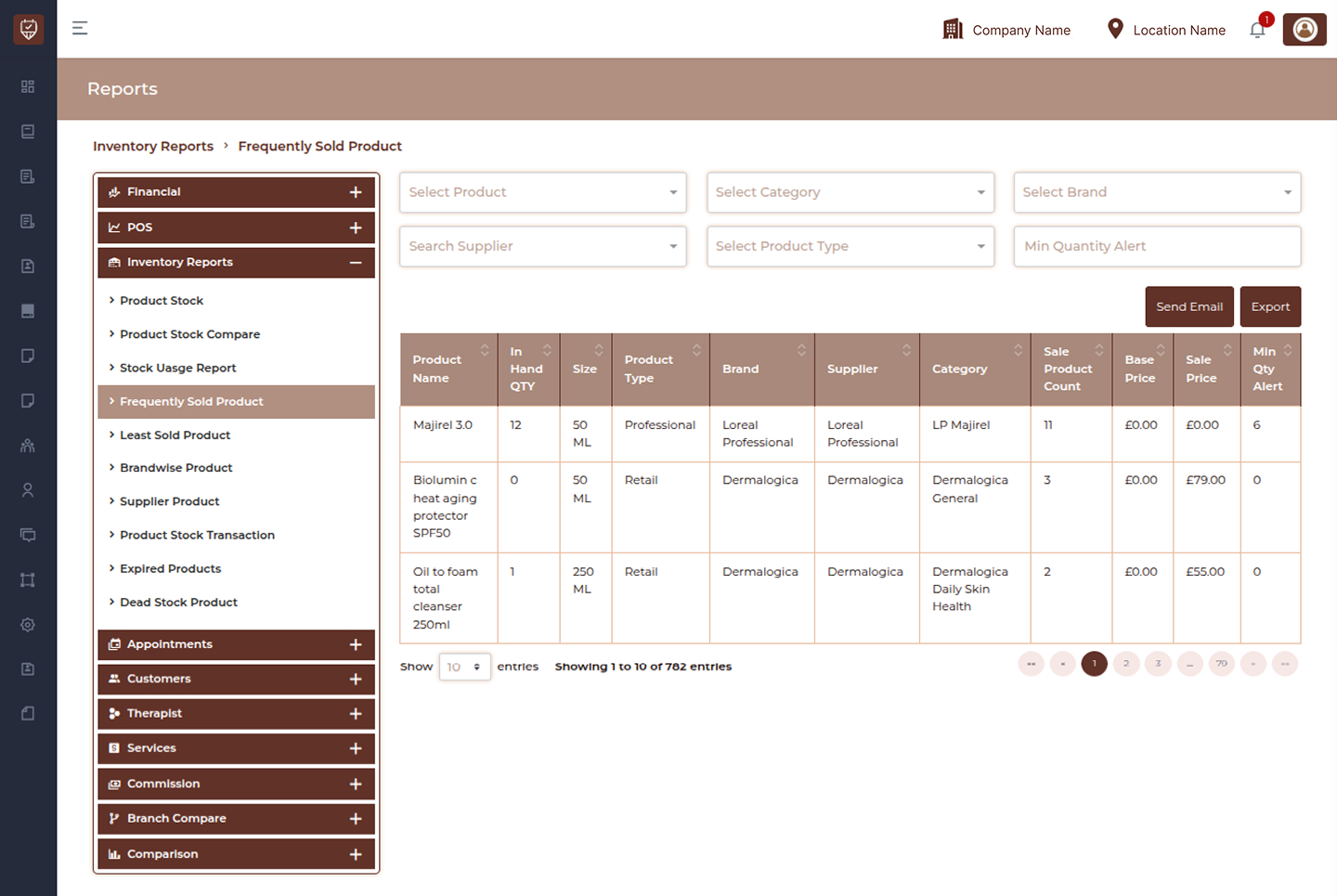
Product Filter
Allows users to display frequently sold records for a selected product.
Features
- Search and select individual products.
- Filter report results instantly.
- Improve product-level analysis.
- Reduce unnecessary report data.
Purpose
Used to review sales performance for specific products.
Category Filter
Filters frequently sold products by category.
Features
- Group products by category.
- Improve product comparison.
- Support category performance analysis.
Purpose
Used to evaluate sales trends across product categories.
Brand Filter
Displays products belonging to a selected brand.
Features
- Filter products by brand.
- Monitor brand-level sales activity.
- Improve reporting visibility.
Purpose
Used to review product demand by brand.
Supplier Filter
Filters product records using supplier information.
Features
- View products from selected suppliers.
- Monitor supplier inventory performance.
- Improve procurement decisions.
Purpose
Used to analyze frequently sold products by supplier.
Product Type Filter
Allows users to narrow report results by product classification.
Features
- Separate professional and retail products.
- Improve reporting accuracy.
- Simplify inventory review.
Purpose
Used to evaluate product performance by type.
Min Quantity Alert
Displays products based on configured minimum stock thresholds.
Features
- Highlight low inventory products.
- Support replenishment planning.
- Reduce stock shortage risk.
Purpose
Used to identify products requiring restocking.
Send Email
Sends the generated frequently sold products report.
Features
- Share inventory reports.
- Support operational communication.
- Enable remote review.
Purpose
Used to distribute report information.
Export
Downloads the currently displayed report.
Features
- Export filtered results.
- Support offline reporting.
- Maintain historical records.
Purpose
Creates a downloadable report.
Product Sales Details
Product Code
Displays the unique identifier assigned to the product.
Product Name
Displays the product name.
In Hand QTY
Displays currently available inventory quantity.
Size
Displays product packaging size or unit.
Product Type
Displays assigned product classification.
Brand
Displays the associated brand.
Supplier
Displays supplier information.
Category
Displays the assigned product category.
Features
- Identify top-selling products.
- Monitor inventory availability.
- Improve purchasing decisions.
- Support stock replenishment planning.
Best Practices
- Review frequently sold products regularly.
- Monitor stock levels for high-demand items.
- Apply filters to improve report accuracy.
- Export reports for inventory planning.
- Use supplier and category analysis for procurement decisions.