
Product Stock Compare
The Product Stock Compare report provides comparative inventory information for products over the selected reporting period. It helps evaluate stock movement, track quantity changes, and monitor inventory trends between previous and current periods.
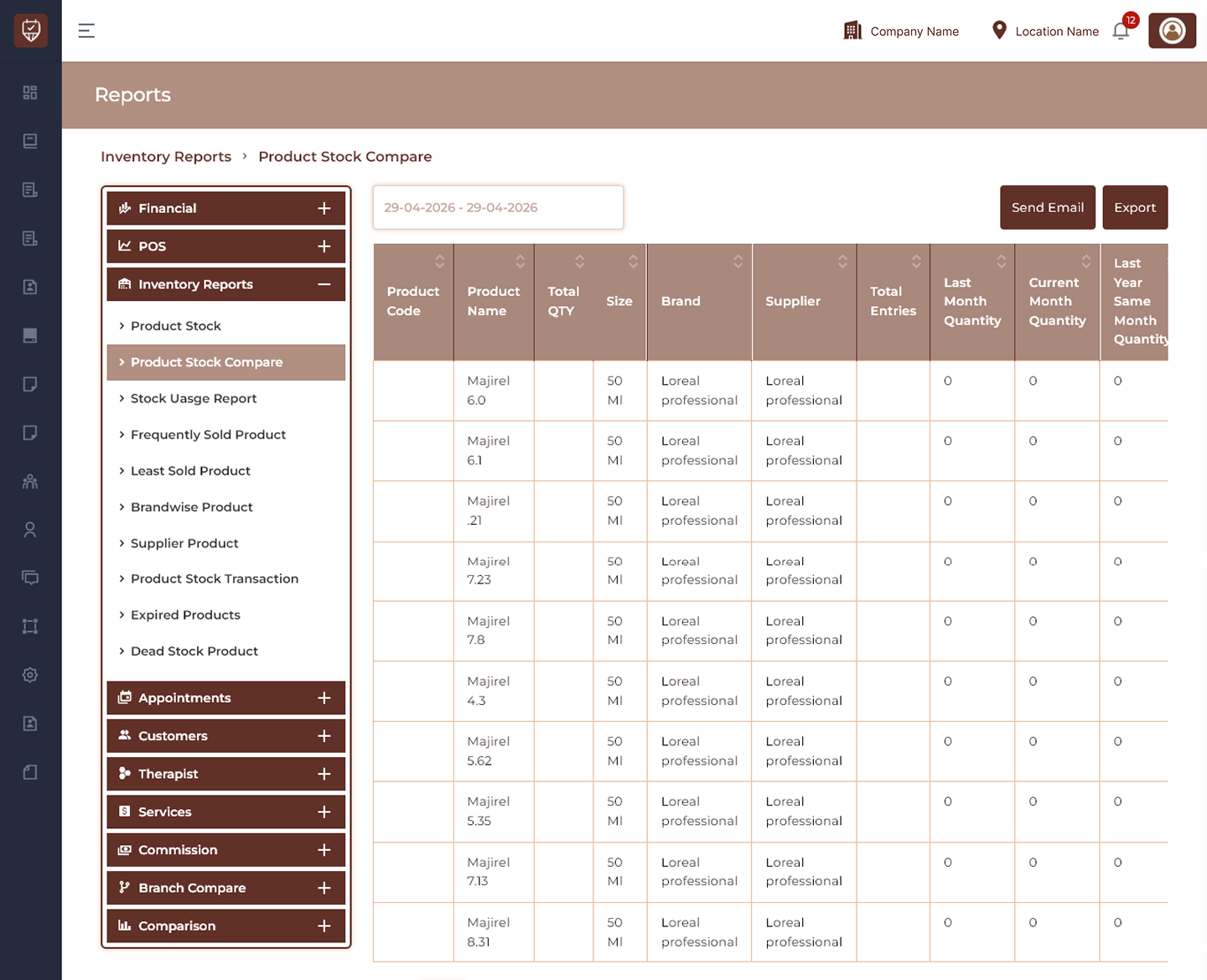
Date Filter
Allows users to select the reporting period for stock comparison.
Features
- Filter inventory comparison data by date.
- Compare historical and current stock values.
- Review inventory movement trends.
- Refresh report results dynamically.
Purpose
Used to analyze stock changes across selected periods.
Send Email
Sends the generated stock comparison report to recipients.
Features
- Share inventory comparison reports.
- Support inventory review processes.
- Enable remote reporting.
Purpose
Used to distribute stock comparison results.
Export
Downloads the currently displayed stock comparison report.
Features
- Export inventory comparison data.
- Support offline review.
- Maintain historical inventory records.
Purpose
Creates a downloadable stock comparison report.
Stock Comparison Details
Product Code
Displays the unique identifier assigned to the product.
Product Name
Displays the product name.
Total QTY
Displays total available quantity for the selected product.
Size
Displays the product size or packaging unit.
Brand
Displays the assigned brand.
Supplier
Displays supplier information for the product.
Total Entries
Displays total stock transactions or entries recorded.
Last Month Quantity
Displays available quantity recorded during the previous month.
Current Month Quantity
Displays available quantity recorded for the current reporting period.
Last Year Same Month Quantity
Displays stock quantity from the same month in the previous year.
Features
- Compare inventory performance over time.
- Track quantity changes across periods.
- Monitor supplier and brand inventory trends.
- Improve inventory planning decisions.
Best Practices
- Compare current stock with previous periods regularly.
- Monitor quantity changes to identify demand trends.
- Review supplier and brand performance.
- Export reports for inventory planning.
- Use historical comparisons to improve stock forecasting.