
WhatsApp Settings
The WhatsApp Settings page allows administrators to configure WhatsApp messaging providers for a selected location. These settings are used for appointment reminders, confirmations, OTP messages, promotional notifications, customer support communication, and automated alerts.
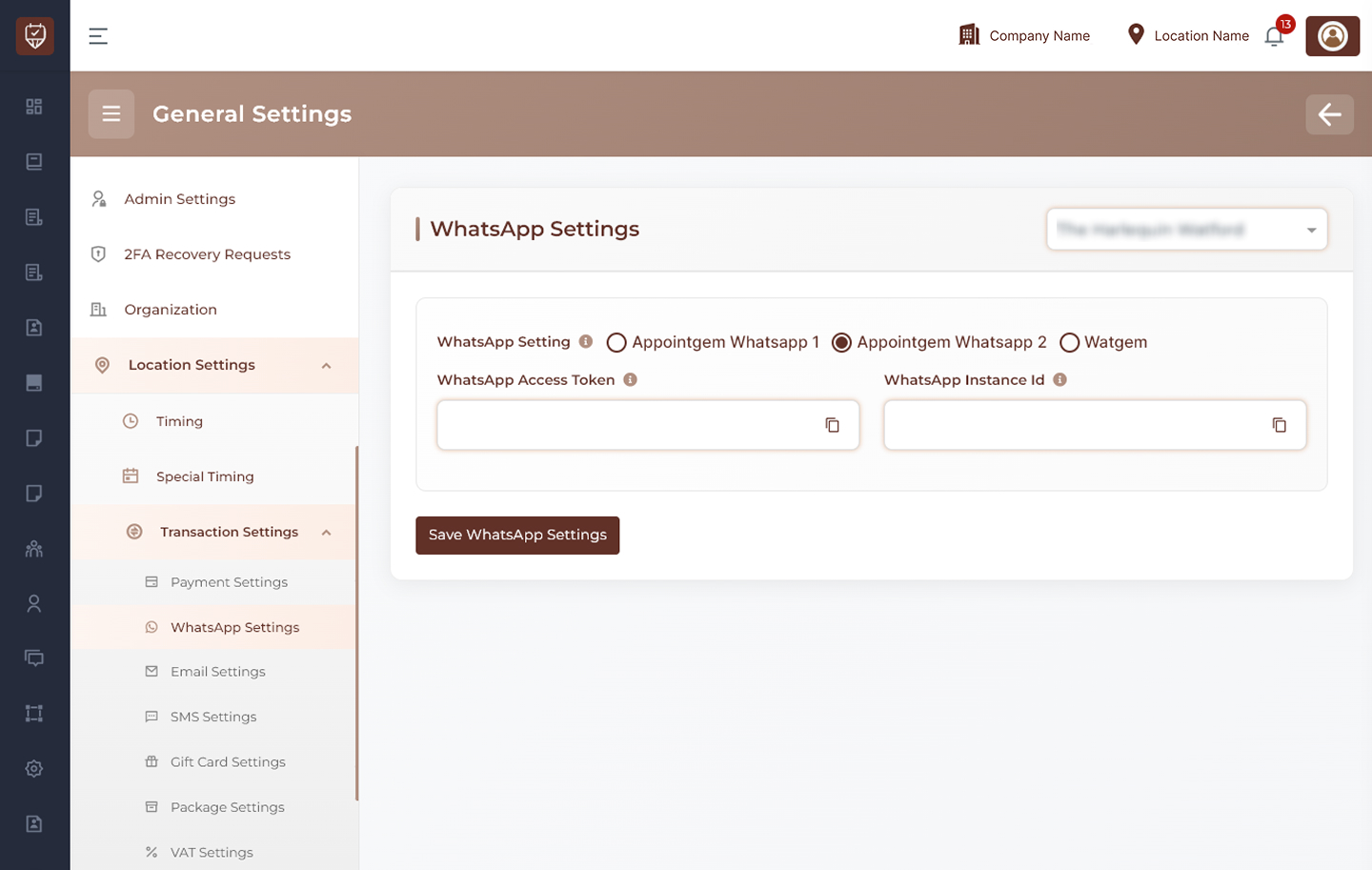
Location Selection
Use the location dropdown at the top-right to choose the branch or location where WhatsApp settings should be applied.
Examples:
- Main Branch
- City Center Branch
- North Location
WhatsApp Provider Selection
Choose the WhatsApp provider for the selected location.
Available options:
- Appointgem WhatsApp 1
- Appointgem WhatsApp 2
- Watgem
Only one provider can be selected as the active WhatsApp service at a time.
Appointgem WhatsApp 1
When this provider is selected, configure the required token.
- WhatsApp 1 Access Token : Enter the access token used to connect with Appointgem WhatsApp 1 services. Used for sending WhatsApp messages through this provider.
Appointgem WhatsApp 2
When this provider is selected, additional connection details are required.
- WhatsApp Access Token : Enter the access token used for authentication.
- WhatsApp Instance ID : Enter the instance ID linked to the connected WhatsApp account. Used for routing messages through the correct instance.
Watgem
When Watgem is selected, configure the account credentials.
- Watgem API Key : Enter the API key provided by Watgem. Used to authorize message requests.
- Watgem Account ID : Enter the account ID linked to the Watgem service account. Used for account-level message management.
Save WhatsApp Settings
Click this button to save the selected provider and all credentials for the chosen location.
Best Practices
- Use valid API credentials only
- Keep tokens and keys secure
- Test message delivery after setup
- Configure separate providers per location if needed
- Review credentials regularly
- Ensure provider account has sufficient message permissions