
SMS Settings
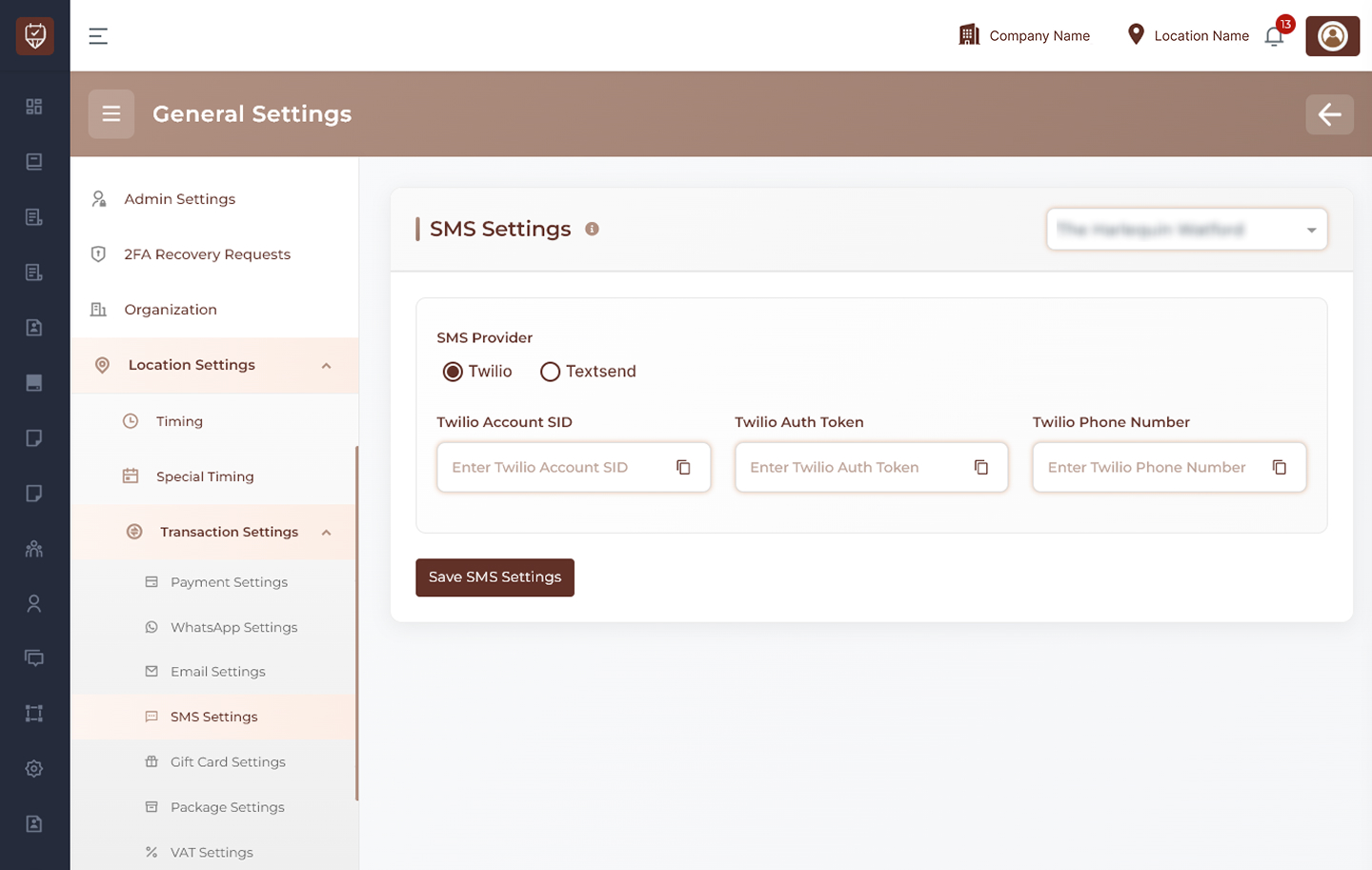
The SMS Settings page allows administrators to configure SMS messaging providers for a selected location. These settings are used to send appointment reminders, confirmations, OTPs, alerts, and other automated SMS notifications.
Location Selection
Use the location dropdown at the top-right to choose the branch or location where SMS settings should be applied.
Examples:
- Main Branch
- City Center Branch
- North Location
SMS Provider
Select the SMS provider for sending messages.
Available options:
- Twilio
- Textsend
Only one provider can be active at a time.
Twilio Configuration
When Twilio is selected, enter the required account credentials.
- Twilio Account SID : Enter the Account SID provided by Twilio. Used to identify your Twilio account.
- Twilio Auth Token : Enter the authentication token from Twilio. Used for secure API access.
- Twilio Phone Number : Enter the Twilio phone number used to send SMS messages.
Textsend Configuration
When Textsend is selected, configure the required API details.
- Textsend API Key : Enter the API key provided by Textsend. Used to authenticate requests.
- Textsend Device ID : Enter the device ID associated with your Textsend setup.
- Textsend SIM ID : Enter the SIM ID used for sending SMS messages.
Save SMS Settings
Click this button to save the selected SMS provider and credentials for the chosen location.
Best Practices
- Use valid provider credentials only
- Keep API keys and tokens secure
- Verify SMS delivery after configuration
- Ensure sufficient SMS balance or credits
- Use a valid sender number for better delivery rates
- Review provider logs for troubleshooting