
Package Settings (Location Level)
The Package Settings page allows administrators to define terms and conditions for service packages at a selected location. These settings ensure customers clearly understand how packages can be used, redeemed, and managed.
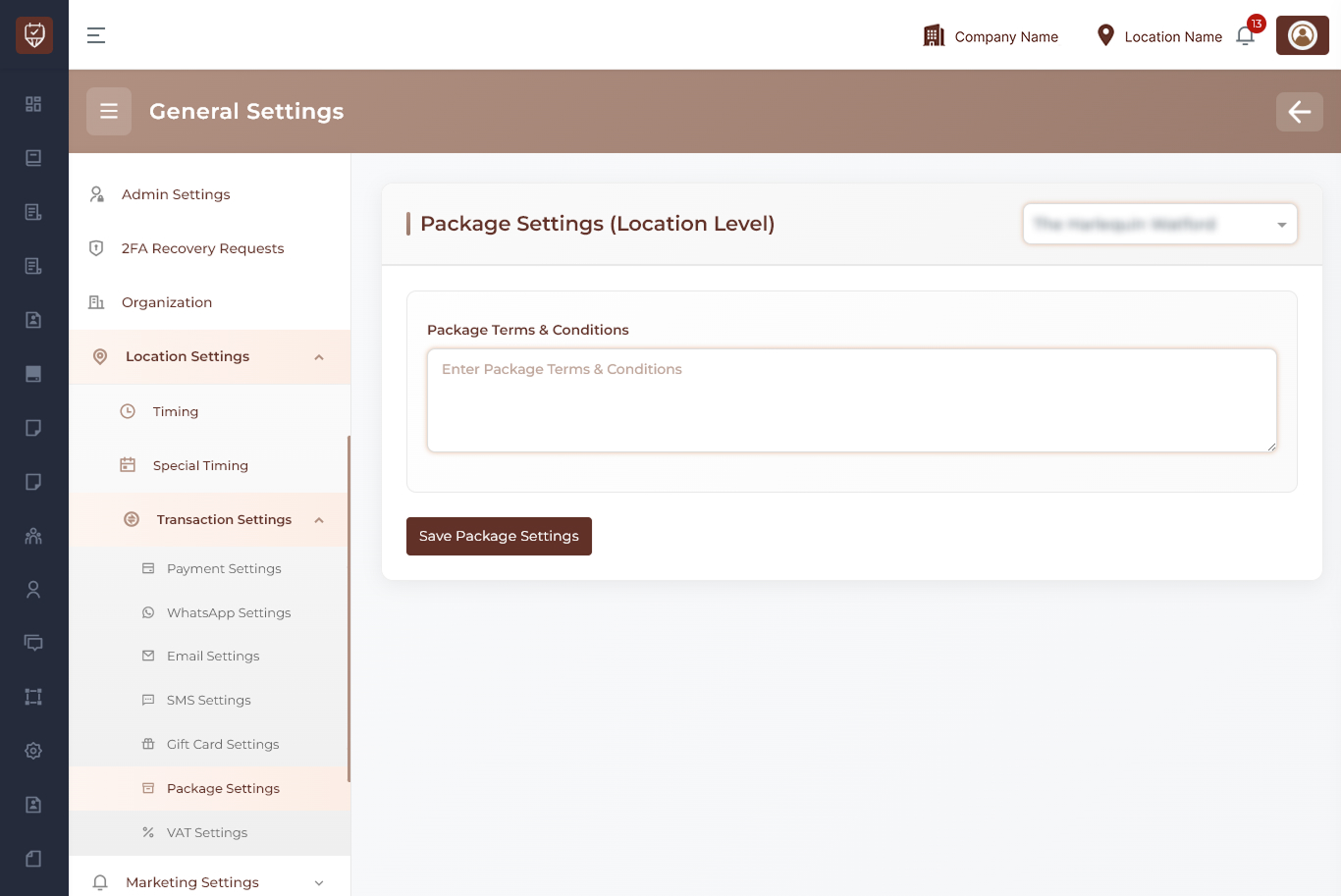
Location Selection
Use the location dropdown at the top-right to choose the branch or location where package settings should be applied.
Examples:
- Main Branch
- City Center Branch
- North Location
Package Configuration
This section allows you to define the rules and conditions applicable to all packages offered at the selected location.
Package Terms & Conditions
Enter the terms and conditions that apply to service packages.
Examples may include:
- Validity period of the package
- Usage limitations (e.g., number of sessions)
- Cancellation or rescheduling rules
- Refund or transfer policies
- Applicable services or restrictions
- Expiry conditions
This content is displayed to customers during purchase and usage of packages.
Save Package Settings
Click this button to save the package terms and conditions for the selected location.
Best Practices
- Clearly define package validity and expiry
- Include cancellation and refund policies
- Keep terms concise and easy to understand
- Update conditions when package offerings change
- Ensure consistency with overall business policies