
SMTP Settings
The SMTP Settings page allows you to configure email sending services for marketing and communication purposes at the selected location. This setup ensures that emails such as promotions, notifications, and campaigns are delivered reliably through your preferred email provider.
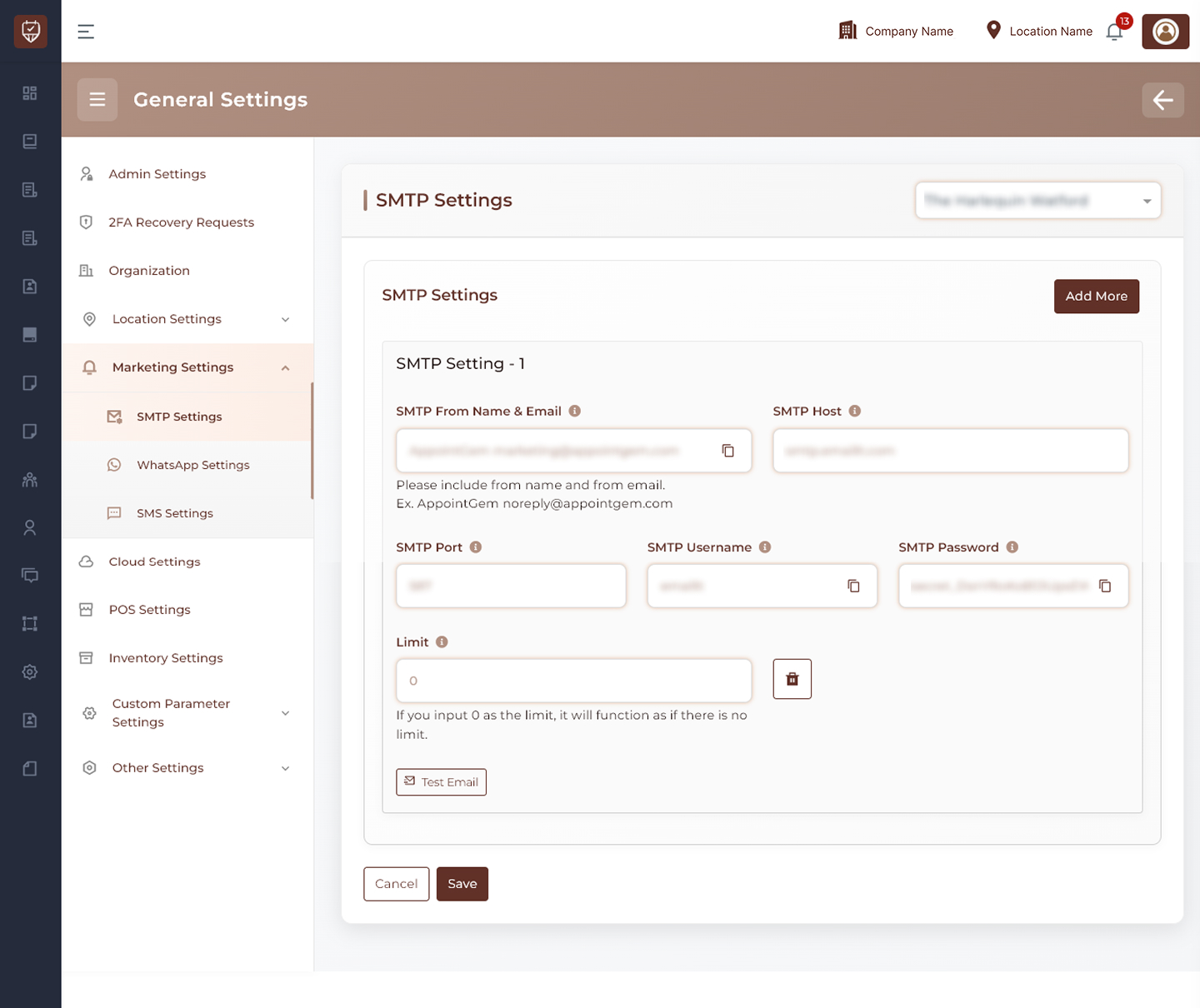
Location Selection
Use the location dropdown at the top-right to select the branch where the SMTP configuration will apply.
SMTP Configuration
You can define one or more SMTP configurations depending on your requirements.
Each configuration allows you to:
- Set up an email sender identity
- Connect to an external email server
- Authenticate using secure credentials
- Control how emails are routed and sent
Multiple Configurations
The system supports adding multiple SMTP setups.
Use the Add More button to:
- Create additional email configurations
- Separate transactional and marketing emails
- Distribute email load across providers
Email Limit Control
Each configuration can include a sending limit.
- Setting a limit helps control how many emails are sent using that configuration
- Entering 0 means no limit will be applied
Test Email
Use the Test Email option to verify that the SMTP configuration is working correctly.
This helps ensure:
- Correct credentials
- Successful connection to the mail server
- Proper email delivery
Actions
- Save : Stores all configured SMTP settings for the selected location.
- Cancel : Discards any unsaved changes.
Best Practices
- Use verified email domains to improve delivery rates
- Keep credentials secure and avoid sharing them
- Test configurations before using them in production
- Use multiple SMTP setups to improve reliability
- Monitor sending limits to avoid provider restrictions