
Cancel Booking Settings
The Cancel Booking Settings page allows administrators to configure cancellation fees, customer cancellation notifications, and cancellation policies. Settings can be applied at either the company level or location level to ensure a consistent appointment cancellation process.
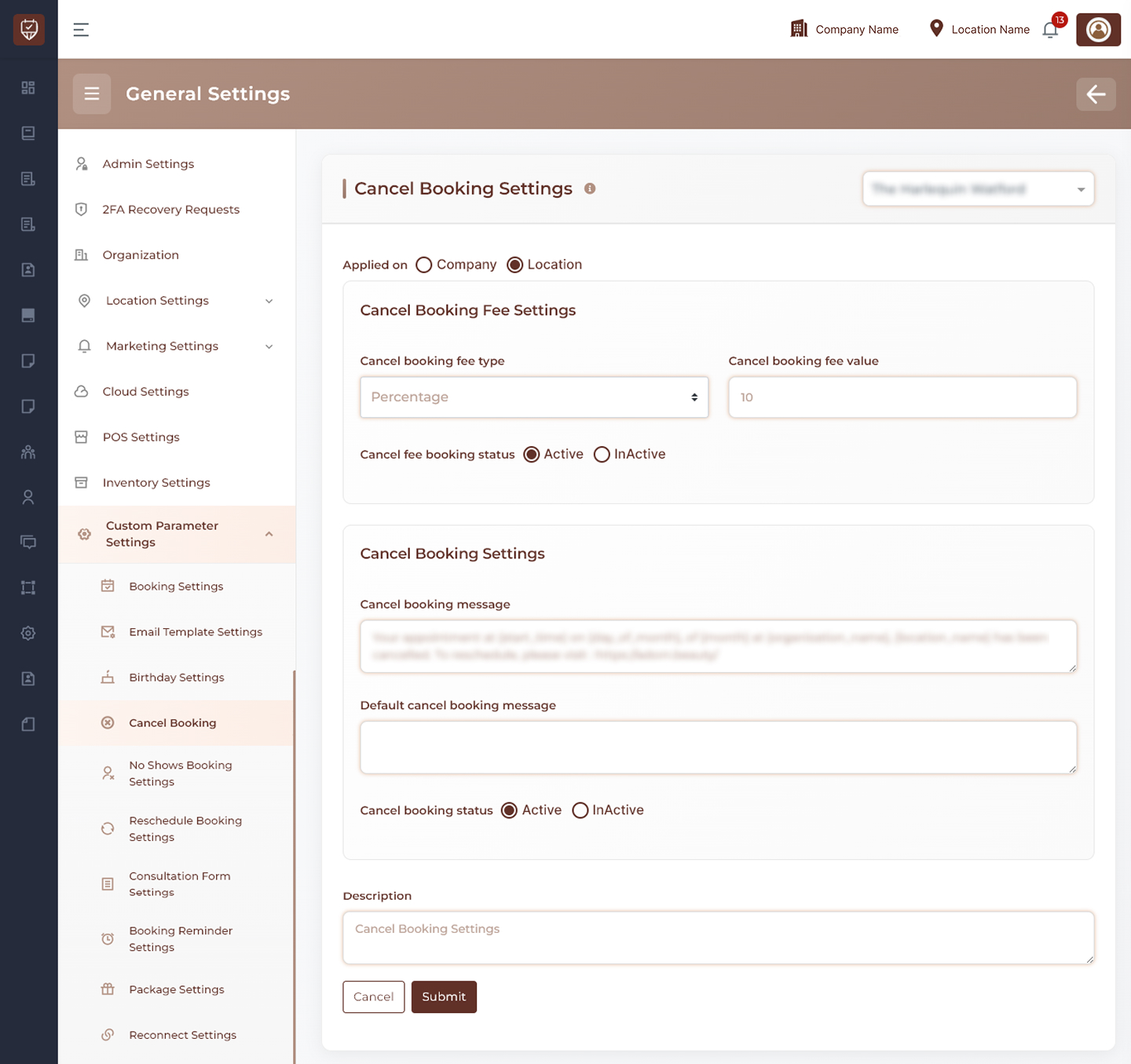
Scope Selection
Choose whether cancellation settings should be applied at:
- Company Level – Applies cancellation rules across all locations.
- Location Level – Applies cancellation rules only to the selected location.
Cancel Booking Fee Settings
Configure fees that may be applied when an appointment is cancelled.
Features
- Define the cancellation fee calculation method.
- Configure the cancellation fee amount.
- Enable or disable cancellation fee collection.
- Apply cancellation charges based on business requirements.
Usage
Cancellation fees can be used to reduce last-minute cancellations and help protect business revenue from missed appointment opportunities.
Cancel Booking Settings
Manage customer communications and cancellation behavior.
Features
- Configure customer-facing cancellation messages.
- Define default cancellation notification content.
- Enable or disable cancellation notifications.
- Standardize communication when appointments are cancelled.
Usage
These settings ensure customers receive clear information regarding cancelled appointments and any available next steps.
Description
Provides an internal summary of the cancellation policy configuration.
Features
- Helps administrators identify the purpose of the configuration.
- Supports internal documentation and maintenance.
- Improves management of cancellation policies across locations.
Actions
- Submit : Saves all cancellation fee and cancellation communication settings.
- Cancel : Discards unsaved changes and restores the current configuration.
Best Practices
- Review cancellation policies regularly to ensure they align with business operations.
- Clearly communicate cancellation terms to customers.
- Apply cancellation fees consistently across applicable services.
- Keep cancellation messages concise and informative.
- Periodically review cancellation settings to support changing business requirements.