
Booking Reminder Settings
The Booking Reminder Settings page allows administrators to configure automated appointment reminders that are sent to customers before their scheduled appointments. Multiple reminder stages can be configured to reduce missed appointments and improve customer attendance.
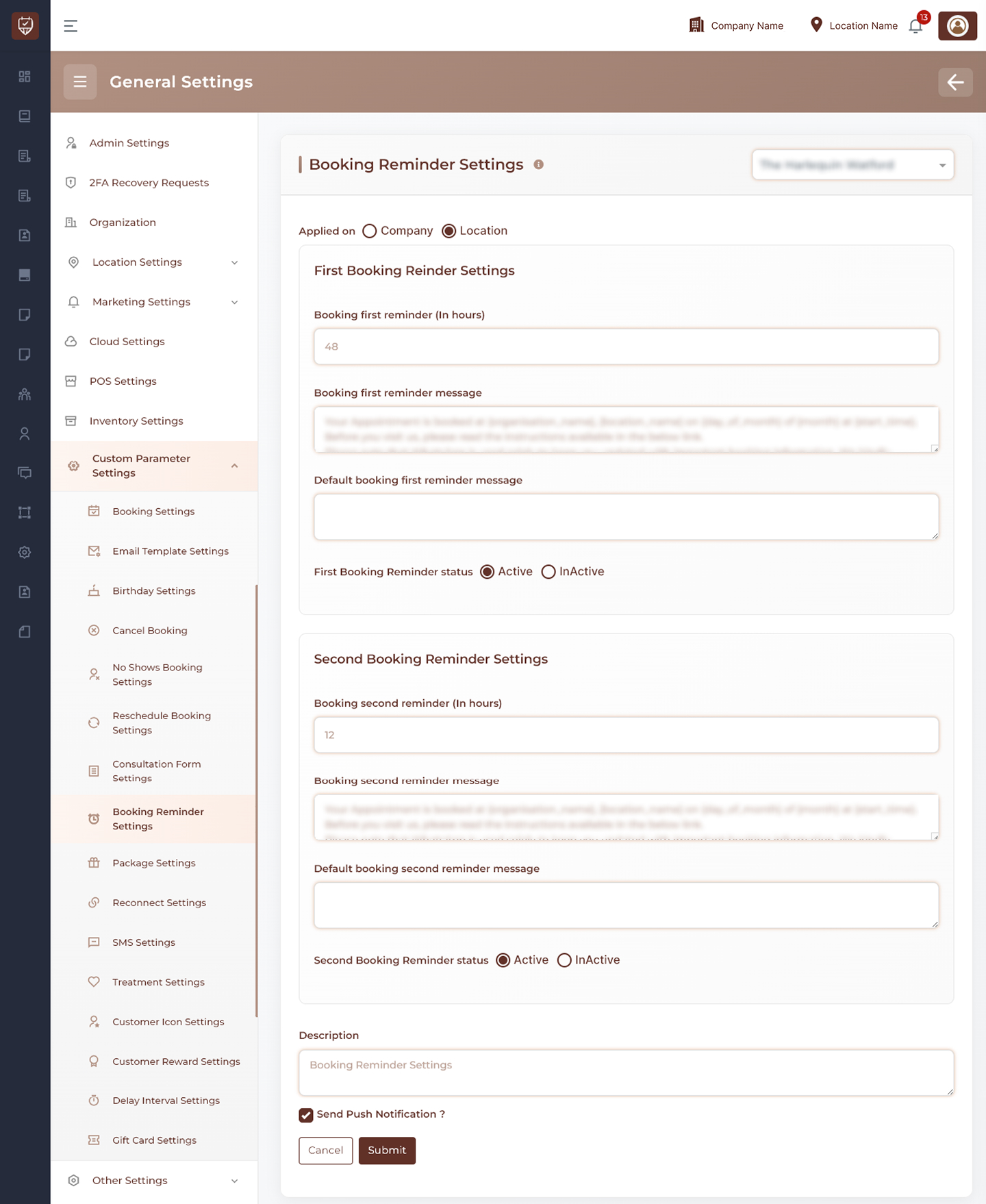
Scope Selection
Choose where the settings should apply:
- Company Level – Applies reminder settings across all locations.
- Location Level – Applies reminder settings only to the selected location.
Usage
Use company-level settings for a standardized reminder process across the business, or location-level settings when individual locations require different reminder schedules.
First Booking Reminder Settings
Configure the first reminder sent before an appointment.
Features
- Define how many hours before the appointment the first reminder is sent.
- Customize the reminder message delivered to customers.
- Enable or disable the first reminder independently.
- Provide a fallback message if no custom message is configured.
Usage
The first reminder is typically used as an early notification to ensure customers are aware of their upcoming appointment and have sufficient time to make changes if required.
Second Booking Reminder Settings
Configure the final reminder sent closer to the appointment time.
Features
- Define how many hours before the appointment the second reminder is sent.
- Customize the reminder message content.
- Enable or disable the second reminder independently.
- Provide a fallback message if no custom message is configured.
Usage
The second reminder serves as a final notification before the appointment and helps reduce late cancellations and no-shows.
Push Notification Settings
Control whether reminder notifications are also delivered through push notifications.
Features
- Send reminder notifications directly to supported mobile devices.
- Improve customer visibility of appointment reminders.
- Operate alongside email, SMS, or other notification channels.
Usage
Enable push notifications to increase customer engagement and improve reminder delivery effectiveness.
Reminder Status Management
Manage whether booking reminders are active.
Features
- Activate reminder notifications.
- Temporarily disable reminder notifications.
- Configure reminder stages independently.
Usage
Status controls allow reminders to be enabled or disabled without removing existing configurations.
Description
Provide an internal summary of the reminder configuration.
Features
- Supports administrative documentation.
- Helps identify reminder configurations.
- Assists with future maintenance and auditing.
Usage
Descriptions are intended for internal use and are not displayed to customers.
Actions
- Submit : Saves all booking reminder settings and applies the configured reminder schedules.
- Cancel : Discards unsaved changes and restores the current configuration.
Best Practices
- Schedule the first reminder sufficiently in advance to allow customers time to reschedule if needed.
- Use the second reminder as a final confirmation closer to the appointment time.
- Keep reminder messages clear, concise, and professional.
- Enable push notifications when supported by your customer communication strategy.
- Periodically review reminder timings to maximize appointment attendance.