
Delay Interval Settings
The Delay Interval Settings page allows administrators to configure a delay period between specific system actions or processes for selected locations. This helps manage operational timing, prevent duplicate actions, and ensure workflows occur at controlled intervals.
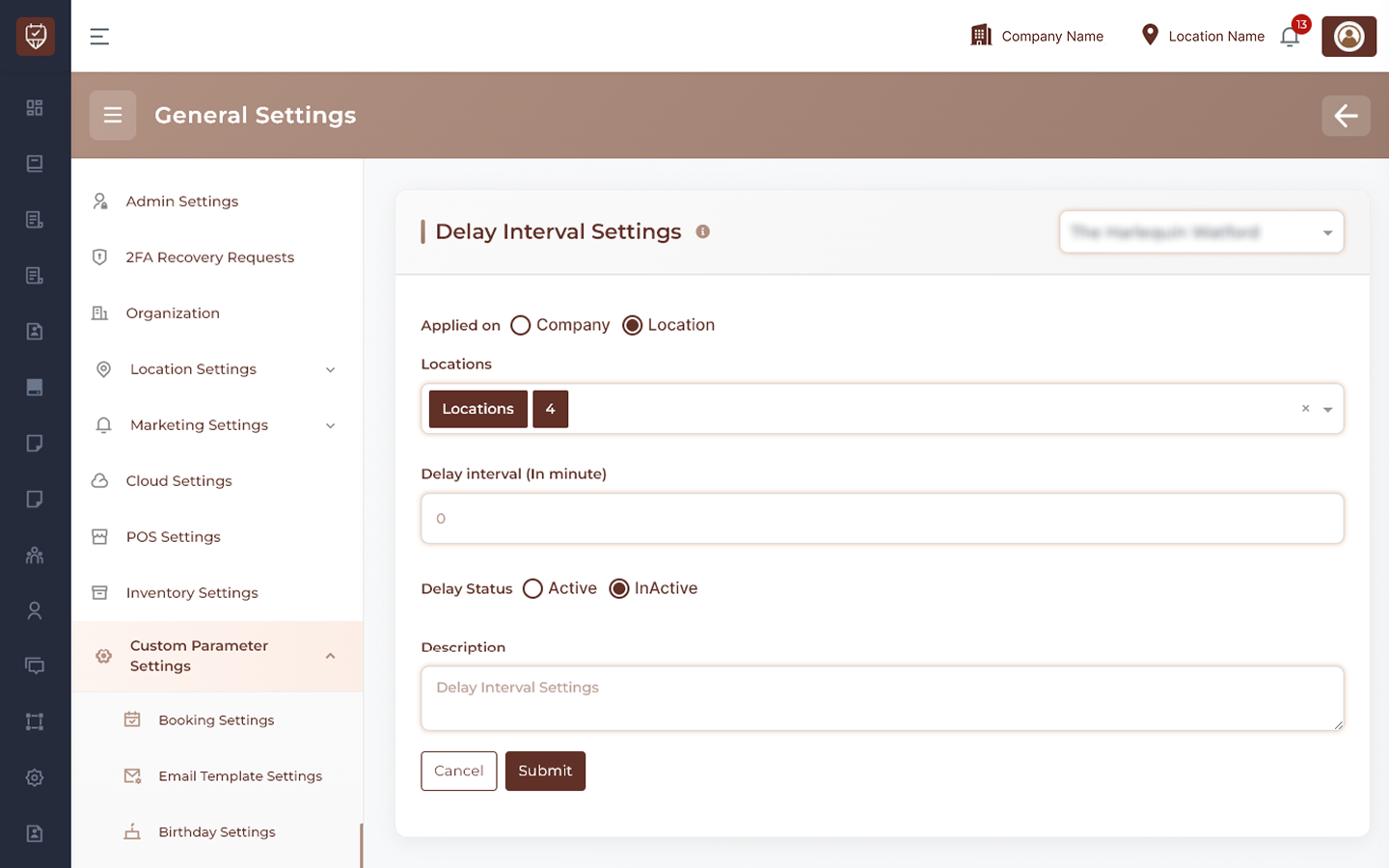
Applied On
Determines the scope at which the delay interval configuration will be applied.
Options
- Company – Applies the delay interval setting across all company locations.
- Location – Applies the delay interval setting only to selected locations.
Usage
Choose the appropriate scope depending on whether the delay rule should be organization-wide or location-specific.
Locations
Allows administrators to select one or more locations where the delay interval setting will be applied.
Features
- Supports multiple location selection.
- Enables location-specific configurations.
- Provides flexibility for branches with different operational requirements.
- Simplifies centralized management of delay settings.
Usage
Select the locations that should follow the configured delay interval policy.
Delay Interval (In Minute)
Defines the waiting period before the configured action can be performed again.
Features
- Controls the minimum time gap between actions.
- Prevents accidental duplicate operations.
- Supports workflow optimization.
- Improves system efficiency and process control.
Usage
Enter the desired delay duration in minutes. The system will enforce the specified interval before allowing the action to be repeated.
Delay Status
Controls whether the delay interval configuration is active.
Options
- Active – Enables the delay interval rule.
- Inactive – Disables the delay interval rule.
Usage
Activate the setting to enforce delay intervals. Deactivate it when no waiting period is required.
Description
Provides an internal explanation of the delay interval configuration.
Features
- Documents the purpose of the setting.
- Assists administrators during configuration reviews.
- Improves maintainability.
- Provides additional operational context.
Usage
Enter a short description explaining why the delay interval has been configured and how it should be used.
Actions
- Submit : Saves all delay interval settings and applies the configured delay rules.
- Cancel : Discards unsaved changes and restores the current configuration.
Best Practices
- Configure delay intervals based on actual operational requirements.
- Avoid excessively long delays that may affect user productivity.
- Review location-specific requirements before applying company-wide settings.
- Regularly evaluate delay rules to ensure they remain effective.
- Document the purpose of each delay configuration for future reference.