
Related Service
The Related Service section allows you to create and manage groups of services that can be suggested together. This helps improve upselling, cross-selling, and enhances the customer booking experience by recommending additional or complementary services.
Page Overview
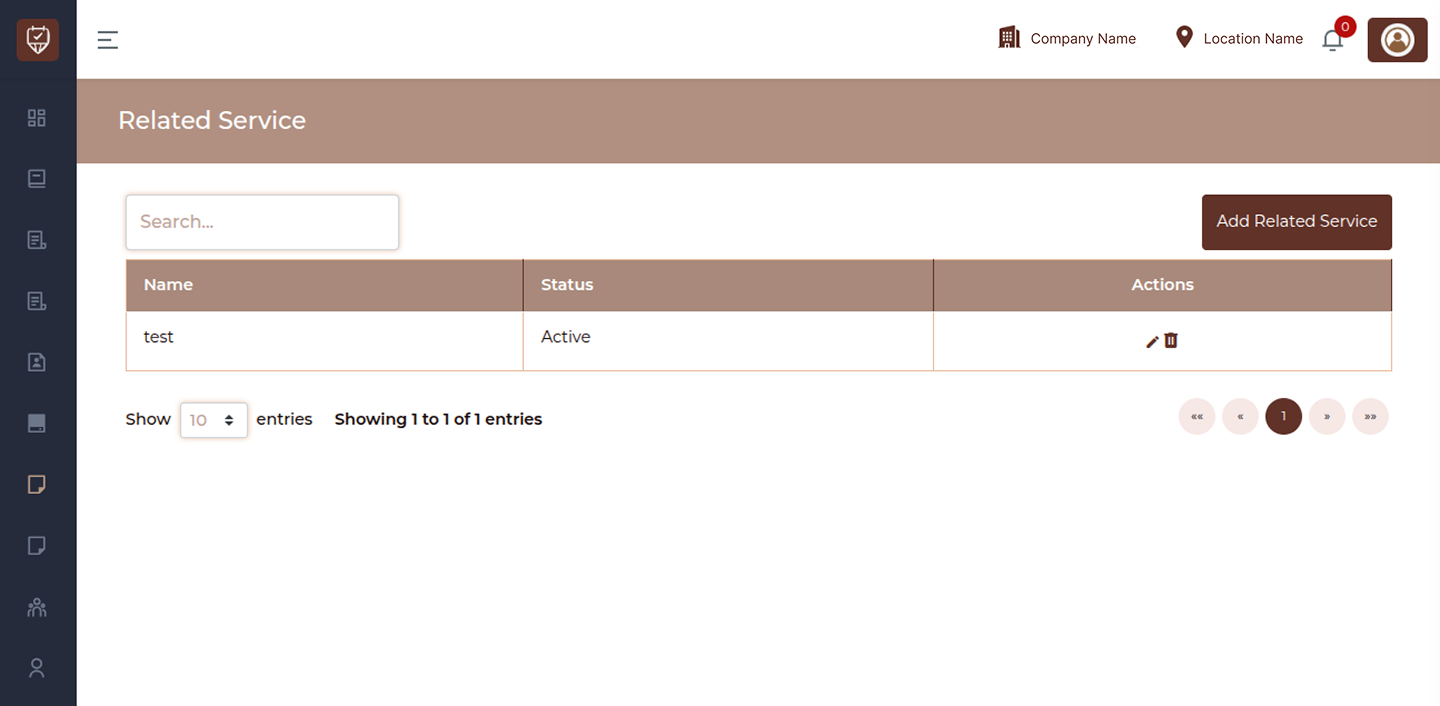
This page displays a list of all configured related services.
Search
Use the search bar to quickly find a related service by name.
Related Service List
Displays all created related services along with their current status.
Status
Shows whether a related service is active or inactive.
Actions
Manage each related service using available action options such as editing or deleting.
Add Related Service
Click this button to create a new related service group.
Add / Edit Related Service
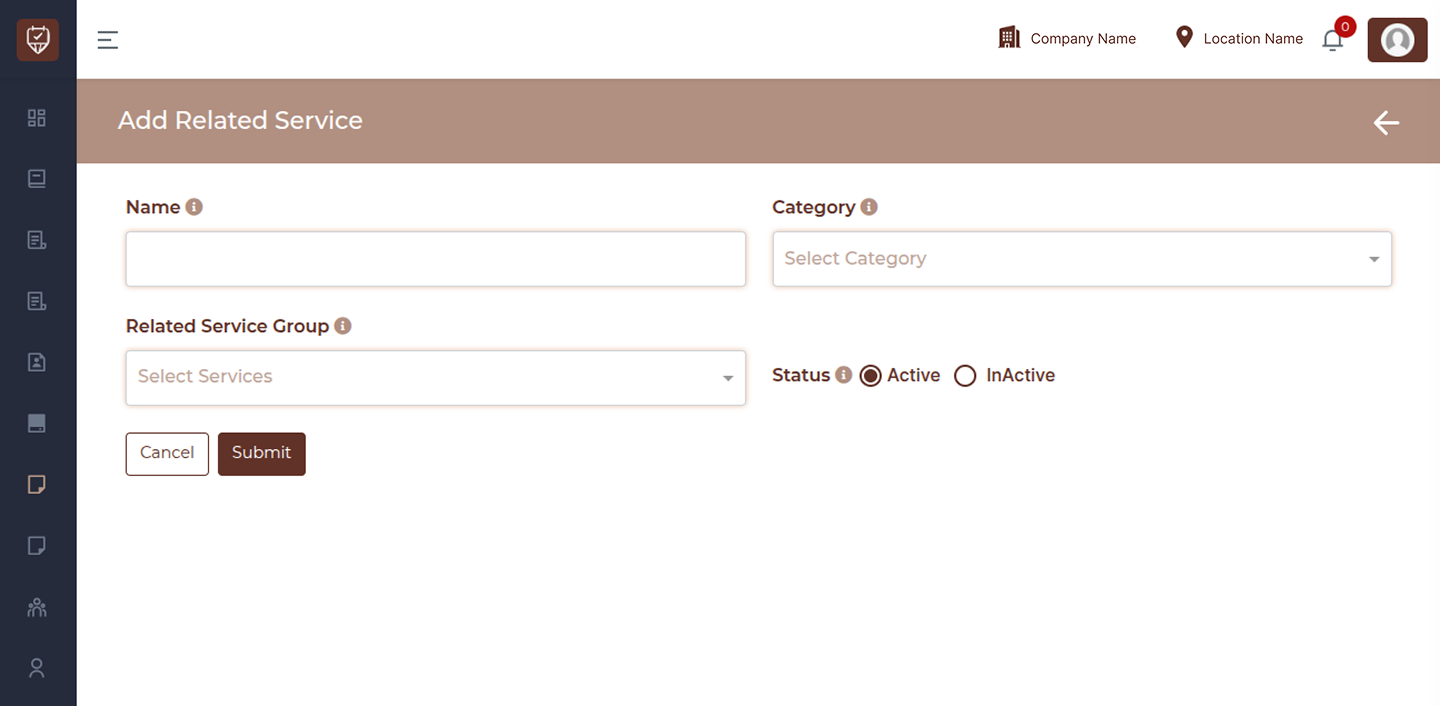
This page is used to create a new related service or update an existing one. It allows you to group services together so they can be recommended during booking or checkout.
Name
Enter a clear and meaningful name for the related service. This helps identify the purpose of the grouping for both staff and system usage.
Category
Select the category that best represents this related service. This ensures proper organization and helps display the related services in the correct section.
Related Service Group
Choose one or more services to include in this group. These services will be linked together and shown as suggestions or add-ons during booking or billing.
Status
Set whether the related service is active or inactive.
Active: The related service will be available and visible in the system.
Inactive: The related service will be hidden but retained for future use.
Cancel
Click Cancel to exit the page without saving any changes.
Submit
Click Submit to save the related service and apply it within the system.