
Product Sizes
Overview
The Product Sizes page allows you to manage different size or unit options used for products in your system. These sizes help standardize how products are measured, sold, and tracked, such as quantity units, packaging sizes, or measurement formats.
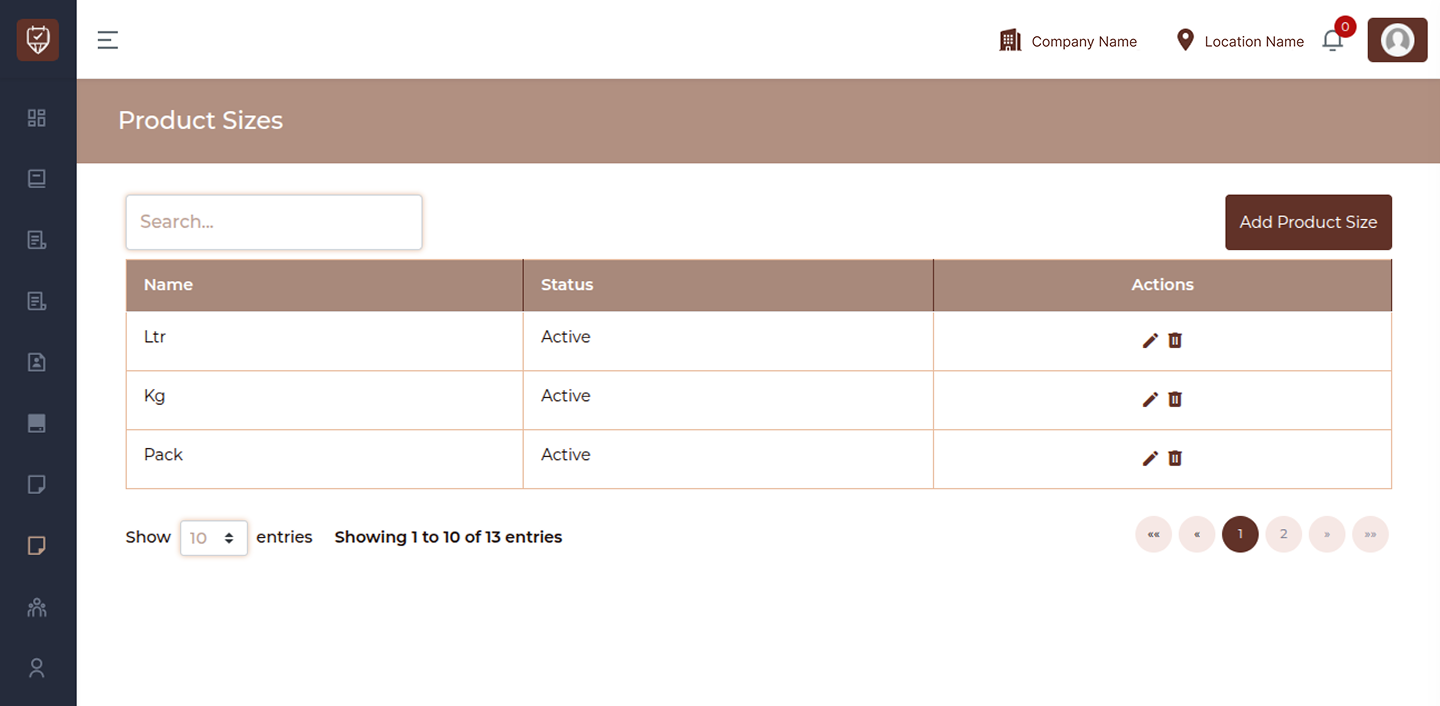
Search
Use the Search field to quickly find a specific size by typing part or full text. The list updates instantly as you type.
Size List
The table displays all configured product sizes with the following details:
Name
Displays the label of the size or unit used for products. This represents how the product quantity is defined.
Status
Indicates whether the size is currently active or inactive:
Active : Available for selection when creating or managing products
Inactive : Disabled and not available for use
Actions
Provides options to manage each size entry
Edit : Modify the size details
Delete : Remove the size from the system
Add / Edit Product Size
Overview
The Add / Edit Product Size page allows you to create or update measurement units used for products. These sizes help define how products are quantified, sold, and managed within the system.
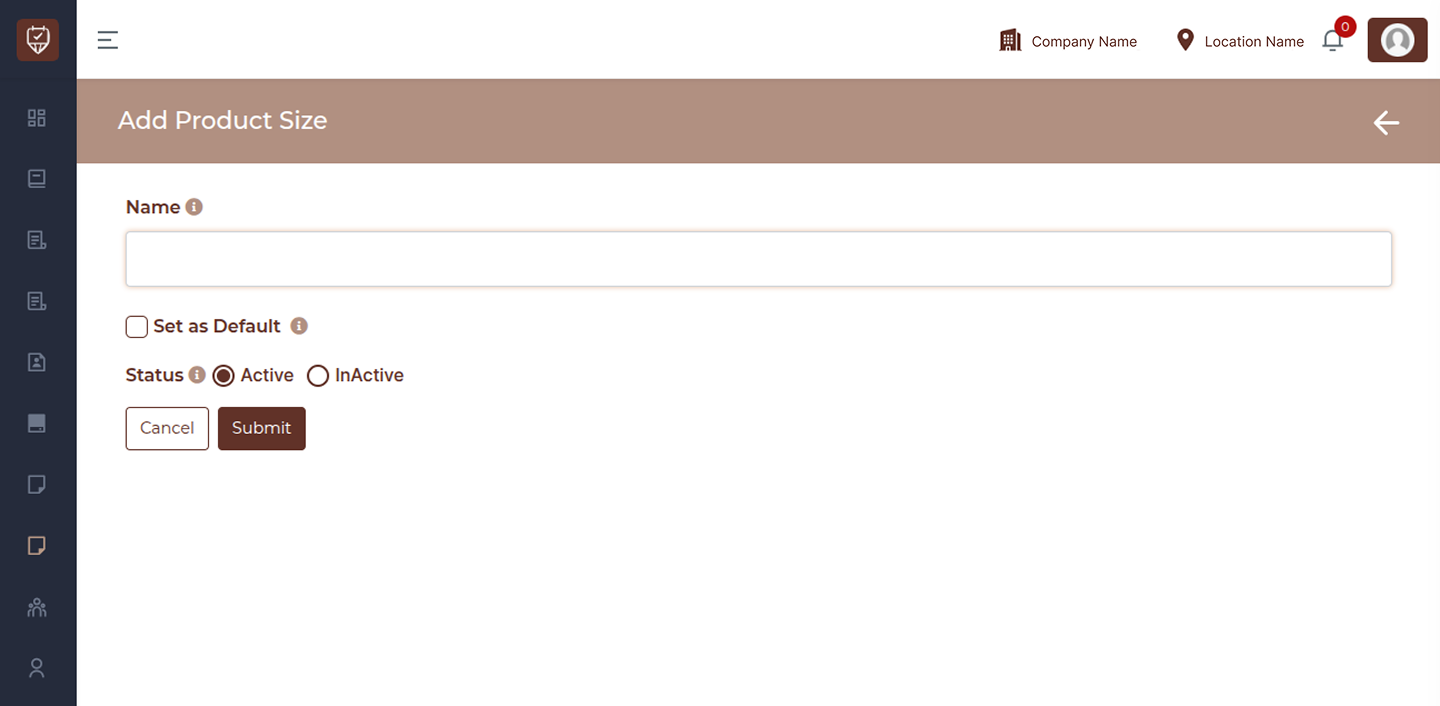
Name
Enter the name of the size or unit. This represents how the product quantity is measured, such as a unit, weight, or packaging format.
Set as Default
Enable this option to make the size the default selection. When set, this size will be automatically applied when creating new products unless changed manually.
Status
Active : The size is available for use across the system
Inactive : The size is disabled and will not be available for selection
Action
Submit : Click Submit to save the details. This will create a new size or update the existing one.
Cancel : Click Cancel to discard changes and return to the previous screen without saving.