
Consultation Form Alerts
The Consultation Form Alerts page allows administrators to configure automated daily reports that summarize consultation form and record form completion activity across selected branches. Reports can be delivered through email, WhatsApp, or SMS to designated recipients, helping management monitor form completion rates and customer engagement.
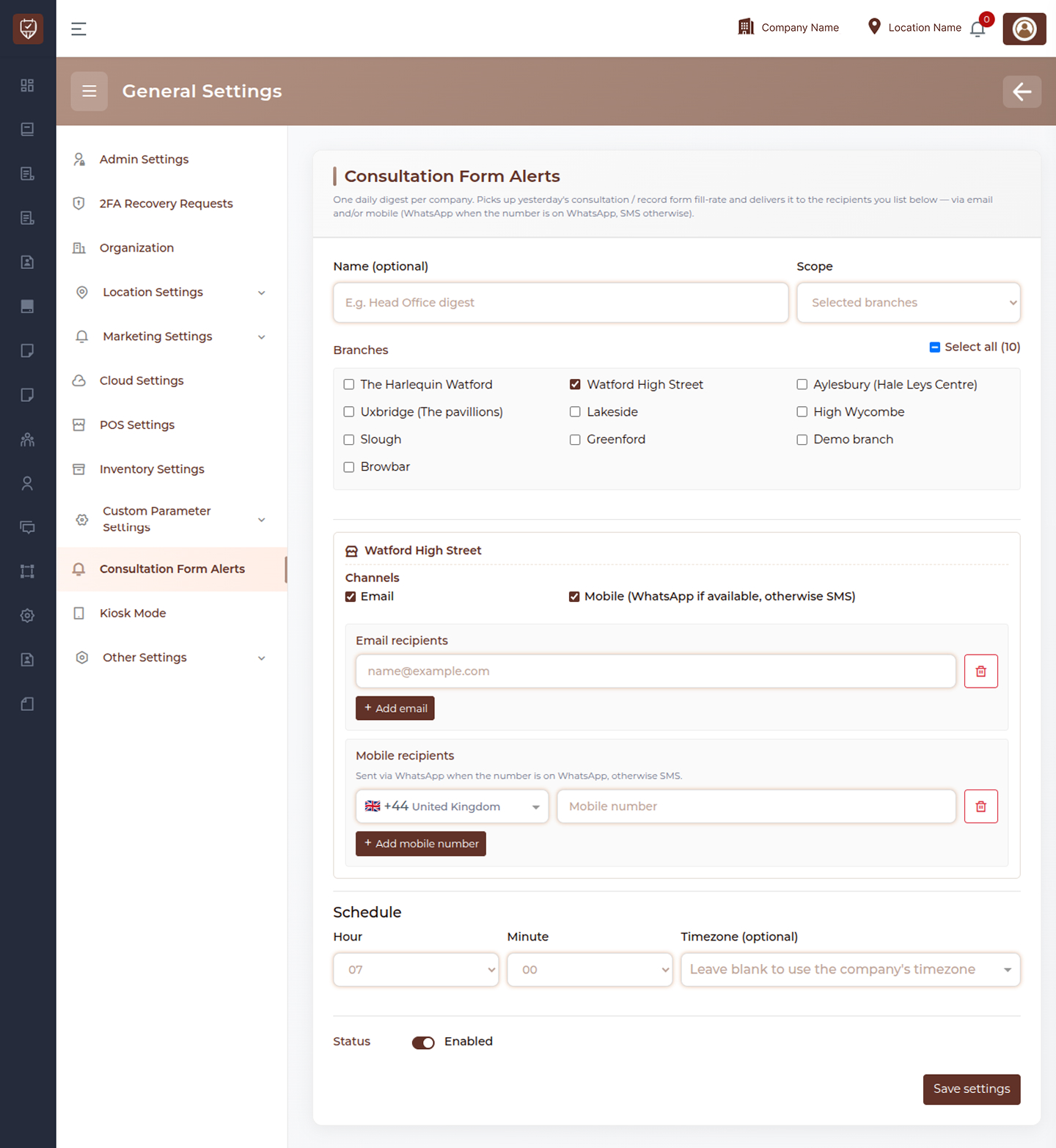
Name (Optional)
Provides a custom name for the alert configuration.
Features
- Helps identify alert configurations easily.
- Supports multiple reporting setups.
- Improves administration and management.
- Simplifies alert organization.
Usage
Enter a descriptive name that clearly identifies the purpose of the alert configuration.
Scope
Defines how the alert applies across branches.
Features
- Supports branch-specific reporting.
- Allows grouping of multiple branches.
- Provides flexible reporting management.
- Helps organize notification delivery.
Usage
Select the desired scope based on the branches that should be included in the consultation form report.
Branches
Allows administrators to choose the branches included in the alert report.
Features
- Supports multiple branch selection.
- Includes a Select All option.
- Enables centralized monitoring.
- Improves reporting coverage.
Usage
Select one or more branches whose consultation form activity should be included in the daily report.
Notification Channels
Determines how consultation form reports are delivered.
Available Channels
- Mobile (WhatsApp if available, otherwise SMS)
Features
- Supports multiple communication methods.
- Increases report delivery reliability.
- Allows recipients to receive reports on preferred platforms.
- Improves visibility of consultation form statistics.
Usage
Enable one or both notification channels depending on reporting requirements.
Email Recipients
Specifies the email addresses that will receive consultation form reports.
Features
- Supports multiple recipients.
- Allows department-wide reporting.
- Simplifies report distribution.
- Supports centralized oversight.
Usage
Add all email addresses that should receive the daily consultation form summary.
Mobile Recipients
Specifies mobile numbers that will receive reports through WhatsApp or SMS.
Features
- Supports international dialing codes.
- Delivers notifications through WhatsApp when available.
- Falls back to SMS when WhatsApp is unavailable.
- Supports multiple mobile recipients.
Usage
Enter valid mobile numbers for report delivery.
Schedule
Defines when the daily consultation form report is generated and delivered.
Hour
Specifies the hour at which the report will be sent.
Minute
Specifies the minute within the selected hour for report delivery.
Timezone (Optional)
Allows reports to follow a specific timezone.
Features
- Supports automated scheduling.
- Allows precise report timing.
- Supports location-specific requirements.
- Ensures consistent report delivery.
Usage
Configure the desired report delivery time and timezone.
Status
Controls whether the consultation form alert is active.
Options
- Enabled – Daily reports will be generated and delivered.
- Disabled – Reporting is temporarily suspended.
Usage
Enable the alert to begin sending consultation form reports. Disable it when reporting is not required.
Actions
- Add Email : Adds a new email recipient to the notification list.
- Add Mobile Number : Adds a new mobile recipient to the notification list.
- Delete : Removes the selected email address or mobile number from the recipient list.
- Save Settings : Saves all consultation form alert configurations and activates the reporting schedule.
Best Practices
- Include only relevant managers and administrators as recipients.
- Verify email addresses and mobile numbers before saving.
- Schedule reports during business hours for better visibility.
- Use multiple channels for critical reporting requirements.
- Review branch selections periodically to maintain accurate reporting.