
Sales
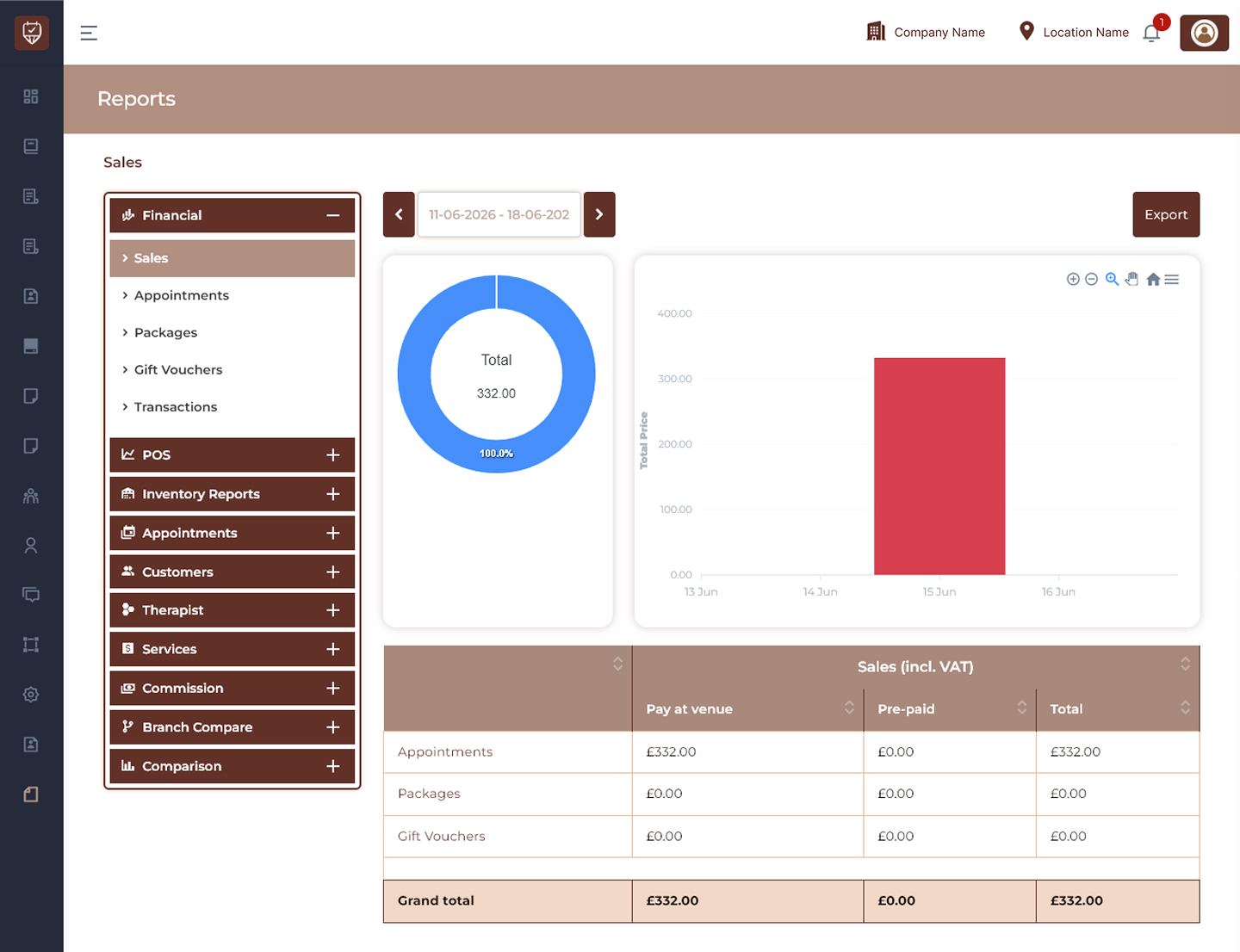
The Financial Sales Report page provides a centralized view of sales performance across appointments, packages, gift vouchers, and transactions. The report includes graphical analytics, summarized revenue data, and export functionality to support business monitoring and financial analysis.
Displays financial performance data for selected periods.
Features
- Consolidated sales reporting.
- Revenue breakdown by service type.
- Visual analytics for quick understanding.
- Export support for external analysis.
Usage
Open the Sales section to review overall revenue and sales activity.
Date Range Navigation
Allows users to define the reporting period.
Features
- Previous and next period navigation.
- Date range selection.
- Dynamic report updates.
- Historical sales comparison.
Usage
Select the required date range to load report data for that period.
Export
Exports the currently displayed report.
Features
- Generates downloadable reports.
- Preserves selected filters.
- Supports sharing and archival.
- Simplifies external reporting.
Usage
Click Export to download the financial report for the selected date range.
Sales Summary Chart
Displays total sales values visually.
Features
- Circular summary visualization.
- Percentage contribution display.
- Quick revenue overview.
- Simplified performance tracking.
Usage
Use the chart to quickly identify total sales distribution for the selected period.
Sales Trend Chart
Displays revenue activity across dates.
Features
- Visual representation of sales trends.
- Supports performance analysis.
- Helps identify high and low revenue periods.
- Assists with forecasting.
Usage
Review chart trends to analyze financial performance over time.
Sales Table (Sales Incl. VAT)
Displays detailed revenue values by category.
Columns
- Pay at Venue
- Pre-paid
- Total
Report Categories
- Appointments
- Packages
- Gift Vouchers
Features
- Revenue segmentation.
- VAT-inclusive reporting.
- Detailed financial breakdown.
- Grand total calculation.
Usage
Review category-wise sales totals and compare payment channels.
Grand Total
Displays the combined revenue total across all report categories.
Features
- Consolidated sales value.
- Includes VAT calculations.
- Simplifies financial review.
- Supports reporting accuracy.
Usage
Use the Grand Total section to evaluate complete financial performance for the selected period.
Best Practices
- Select consistent date ranges when comparing periods.
- Export reports regularly for historical tracking.
- Review category performance individually for better insights.
- Monitor trends to identify growth opportunities.
- Validate totals before sharing financial reports externally.