
POS Sales Therapist
The Sales Therapist report provides sales performance data grouped by therapist within the selected reporting period. It helps monitor therapist-generated revenue, evaluate discounts and refunds, and review overall contribution to net sales.
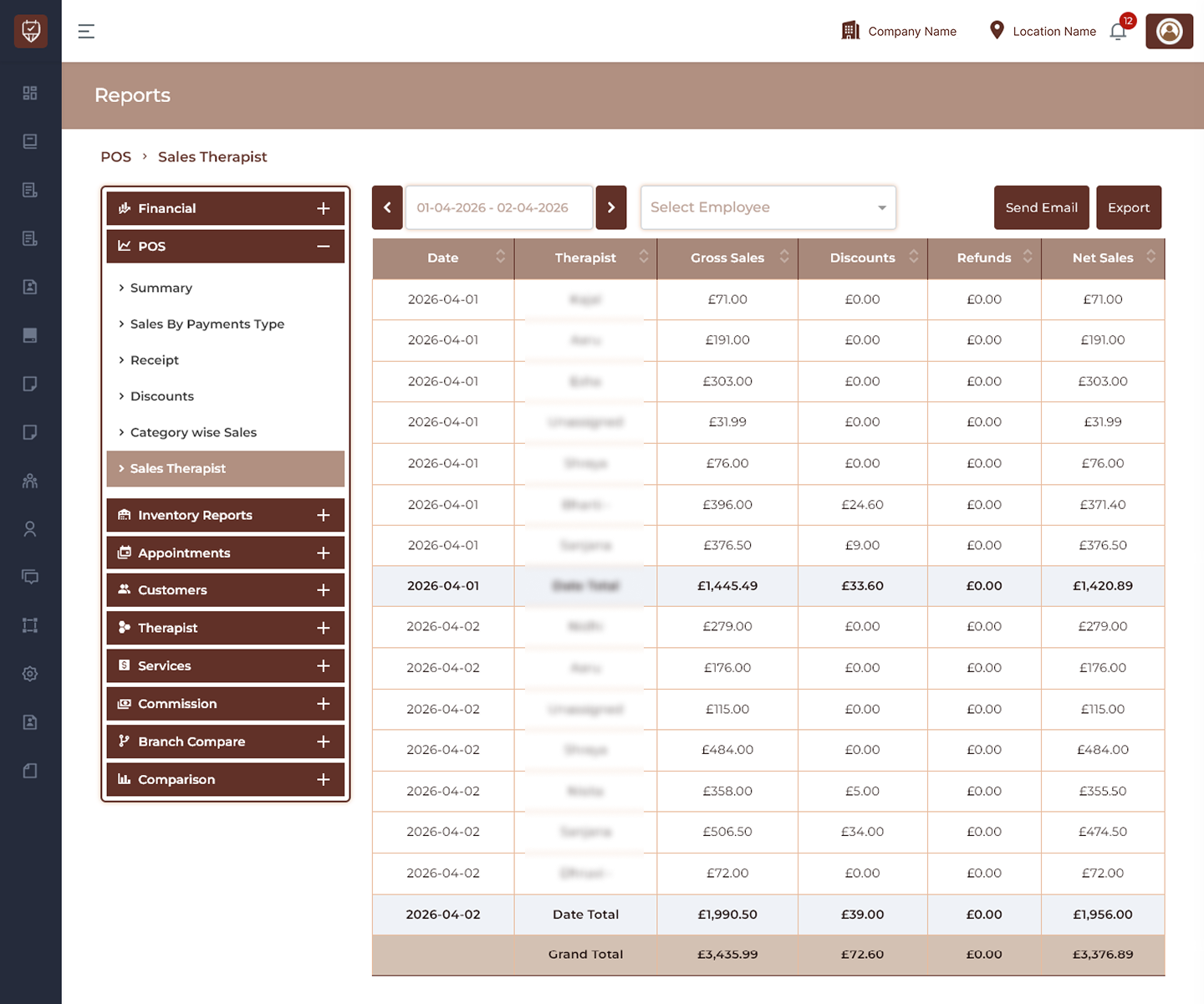
Date Range Filter
Allows users to select the reporting period for therapist sales analysis.
Features
- Filter therapist sales data by date.
- Navigate between reporting periods.
- Refresh report results dynamically.
- Support historical performance review.
Purpose
Used to analyze therapist sales activity during a selected period.
Employee Filter
Allows users to filter report results for a selected employee.
Features
- Search and select employee records.
- Display employee-specific sales data.
- Improve reporting accuracy.
- Support performance analysis.
Purpose
Used to review therapist performance individually.
Send Email
Sends the generated therapist sales report to configured recipients.
Features
- Share report information electronically.
- Support business communication.
- Enable scheduled reporting.
- Improve report accessibility.
Purpose
Used to distribute therapist sales reports.
Export
Downloads the currently displayed therapist sales report.
Features
- Export filtered sales data.
- Generate downloadable reports.
- Support audit requirements.
- Enable offline analysis.
Purpose
Creates an exportable version of therapist sales data.
Therapist Sales Details
Displays sales information grouped by therapist and reporting date.
Date
Displays the transaction or reporting date.
Therapist
Displays the therapist associated with generated sales.
Gross Sales
Displays total sales value before deductions.
Discounts
Displays total discounts applied.
Refunds
Displays refunded amounts.
Net Sales
Displays final revenue after deductions and adjustments.
Features
- Review therapist sales performance.
- Compare contribution across reporting periods.
- Monitor refunds and discounts.
- Track overall net sales.
Totals
Date Total
Displays summarized sales values for a specific reporting date.
Grand Total
Displays combined totals for all therapist records shown in the report.
Features
- Consolidate therapist sales figures.
- Improve financial visibility.
- Support reporting validation.
Best Practices
- Select an appropriate date range before reviewing results.
- Compare therapist performance regularly.
- Monitor discounts and refund patterns.
- Export reports for management review.
- Use filters to improve analysis accuracy.