
Out of Working Hour Booking
The Out of Working Hour Booking report provides visibility into appointments scheduled outside configured operating hours during the selected reporting period. It helps monitor booking activity beyond standard schedules, review service demand, and support operational planning.
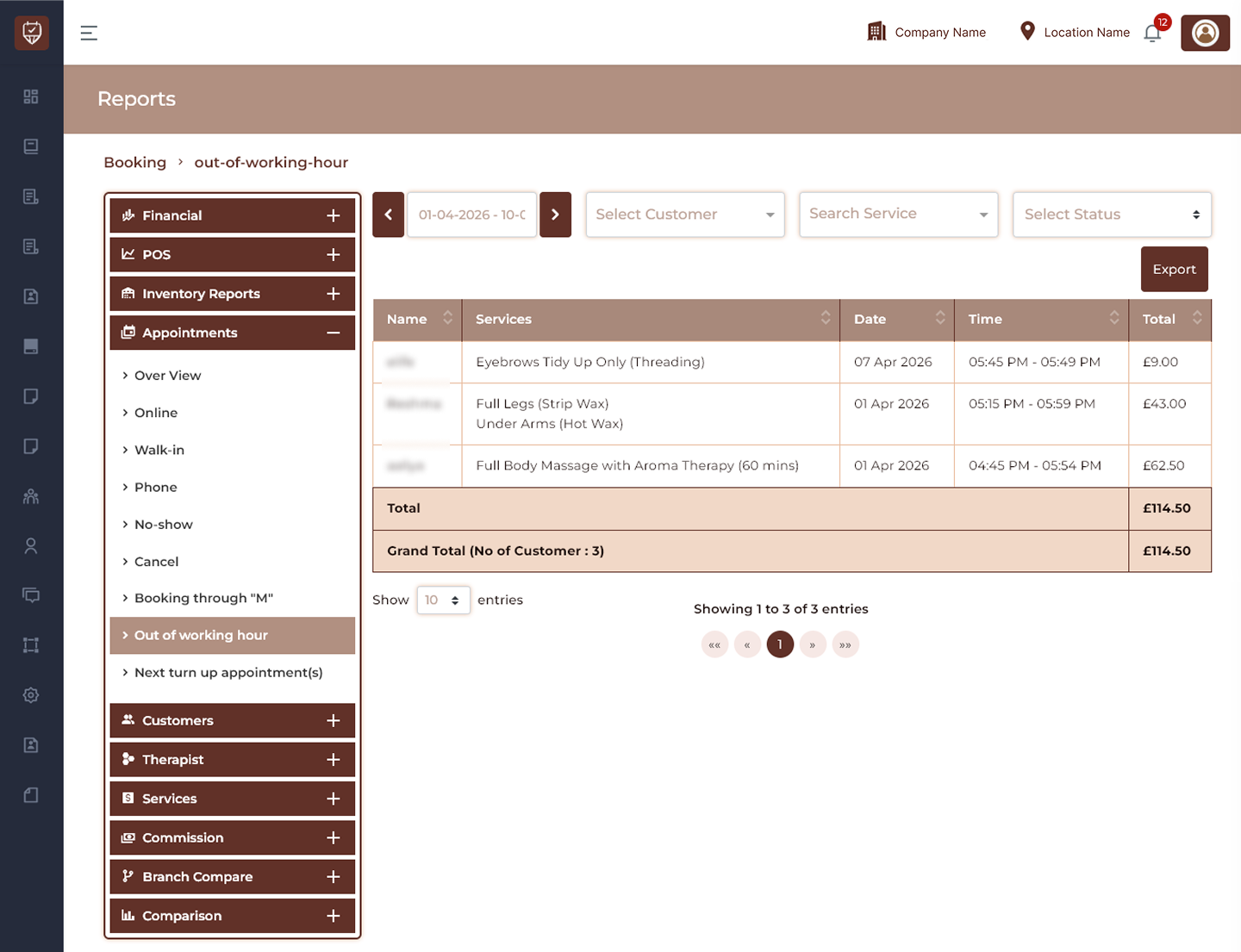
Date Range Filter
Allows users to generate out-of-working-hour booking data for a selected reporting period.
Features
- Filter appointment records by date range.
- Analyse booking activity over time.
- Compare scheduling trends.
- Improve operational visibility.
Purpose
Used to review appointments scheduled outside standard working hours.
Customer Filter
Allows users to display appointments for a selected customer.
Features
- Search appointment records.
- Review customer booking activity.
- Improve booking analysis.
- Reduce unnecessary report data.
Purpose
Used to analyse customer behaviour for extended-hour bookings.
Status Filter
Filters appointment records according to booking status.
Features
- Display appointments by status.
- Review booking completion trends.
- Monitor appointment outcomes.
- Improve reporting clarity.
Purpose
Used to evaluate booking performance.
Export
Downloads the currently displayed out-of-working-hour report.
Features
- Export filtered booking data.
- Support offline reporting.
- Maintain operational records.
- Enable report sharing.
Purpose
Creates a downloadable booking report.
Appointment Details
Customer Name
Displays the customer associated with the appointment.
Services
Displays services included in the appointment.
Date
Displays the scheduled appointment date.
Time
Displays appointment start and end time.
Total
Displays the total appointment value.
Features
- Review after-hours booking activity.
- Track booked services.
- Monitor appointment schedules.
- Analyse booking revenue.
Report Summary
Displays consolidated out-of-working-hour booking performance.
Total
Displays cumulative booking value for displayed appointments.
Grand Total
Displays final booking value together with total customer count.
Purpose
Used to evaluate operational impact and revenue contribution of extended-hour bookings.
Best Practices
- Monitor out-of-working-hour demand regularly.
- Review service trends outside standard hours.
- Analyse operational workload.
- Export reports for business analysis.
- Use insights to optimise working schedules and appointment availability.