
Therapist No-Show Booking Report
The Therapist No-Show Booking report provides visibility into appointments marked as no-show during the selected reporting period. It helps monitor missed appointments, evaluate employee performance, and improve appointment management.
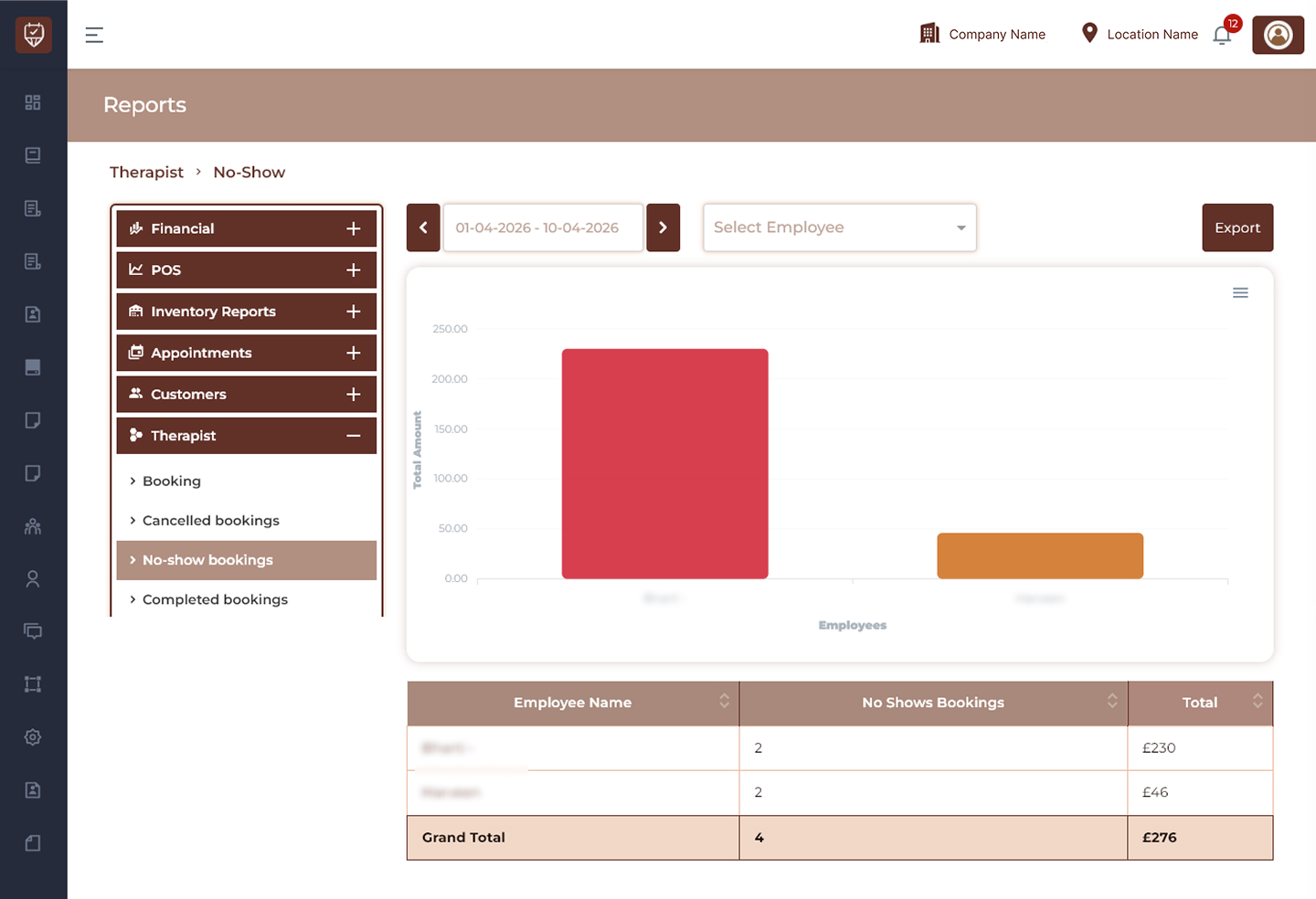
Date Range Filter
Allows users to display no-show booking records for a selected reporting period.
Features
- Filter no-show bookings by date range.
- Monitor missed appointment activity.
- Analyse employee performance.
- Improve reporting visibility.
Purpose
Used to review no-show trends within a selected period.
Employee Filter
Allows users to display no-show booking results for a selected employee.
Features
- Search and select employees.
- View employee-specific no-show performance.
- Simplify reporting analysis.
- Support operational monitoring.
Purpose
Used to evaluate employee-related no-show activity.
Performance Chart
Displays graphical representation of no-show bookings by employee.
Features
- Visualise no-show booking values.
- Compare employee performance.
- Identify trends and patterns.
- Support business decisions.
Purpose
Used to analyse no-show impact visually.
Export
Downloads the currently displayed report.
Features
- Export no-show reports.
- Support offline analysis.
- Maintain reporting history.
- Simplify operational review.
Purpose
Creates a downloadable therapist no-show booking report.
No-Show Details
Employee Name
Displays the employee name.
No Shows Bookings
Displays the total number of appointments marked as no-show.
Total
Displays the total booking value associated with no-show appointments.
Features
- Track missed appointments.
- Monitor employee no-show performance.
- Compare operational impact.
- Support service improvement.
Summary Section
Grand Total
Displays:
- Total no-show bookings.
- Combined no-show value.
- Overall employee performance summary.
Features
- Summarise no-show activity.
- Improve reporting visibility.
- Support operational decision-making.
Best Practices
- Monitor no-show trends regularly.
- Review employee performance patterns.
- Analyse missed appointment impact.
- Export reports for operational analysis.
- Use report insights to improve scheduling and customer engagement.