
Therapist Booking Report
The Therapist Booking report provides visibility into employee booking performance during the selected reporting period. It helps monitor therapist productivity, analyse service delivery, and evaluate overall business performance.
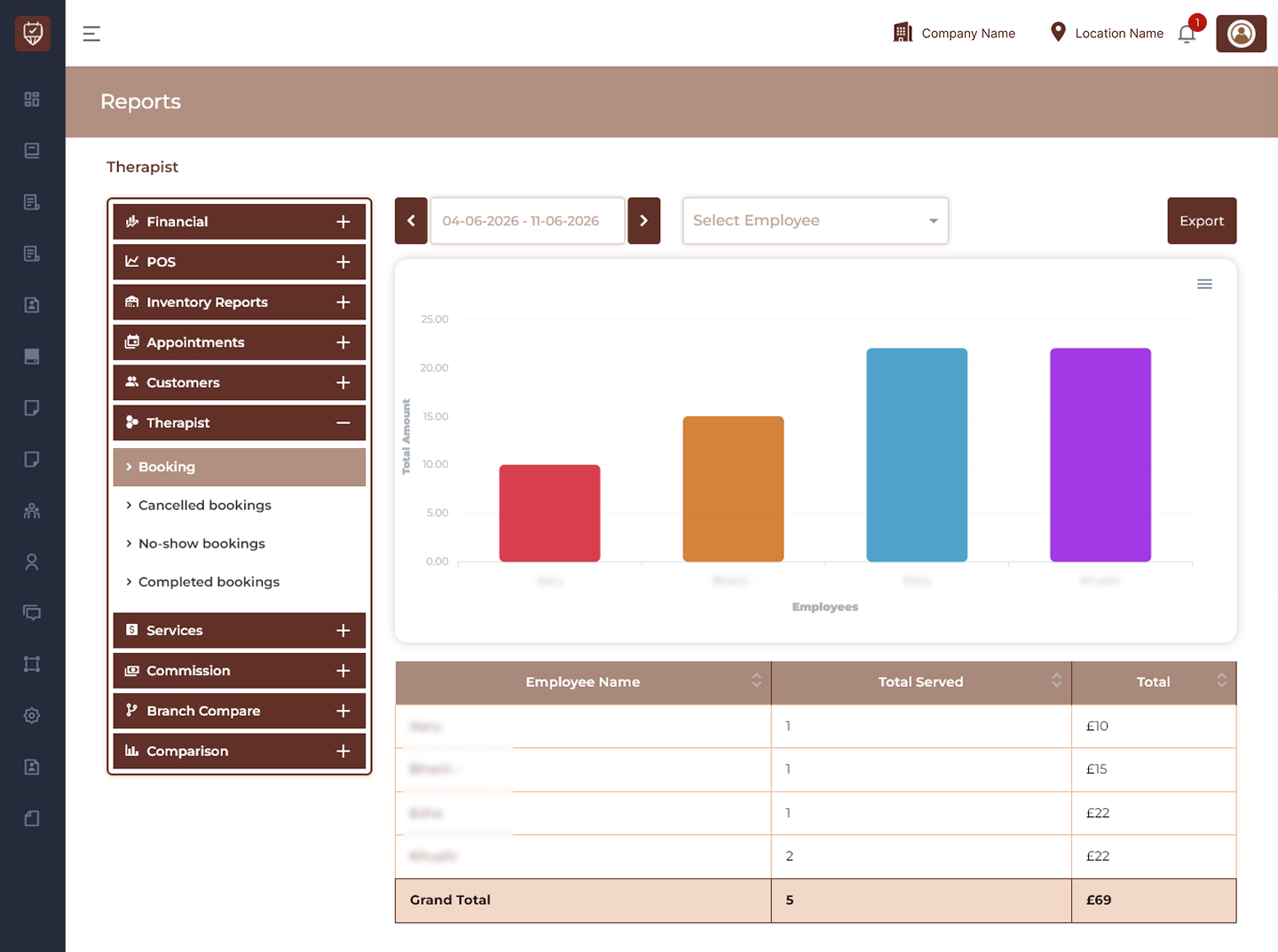
Date Range Filter
Allows users to display therapist booking records for a selected reporting period.
Features
- Filter booking data by date range.
- Analyse employee performance trends.
- Review served appointments.
- Improve operational visibility.
Purpose
Used to monitor therapist activity within a selected period.
Employee Filter
Allows users to display booking results for a selected employee.
Features
- Search and select employees.
- Display employee-specific performance.
- Simplify reporting analysis.
- Support performance tracking.
Purpose
Used to evaluate therapist booking contribution.
Performance Chart
Displays graphical representation of therapist booking performance.
Features
- Visualise total amount generated by employees.
- Compare therapist performance.
- Identify high-performing employees.
- Improve business analysis.
Purpose
Used to analyse booking contribution visually.
Export
Downloads the currently displayed report.
Features
- Export therapist performance data.
- Support offline analysis.
- Maintain reporting records.
- Simplify business review.
Purpose
Creates a downloadable therapist booking report.
Booking Details
Employee Name
Displays the employee name.
Total Served
Displays the total number of bookings served by the employee.
Total
Displays the total booking value generated by the employee.
Features
- Track therapist productivity.
- Monitor booking performance.
- Compare employee contribution.
- Support business decisions.
Summary Section
Grand Total
Displays:
- Total bookings served.
- Combined revenue generated.
- Overall therapist contribution.
Features
- Summarise employee performance.
- Improve reporting visibility.
- Support operational decisions.
Best Practices
- Monitor therapist performance regularly.
- Compare employee booking trends.
- Review productivity across reporting periods.
- Export reports for performance analysis.
- Use report insights to improve staff planning.