
Branch Compare – Sales Report
The Branch Compare Sales report provides visibility into sales performance across multiple branches within the selected reporting period. It helps compare revenue generated from appointments, packages, and gift vouchers to support business analysis and branch performance monitoring.
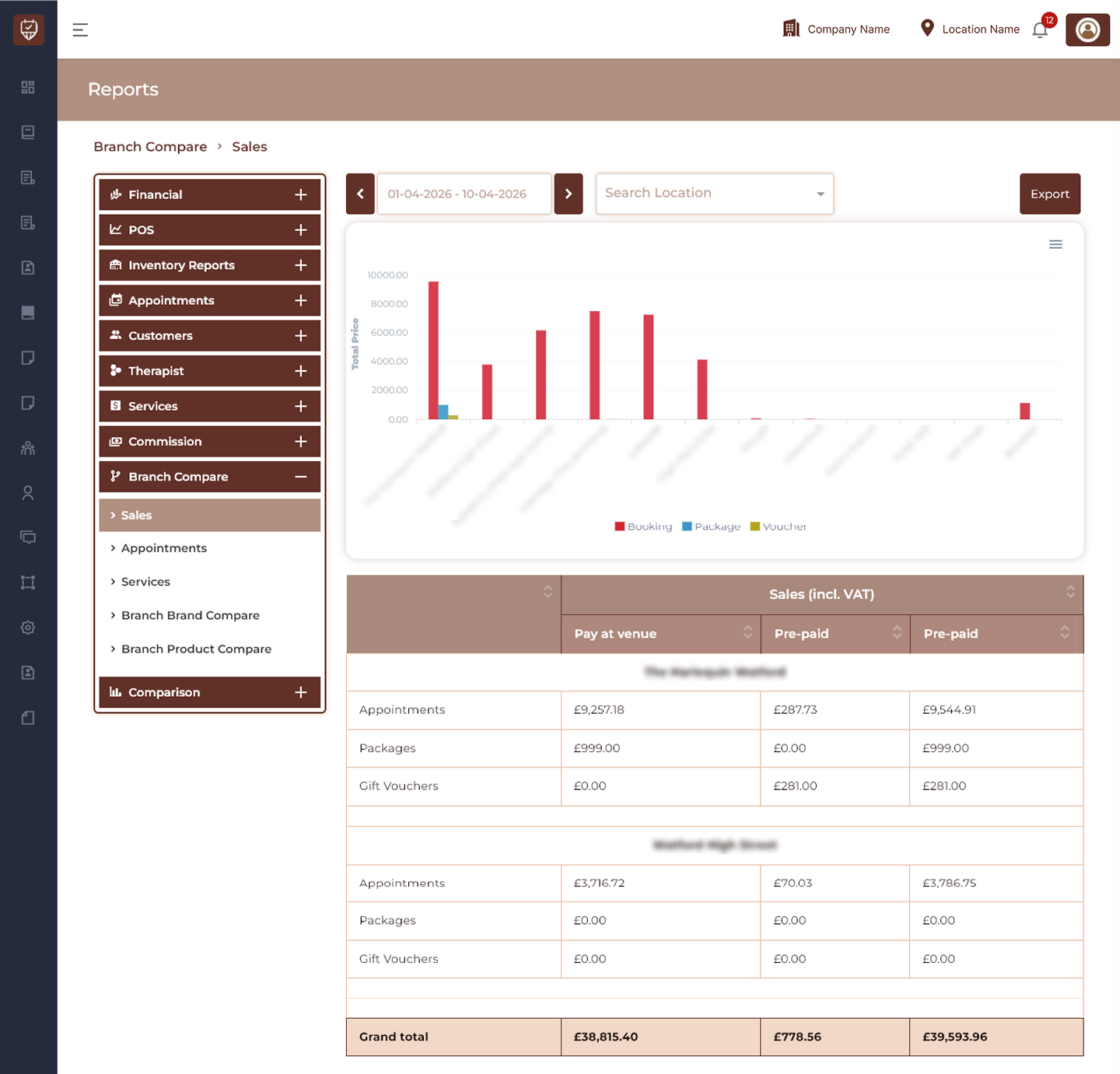
Date Range Filter
Allows users to display branch sales data for a selected reporting period.
Features
- Filter branch sales by date range.
- Monitor sales performance over time.
- Compare revenue across branches.
- Generate period-based sales reports.
Purpose
Used to analyse branch sales activity during a selected timeframe.
Search Location Filter
Allows users to filter report results by a selected branch location.
Features
- Search and select branch locations.
- Display branch-specific sales data.
- Simplify comparison analysis.
- Improve report accuracy.
Purpose
Used to focus sales reporting for individual branches.
Branch Sales Comparison Chart
Displays a visual comparison of sales values across branches.
Chart Categories
- Booking Sales
- Package Sales
- Voucher Sales
Features
- Compare branch sales performance visually.
- Identify highest and lowest performing branches.
- Track sales contribution by category.
- Monitor business growth trends.
Purpose
Used to provide a quick overview of branch revenue distribution.
Branch Sales Summary Table
Displays detailed sales values for each branch.
Branch Name
Displays the branch being analysed.
Sales (Incl. VAT)
Displays total sales including VAT for the selected branch.
Pay at Venue
Displays payments collected directly at the branch.
Pre-paid
Displays payments completed before customer arrival.
Total
Displays the combined total sales amount.
Sales Categories
Appointments
Displays revenue generated through appointment bookings.
Packages
Displays revenue generated through package sales.
Gift Vouchers
Displays revenue generated through voucher purchases.
Features
- Compare sales across multiple branches.
- Analyse booking and package revenue.
- Track prepaid and venue payments.
- Monitor branch performance.
- Export reports for business review.
Best Practices
- Review branch sales regularly.
- Compare revenue trends between locations.
- Monitor booking and package contribution.
- Analyse prepaid versus venue payment distribution.
- Export reports for management and financial reporting.