
Branch Compare – Services Report
The Branch Compare Services report provides visibility into service performance across multiple branches within the selected reporting period. It helps compare service usage, total services delivered, and generated revenue to support business monitoring and operational decisions.
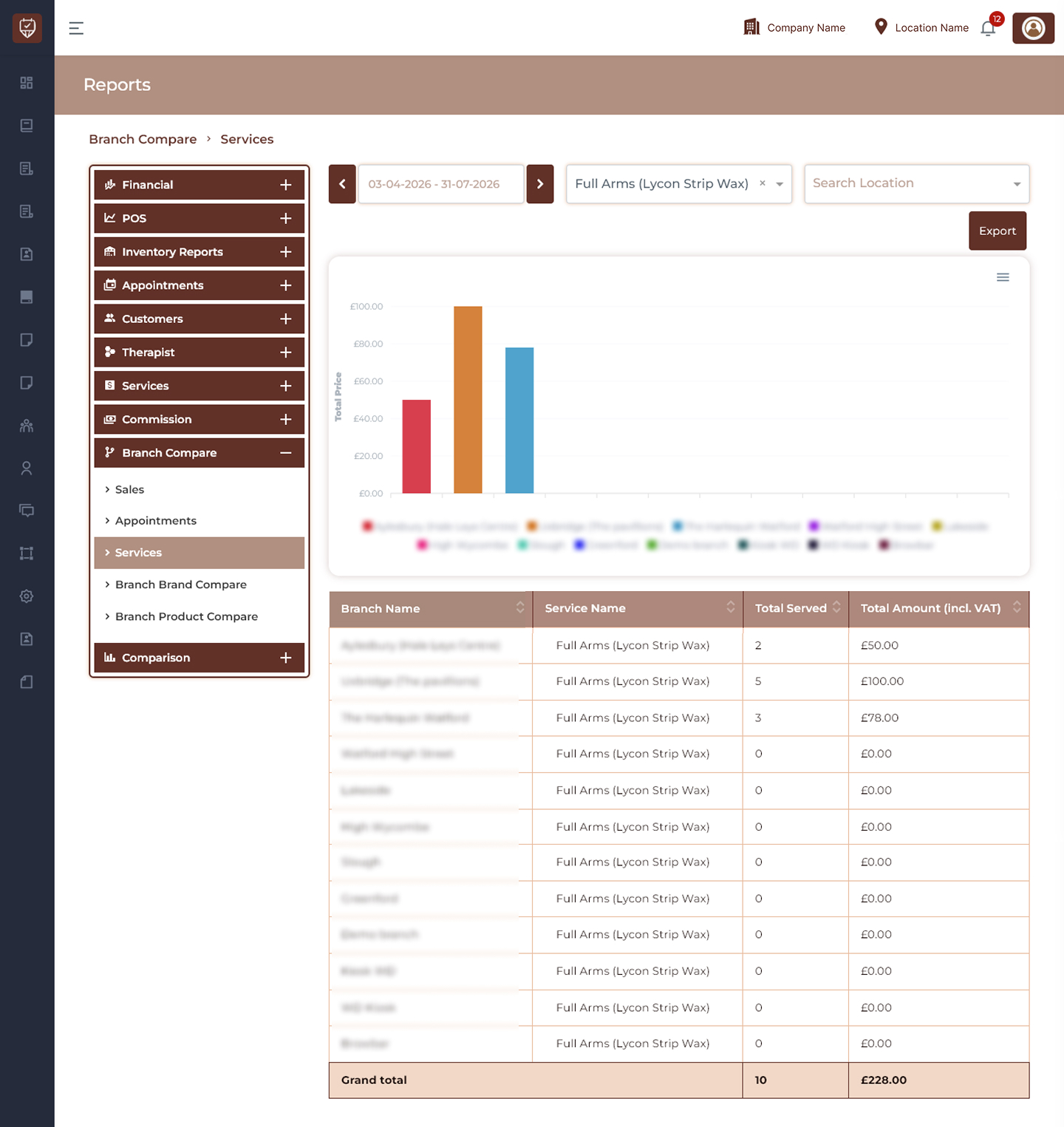
Date Range Filter
Allows users to display service comparison data for a selected reporting period.
Features
- Filter service data by date range.
- Analyse branch performance during selected periods.
- Track service trends over time.
- Generate period-based service reports.
Purpose
Used to review and compare service activity across branches.
Search Service Filter
Allows users to search and filter report data by service.
Features
- Search specific services.
- Display branch performance for selected services.
- Narrow report results.
- Improve service analysis.
Purpose
Used to evaluate service performance across locations.
Search Location Filter
Allows users to filter report results by branch location.
Features
- Search and select branch locations.
- Display branch-specific service data.
- Simplify comparison reporting.
- Improve operational analysis.
Purpose
Used to focus service reporting on selected branches.
Service Comparison Chart
Displays a visual comparison of service performance across branches.
Chart Metrics
- Total Price
- Service Revenue by Branch
- Service Distribution Across Locations
Features
- Compare service performance visually.
- Identify service contribution by branch.
- Track branch revenue trends.
- Monitor overall service activity.
Purpose
Used to provide a quick overview of service distribution and performance.
Service Summary Table
Displays detailed service performance information for each branch.
Branch Name
Displays the branch included in the comparison.
Service Name
Displays the selected service being analysed.
Total Served
Displays the total number of times the service was delivered.
Total Amount (Incl. VAT)
Displays the total revenue generated including VAT.
Features
- Compare services across multiple branches.
- Monitor service demand and performance.
- Analyse revenue contribution by location.
- Track service utilisation trends.
- Export service comparison reports.
Best Practices
- Review branch service performance regularly.
- Compare service demand across locations.
- Monitor revenue contribution by service.
- Identify opportunities to improve branch performance.
- Export reports for operational and business analysis.