
Cronjob Actions
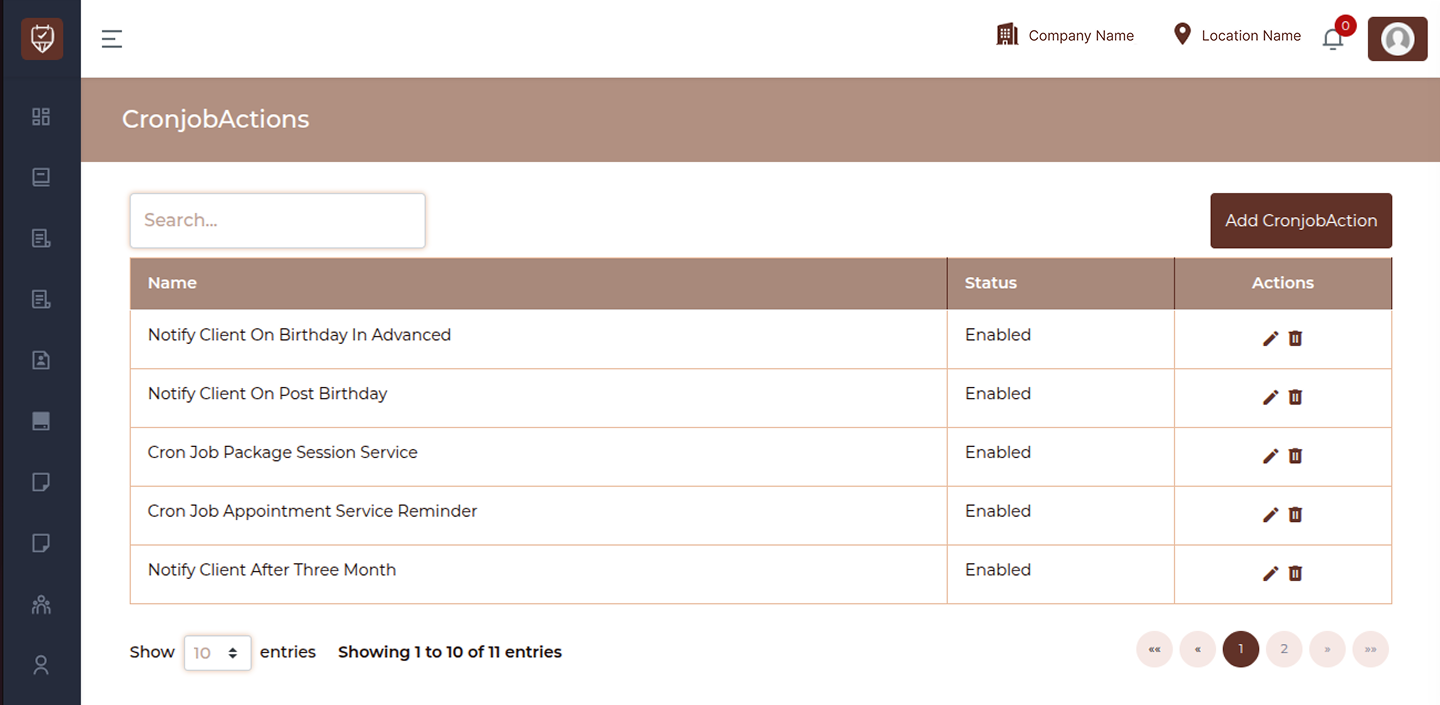
The Cronjob Actions page displays a list of automated background actions configured in the system. These actions are executed through scheduled jobs (cron jobs) to perform tasks such as sending reminders, notifications, or automated service updates.
Search
Use the search bar to quickly find specific cron job actions by name.
Add Button
Use the Add CronjobAction button to create a new automated action.
Table Overview
Name
Displays the name of the cron job action.
Status
Indicates whether the cron job action is currently active or inactive.
- Enabled : The cron job is active and will execute as scheduled
- Disabled : The cron job is inactive and will not run
Actions
Provides options to manage cron job actions:
- Edit : Modify cron job action configuration
- Delete : Remove the cron job action from the system
Best Practices
- Use clear and descriptive names for each cron job action
- Regularly review active cron jobs to ensure relevance
- Disable unused cron jobs instead of deleting if unsure
- Avoid duplicate cron job configurations
- Ensure scheduling logic does not conflict with other processes
Add / Edit CronjobAction
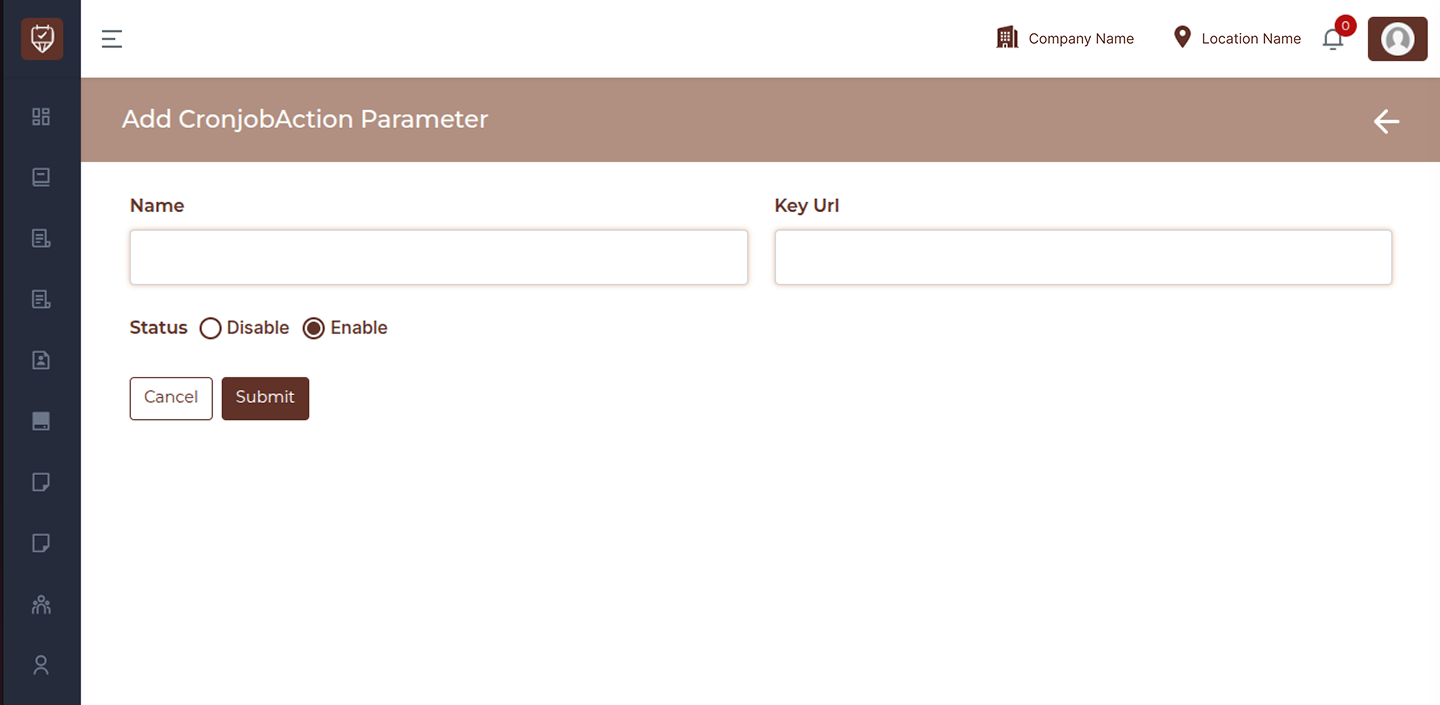
The Add/Edit CronjobAction Parameter page allows you to create or update parameters used in cron job actions. These parameters help define how automated tasks are triggered or executed within the system.
Name
Enter the name of the cron job action parameter.
This helps identify the purpose of the parameter.
Key Url
Provide the URL associated with the cron job action.
This URL is used by the system to trigger or execute the defined action.
Status
Set the status of the parameter.
- Enable : The parameter is active and will be used in cron job execution
- Disable : The parameter is inactive and will not be used
Actions
- Cancel : Exit without saving changes
- Submit : Save the cron job action parameter
Best Practices
- Use clear and meaningful names for parameters
- Ensure the Key URL is valid and accessible
- Disable unused parameters instead of deleting them
- Avoid duplicate parameter configurations