
Quick Contact Template
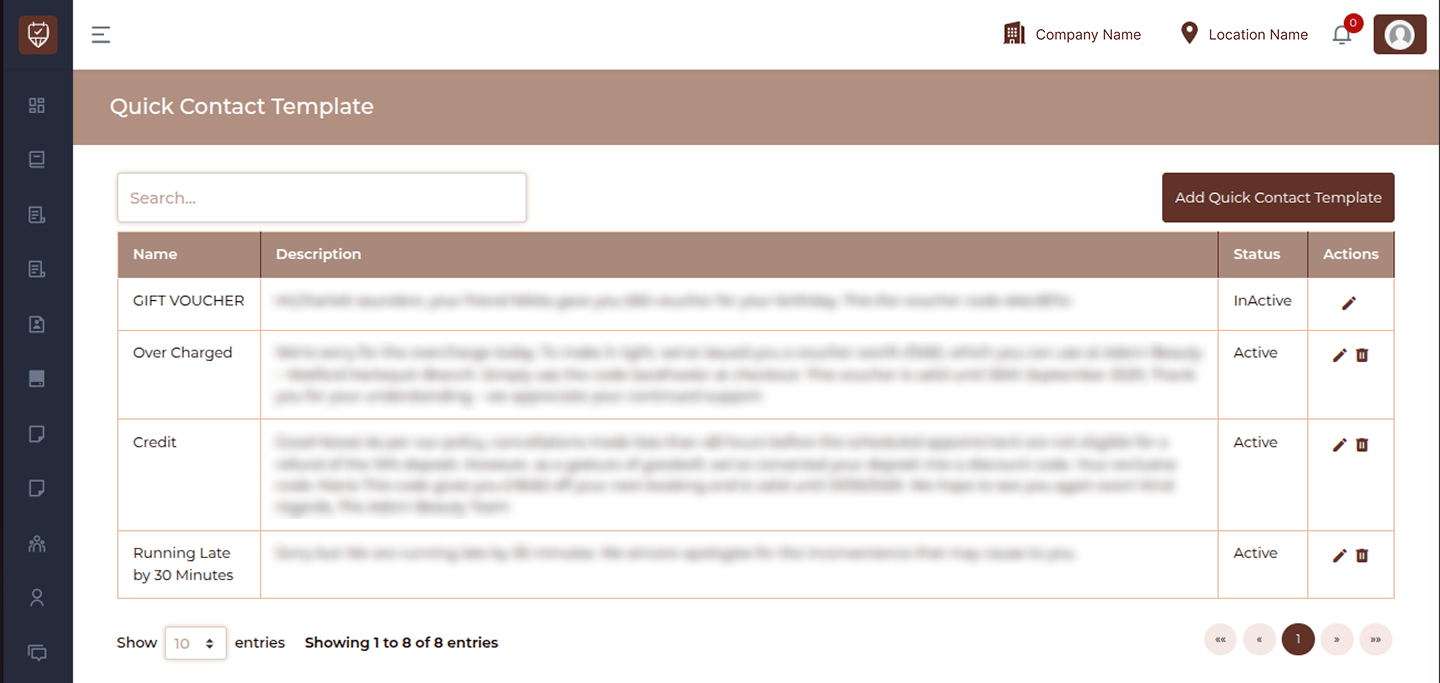
The Quick Contact Template page is used to create and manage predefined message templates for quick communication with customers. These templates help save time by allowing staff to send commonly used messages such as notifications, apologies, confirmations, or promotional updates with just a few clicks. This feature ensures consistency in communication and improves response efficiency across the system.
Overview
- Create reusable message templates
- Improve communication speed and consistency
- Use predefined content for common scenarios
- Easily manage and update templates
- Reduce manual typing and errors
Fields & Columns
Name
Displays the title of the template. This helps identify the purpose of the message.
Description
Contains the actual message content that will be sent to customers. It can include general text or structured communication for different use cases.
Status
Indicates whether the template is currently active or inactive.
- Active : Template is available for use
- InActive : Template is disabled and cannot be used
Actions
Provides options to manage the quick contact template:
- Edit : Modify template name or message content
- Delete : Remove the template from the system
Best Practices
- Use clear and meaningful template names
- Keep messages concise and easy to understand
- Regularly review and update templates
- Avoid overly generic content; tailor messages when needed
- Disable unused templates instead of deleting them
Add / Edit Quick Contact Template
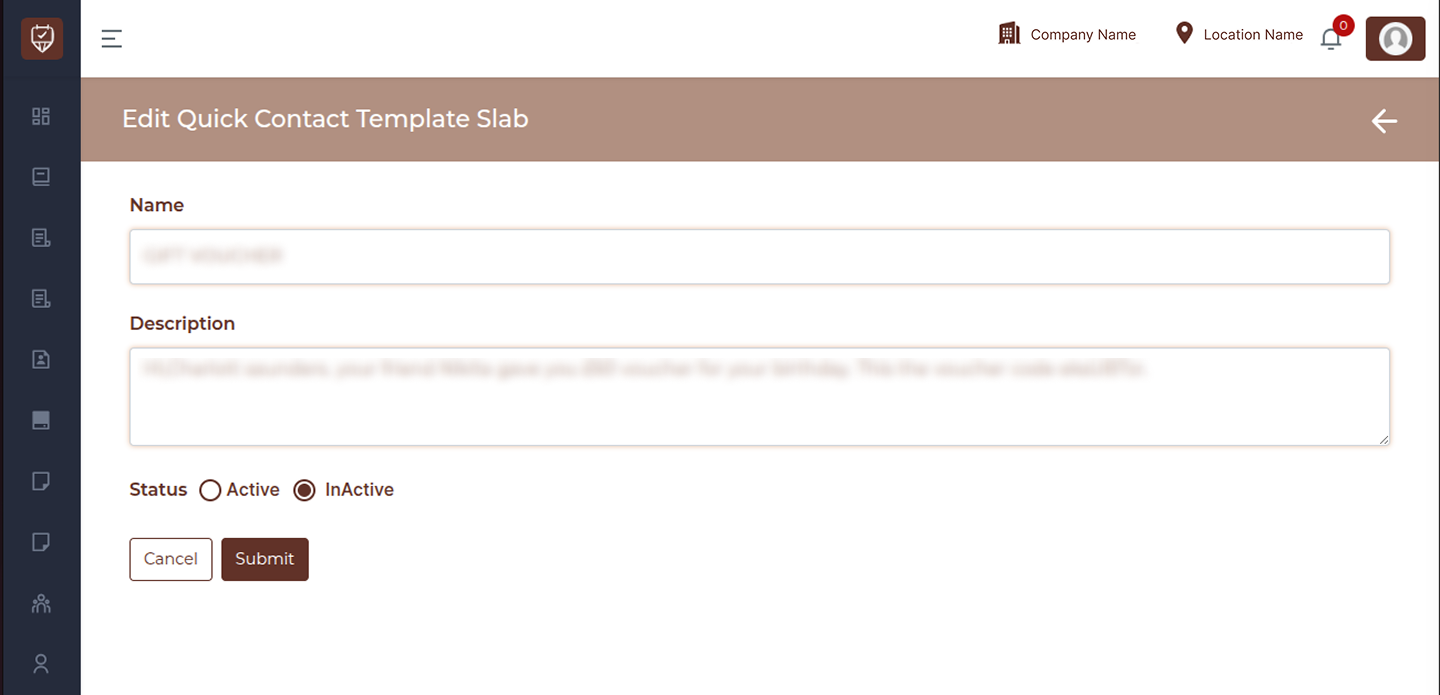
The Add / Edit Quick Contact Template page is used to create or modify predefined message templates for quick communication with customers. These templates help standardize messaging, reduce manual effort, and improve response time for common communication scenarios. This page allows you to define template names, message content, and control availability through status settings.
Overview
- Create reusable communication templates
- Edit existing message formats
- Maintain consistency in customer communication
- Enable or disable templates as needed
- Improve operational efficiency
Fields
Name
Enter a clear and descriptive name for the template. This helps identify the purpose of the message.
Description
Add the message content that will be sent to customers. Ensure the content is clear, concise, and suitable for repeated use.
Status
Control whether the template is available for use.
- Active : Template can be used in communication
- InActive : Template is disabled
Actions
Options to manage the template:
- Cancel : Exit without saving changes
- Submit : Save and apply the template
Best Practices
- Use meaningful template names for easy identification
- Keep messages short and easy to understand
- Avoid including sensitive or unnecessary information
- Regularly review and update templates
- Disable outdated templates instead of deleting them