
Loyalty Cards
The Loyalty Cards page is used to manage all loyalty programs offered to customers. It allows you to create, view, edit, and organize loyalty cards that reward customers based on service usage. This helps improve customer retention, encourage repeat visits, and build long-term relationships.
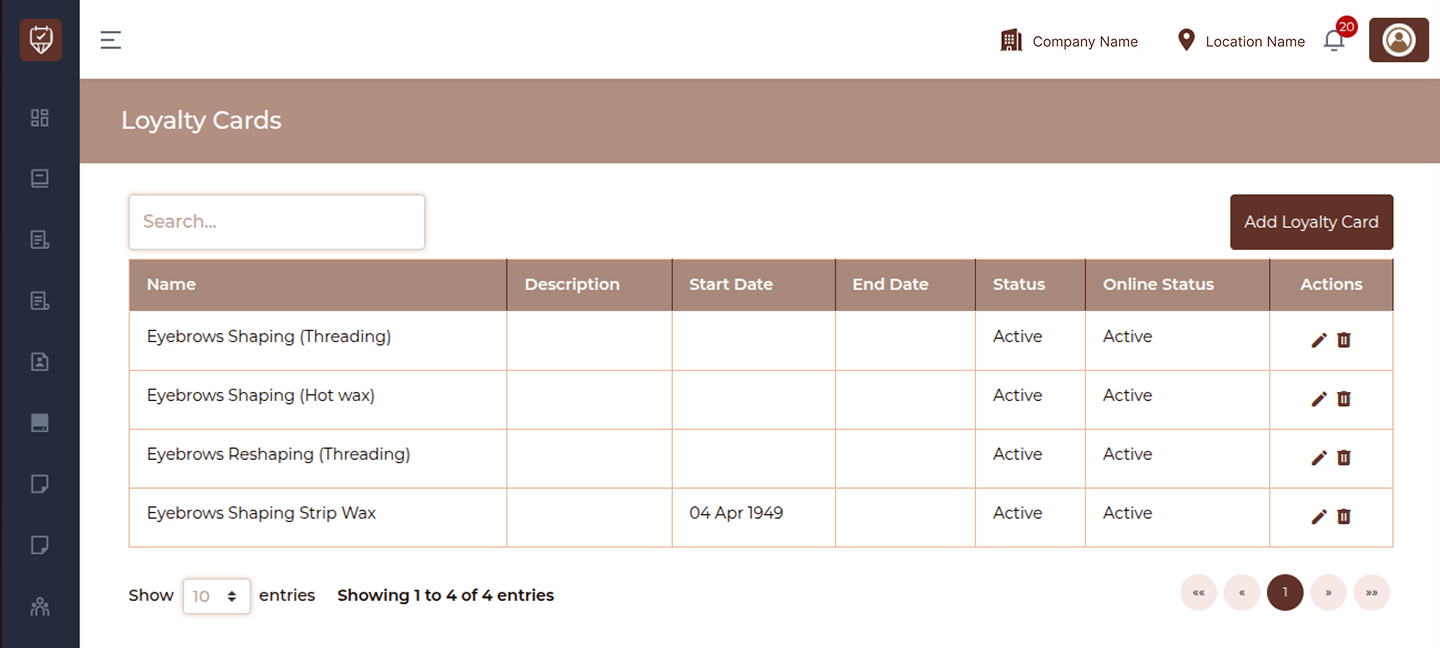
This module allows you to:
- View all loyalty cards
- Search and manage loyalty programs
- Add new loyalty cards
- Edit existing loyalty card details
- Control availability and online status
- Track validity periods
Controls
Search
Allows you to quickly find a loyalty card by entering its name or keyword.
Add Loyalty Card
Click to create a new loyalty program with defined services, validity, and benefits.
Loyalty Card Table
Name
Displays the name of the loyalty card.
Description
Shows a brief description of the loyalty program.
Start Date
Indicates when the loyalty card becomes active.
End Date
Displays the expiry date of the loyalty card.
Status
Shows whether the loyalty card is active or inactive.
Online Status
Indicates whether the loyalty card is available for online use.
Actions
Provides options to manage the loyalty card:
- Edit : Modify loyalty card details
- Delete : Remove the loyalty card from the system
Best Practices
- Use clear and attractive names for loyalty programs
- Define proper start and end dates for validity
- Keep loyalty cards active only when available for use
- Regularly review and update loyalty offers
- Use online status to control digital availability
Add / Edit Loyalty Card
The Add / Edit Loyalty Card page is used to create and manage loyalty programs that reward repeat customers. It allows you to define eligibility criteria, service conditions, and reward structures. This helps increase customer retention, encourage repeat visits, and automate reward-based engagement.
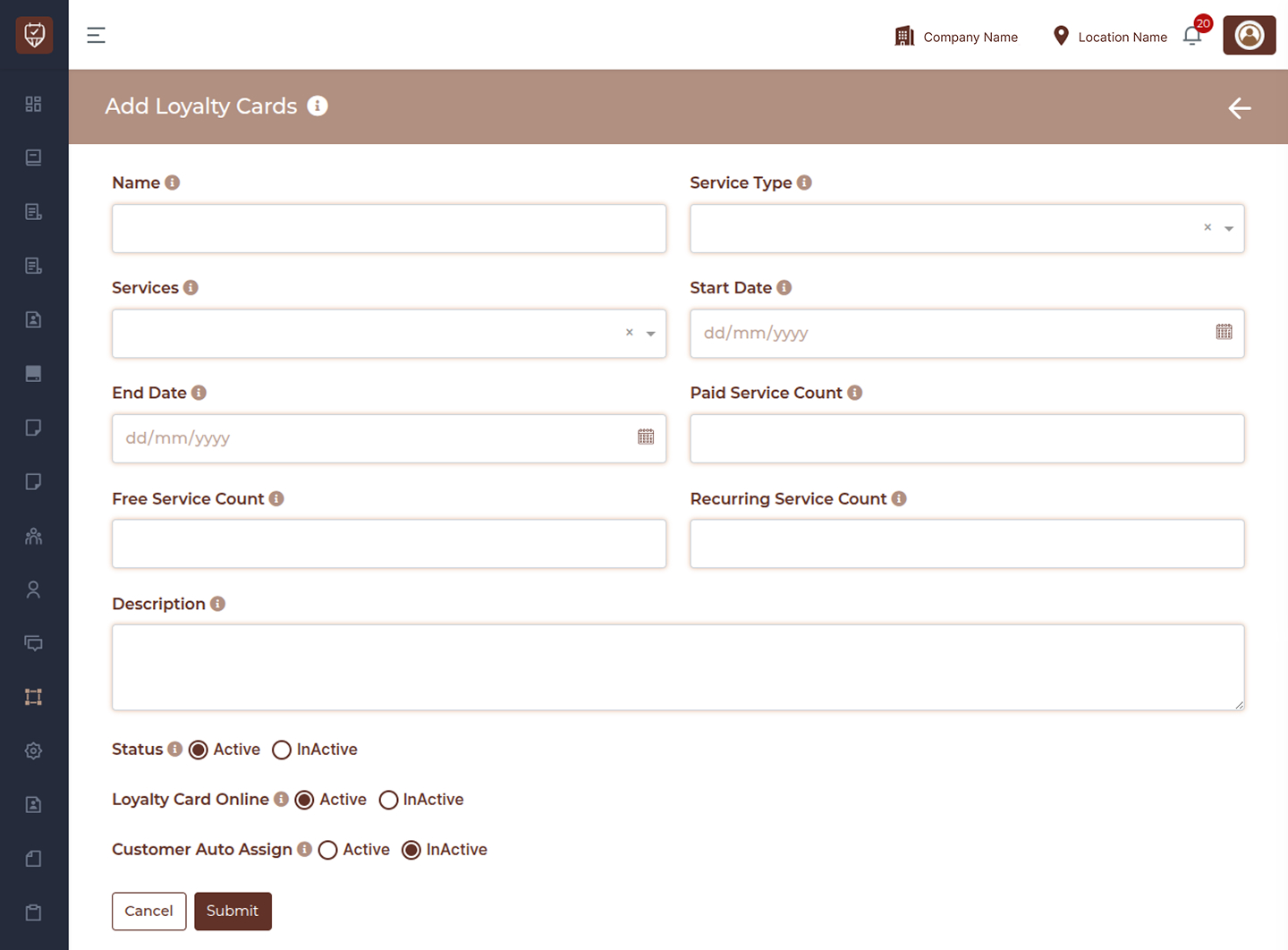
This module allows you to:
- Create new loyalty programs
- Edit existing loyalty card details
- Define service-based reward conditions
- Configure free and recurring benefits
- Control availability and automation
- Manage online visibility
Name
Enter a unique and customer-friendly name for the loyalty card.
Service Type
Select the category of services this loyalty card applies to.
Services
Choose specific services that are eligible for earning or redeeming loyalty rewards.
Start Date
Set the date from which the loyalty card becomes valid.
End Date
Define the expiry date of the loyalty card.
Paid Service Count
Number of paid visits required before a reward is triggered.
Free Service Count
Number of free services granted after meeting the paid service requirement.
Recurring Service Count
Define how often the reward cycle repeats after completion.
Description
Provide details about how the loyalty program works for internal understanding or promotional use.
Status
Set whether the loyalty card is Active or Inactive.
Loyalty Card Online
Control whether the loyalty card is available for online usage.
Customer Auto Assign
Enable automatic assignment of the loyalty card to eligible customers.
Actions
- Cancel : Exit without saving changes
- Submit : Save and activate the loyalty card
Best Practices
- Use clear and attractive names for better recognition
- Define accurate service counts to ensure fair rewards
- Set proper validity dates to control program duration
- Use auto-assign for seamless customer experience
- Regularly review and update loyalty rules
- Keep inactive cards for record tracking instead of deleting