
Consultation Forms
The Consultation Forms page is used to manage all consultation records linked to customer appointments. It helps you capture client information, medical details, consent, and maintain a complete history of consultations for safe and effective service delivery.
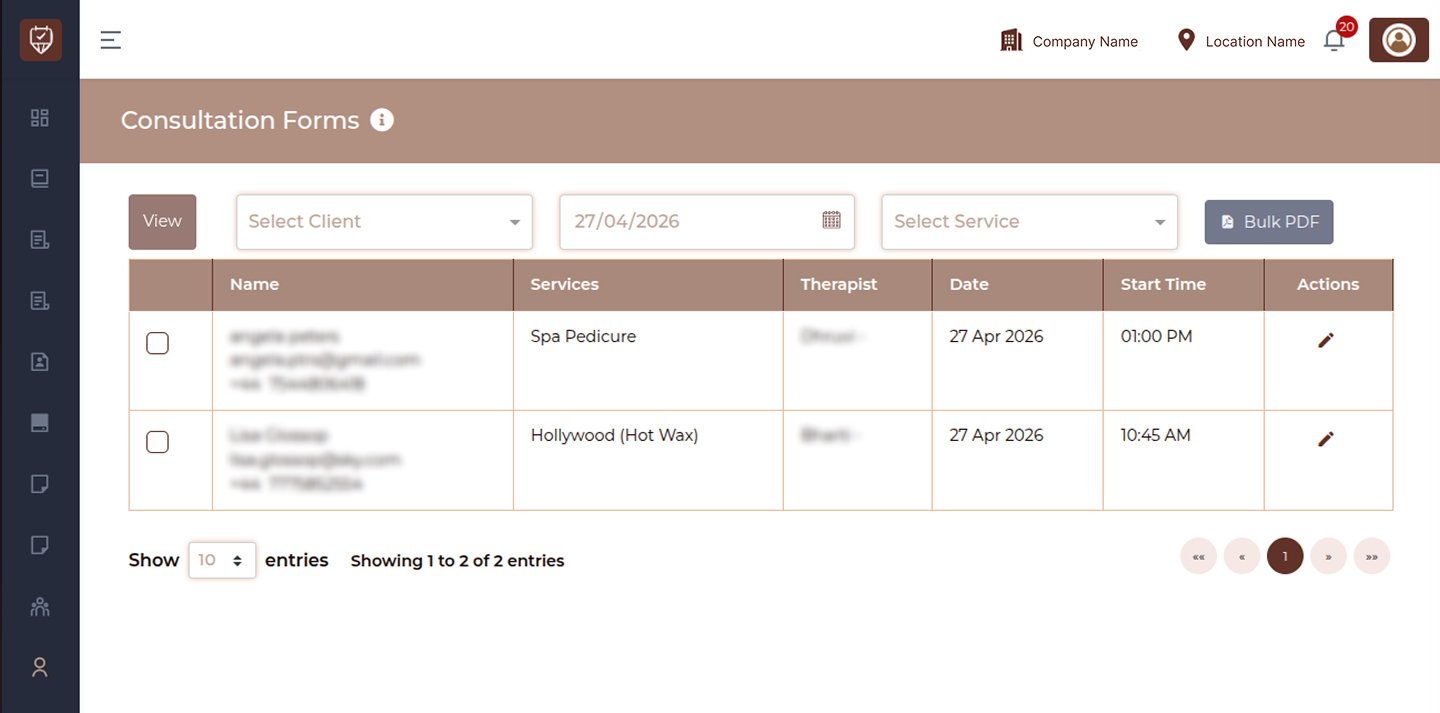
Listing Page Fields
View
Click to load and display consultation forms based on the selected filters.
Select Client
Choose a specific client to view their consultation forms.
Date
Select a date to view consultation forms completed on that day.
Service
Filter consultation forms based on a specific service.
Bulk PDF
Export multiple consultation forms as a single PDF file.
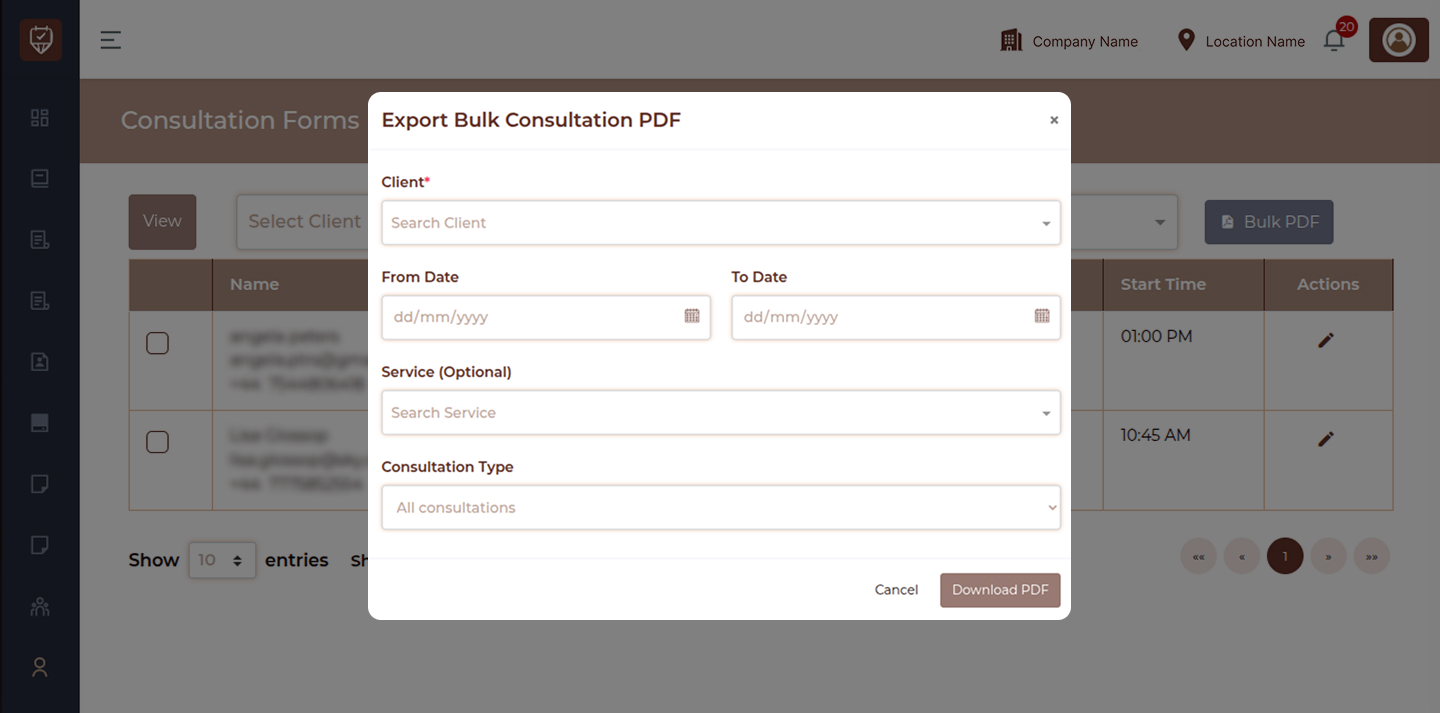
Name
Displays the name of the customer who completed the consultation form.
Services
Shows the service associated with the consultation.
Therapist
Indicates which therapist handled the consultation.
Date
Displays the date when the consultation was completed.
Start Time
Shows the appointment start time linked to the consultation.
Actions
Provides options to manage consultation forms such as edit, preview, download, and email.
Edit
Open and update the consultation form.
Preview
Open and review the completed consultation form.
Download
Download the consultation form.
Send the consultation form via email.
Add / Update Consultation Form
This section allows you to create or update a consultation form. The form is divided into steps for better data collection and accuracy.
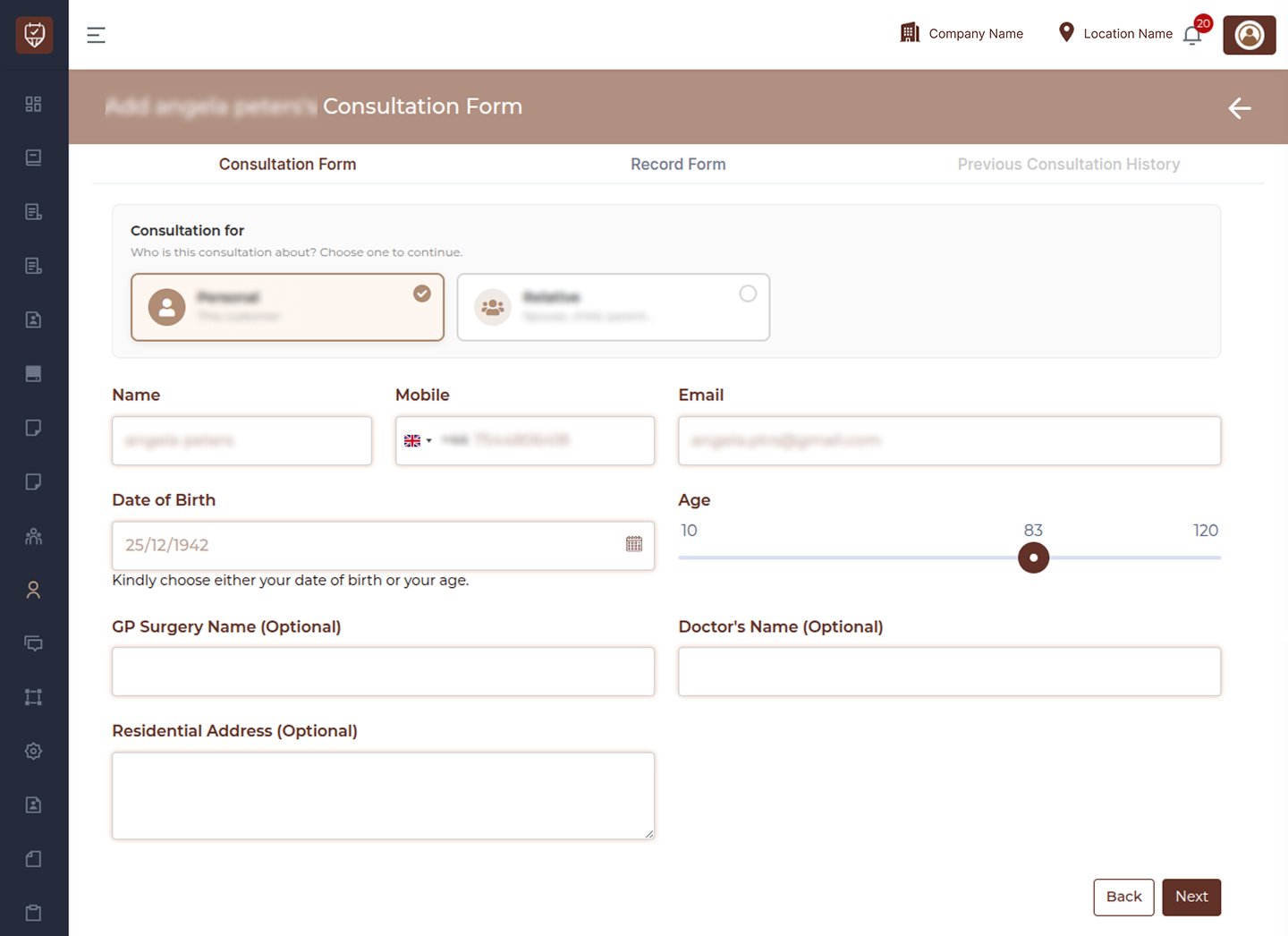
Basic Information
Name
Displays the client name.
Mobile
Shows the contact number of the client.
Displays the client email address.
Date of Birth
Enter or select the client’s date of birth.
Age
Select or adjust the client’s age if date of birth is not provided.
GP Surgery Name
Enter the GP surgery details if applicable.
Doctor's Name
Enter the doctor’s name if available.
Residential Address
Enter the client’s residential address.
Consultation Details
Skin Analysis
Select the client’s skin type such as Dry, Fair, Sensitive, Oily, or Combination.
Medical Conditions
Select any conditions applicable to the client.
Other Medication
Enter details of any medication the client is currently taking.
Allergic Reactions
Select any known allergies such as substances, materials, or medications.
Anaesthetics Details
Provide details if there are any reactions to anaesthetics.
Confirmation
Confirm that the provided information is correct.
Disclaimer
Displays treatment terms, risks, and consent details for the client.
Record Form
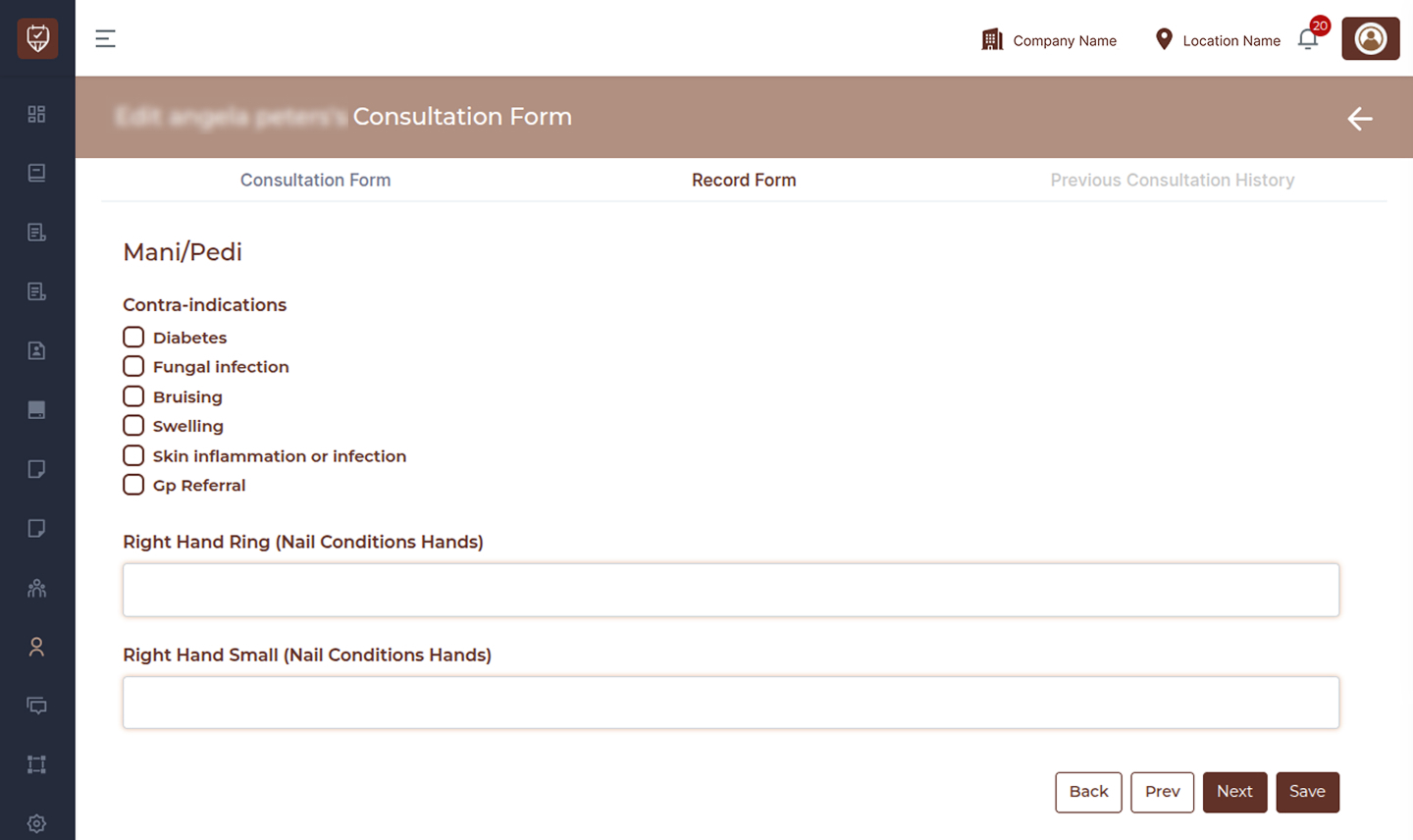
Medical History Change
Indicate if there are any changes in medical history.
Explanation
Provide additional details if there are changes in medical history.
Therapist Comments
Add internal notes for reference.
Signature
Capture the client’s digital signature.
Therapist Signature
Capture the therapist’s digital signature.
Signature Controls
Use Clear, Undo, and Done to manage the signature.
Preview Consultation Form
The preview section displays a complete read-only view of the consultation form for review, download, or sharing.
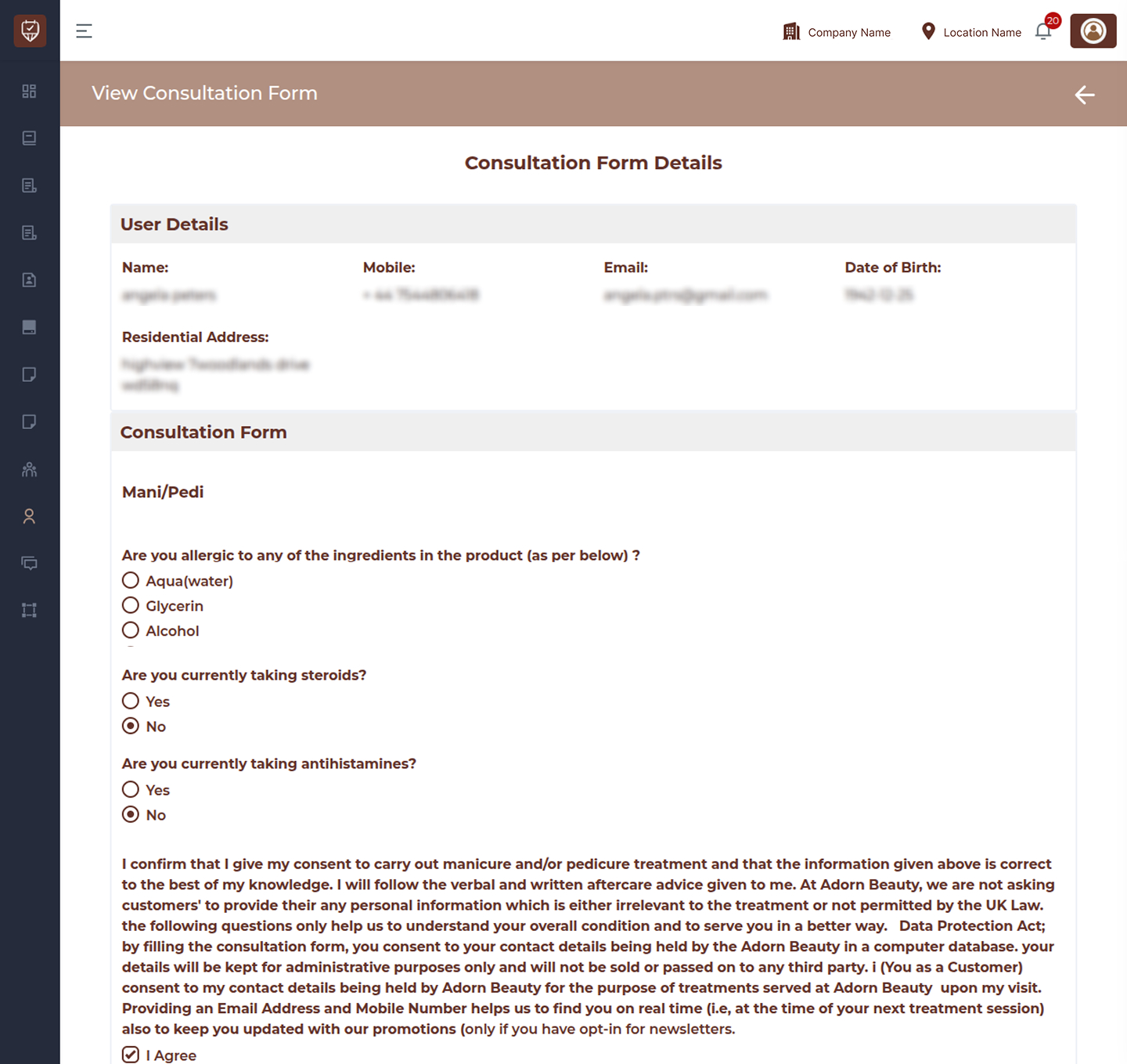
User Details
Displays client information such as name and contact details.
Consultation Form
Shows all submitted consultation details including:
- Skin analysis
- Medical conditions
- Allergies
- Notes
Disclaimer
Displays the full consent and agreement information provided during consultation.
Record Form
Shows updated medical details and therapist comments.
Signature
Displays the client’s saved signature.
Therapist Signature
Displays the therapist’s saved signature.
Best Practices
- Always complete consultation forms before starting any service
- Ensure all medical and allergy details are accurately filled
- Review consent and disclaimer carefully
- Capture both client and therapist signatures
- Use preview before downloading or emailing