
Master Services Tests
The Master Services Tests page allows administrators to manage predefined test descriptions associated with services. These tests are typically used to provide important information, guidelines, or safety instructions that may be required before a service is performed.
This page helps standardize communication by ensuring consistent test-related information is available across the system.
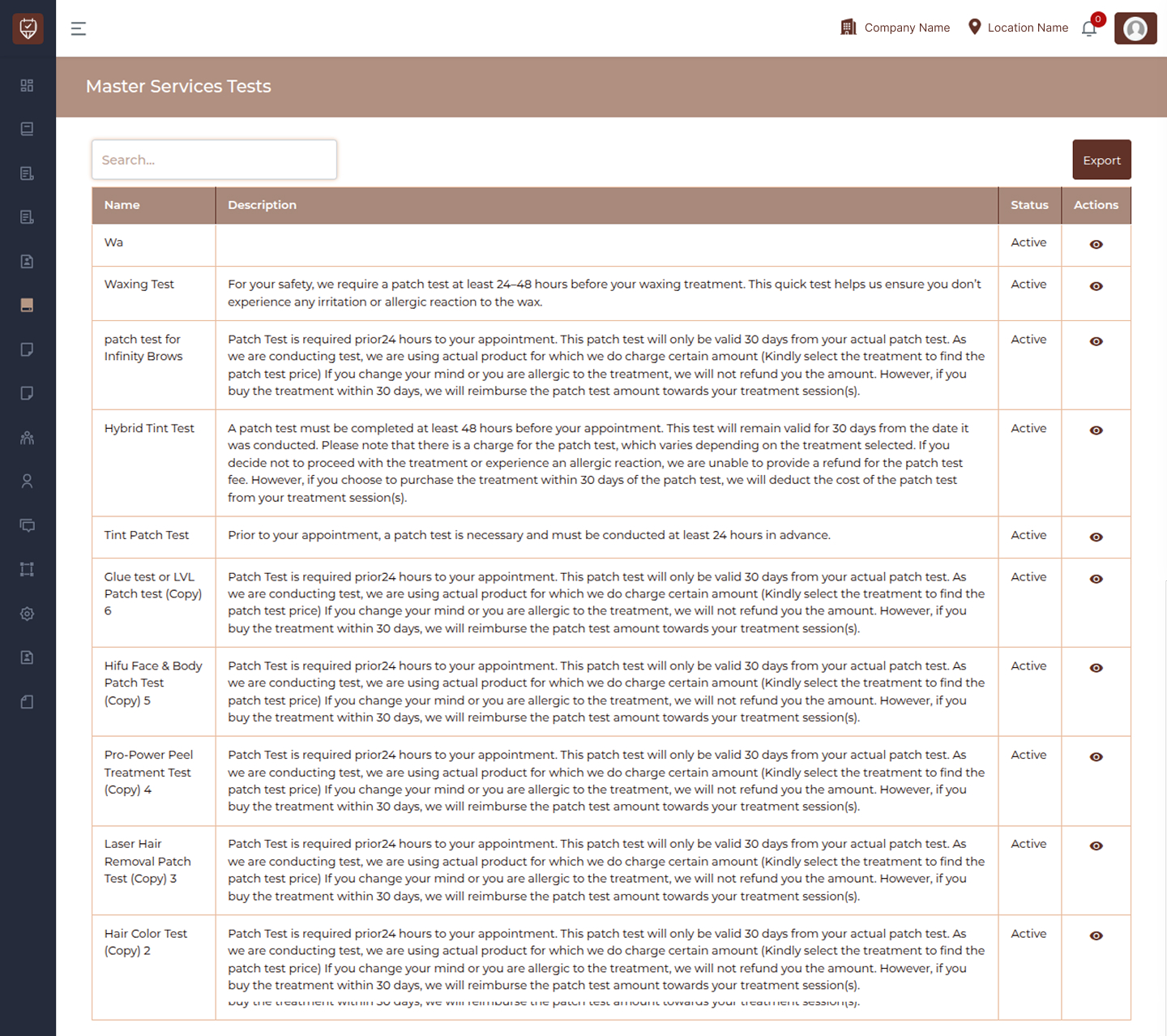
Search
The Search field enables users to quickly find a specific service test.
By entering a keyword or test name, the system filters the list and displays only relevant results. This is especially useful when managing a large number of service tests.
Service Tests List
The main section of the page displays all configured service tests.
Each entry represents a predefined test or instruction that can be associated with services.The list provides the following details.
Name
Displays the name of the service test. This helps identify the type of test or instruction associated with a service. Clear naming ensures administrators can easily recognize and manage test records.
Description
Shows the detailed explanation or instructions related to the service test.
This may include preparation guidelines, safety requirements, or important notes that need to be communicated before a service is performed.
Status
Indicates whether the service test is currently active.
Active : When active, the service test is available for use and can be applied to relevant services.
Inactive : Inactive tests remain stored in the system but are not used or displayed in active workflows.
Actions
The actions column provides options to interact with each service test.
View : Allows administrators to view the full details of the selected service test. This is useful when reviewing long descriptions or verifying test information.
Export
The Export button allows administrators to download the list of service tests. This feature is useful for reporting, record-keeping, or sharing data outside the system.
Pagination
Pagination controls are available at the bottom of the page. These controls allow users to navigate through multiple pages of service tests when the list is extensive. Users can move between pages or adjust the number of entries displayed per page.
Service Test View
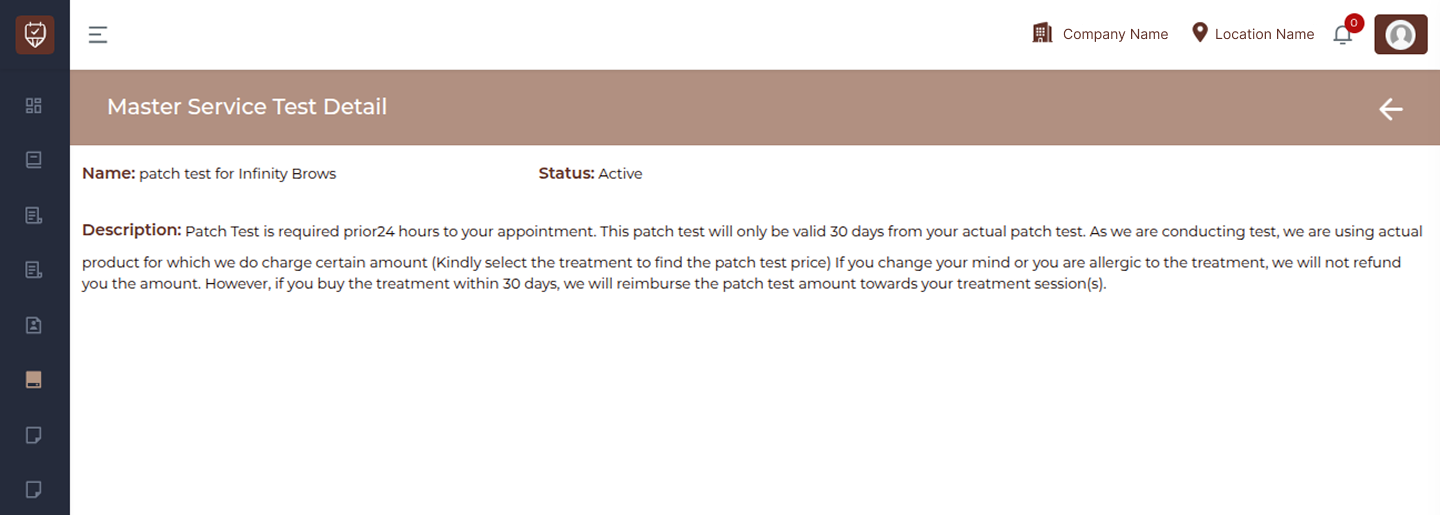
The Master Service Test Detail page provides a complete view of a selected service test. This page allows administrators to review the test name, its current status, and the full description associated with the test.
It is designed to give a clear and detailed understanding of the instructions or guidelines linked to a specific service test.
Page Navigation
Back Arrow : The back arrow located in the top-right corner allows users to return to the Master Services Tests list page. This action does not make any changes and is used purely for navigation.
Service Test Information
This section displays all the key details related to the selected service test.
Name
The Name field shows the title of the service test. This helps identify the type of test or instruction associated with a service.
Status
The Status indicates whether the service test is currently active.
Active : The test is available and can be used within the system.
Inactive : The test exists in the system but is not currently in use.
Description
The Description section provides the complete details of the service test.
This may include important instructions, safety guidelines, preparation requirements, or any other relevant information that should be reviewed before performing a service. The description is displayed in full to ensure clarity and proper understanding.